Kasa Smart Plug 2026: Setup, Alexa Connection & Energy Saving Guide
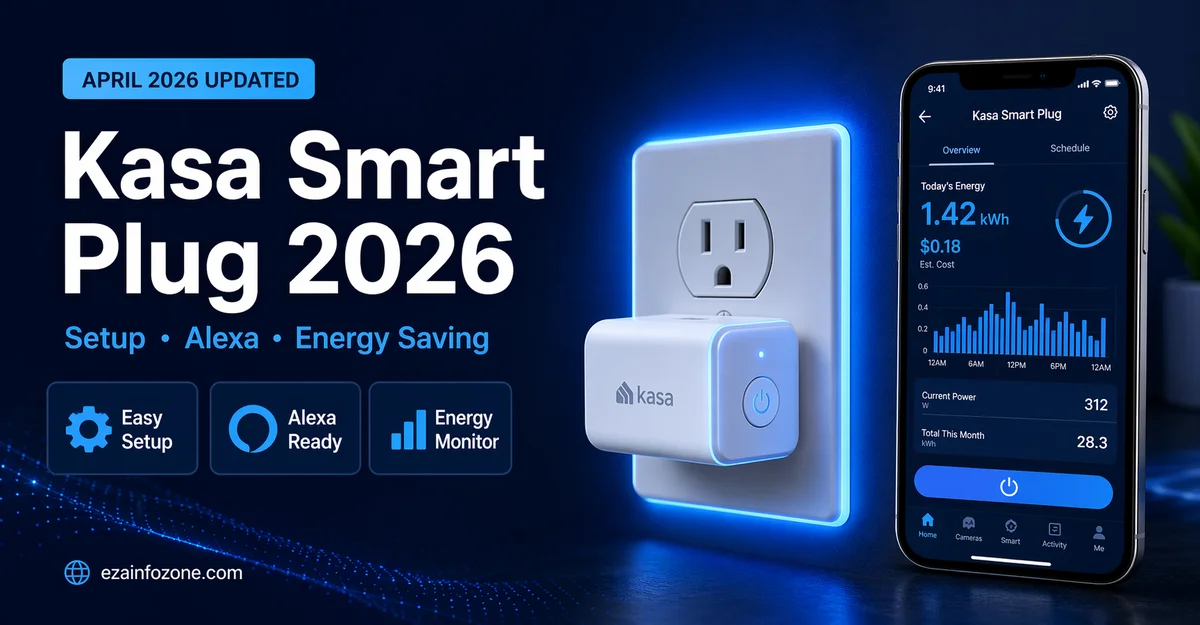
Kasa Smart Plug 2026: Setup, Alexa Connection & Energy Saving Guide
Complete guide to setting up Kasa smart plugs in 2026 — connecting to Alexa and Google Home, scheduling automations, monitoring energy usage, and cutting your electricity bills.
The TP-Link Kasa EP25 is the best Kasa smart plug in 2026 — it supports Matter, monitors real-time energy usage per device, works with Alexa, Google Home, and Apple HomeKit simultaneously, and costs ~$17 per plug. Setup takes under 3 minutes using the Kasa app. The Kasa EP40 is the best outdoor option.
- Kasa Smart Plug 2026 Lineup
- Comparison Table
- Kasa Smart Plug Setup Guide — Step by Step
- How to Connect Kasa to Alexa
- How to Connect Kasa to Google Home
- How to Connect Kasa to Apple HomeKit
- Using Kasa Energy Monitoring
- Setting Up Schedules and Automations
- Troubleshooting Common Issues
- Which Kasa Plug to Buy 2026
- FAQs
Kasa Smart Plug 2026 Lineup
TP-Link’s Kasa smart plug range in 2026 covers every use case from basic Wi-Fi control to full Matter support with energy monitoring. Here are the key models:
The Kasa EP25 is the flagship Kasa plug in 2026. Matter support makes it work with every major smart home platform simultaneously — no need to choose. Real-time energy monitoring shows exact watt usage and calculates monthly device costs. The Kasa app scheduling is the most intuitive of any smart plug at this price point.
- Full Matter support
- Real-time energy monitoring
- All 3 platforms supported
- Excellent Kasa app
- Very affordable
- Slightly bulkier design
- No USB charging ports
- 2.4GHz only
The Kasa EP40 brings smart plug control outdoors with IP44 weatherproofing that handles rain and moisture. Two independently controlled outlets let you manage garden lights and an outdoor heater separately. Energy monitoring per outlet helps track outdoor power consumption. Perfect for holiday lights, garden irrigation pumps, and outdoor entertainment setups.
The Kasa EP10 is the most affordable option for basic on/off control and scheduling without energy monitoring. The compact design does not block the second outlet — a practical advantage. No Matter support but works well with Alexa and Google Home for standard scheduling use cases.
Kasa Smart Plug Comparison 2026
| Model | Price | Energy Monitor | Matter | Outlets | Best For |
|---|---|---|---|---|---|
| EP25 | ~$17 | ✔ | ✔ | 1 | Best overall |
| EP40 | ~$25 | ✔ | ✔ | 2 | Outdoor |
| EP10 | ~$10 | ✘ | ✘ | 1 | Budget |
| KP115 | ~$15 | ✔ | ✘ | 1 | Legacy energy monitor |
Kasa Smart Plug Setup Guide — Step by Step
Download the Kasa Smart App
Download “Kasa Smart” from the App Store or Google Play. Create a free TP-Link account or log in to your existing account. Make sure your phone is connected to the 2.4GHz Wi-Fi network you want to use — Kasa plugs do not support 5GHz.
Plug In and Open App
Plug the Kasa EP25 into your wall outlet — the LED will flash orange/green indicating setup mode. Open the Kasa Smart app and tap the “+” button to add a new device. Select “Smart Plug” from the device list.
Connect to Wi-Fi
The app will prompt you to scan the QR code on the plug or manually connect. Enter your Wi-Fi password when prompted. The plug connects in under 30 seconds typically. The LED turns solid green when connected successfully.
Name Your Device
Give the plug a descriptive name matching the device it controls — “Living Room TV,” “Coffee Maker,” “Bedroom Lamp.” This name is used for voice commands, so make it natural to say aloud.
Assign to Room
Assign the plug to its room in the Kasa app. This organizes your devices by location and enables room-level control through voice assistants.
How to Connect Kasa Smart Plug to Alexa
- Open the Alexa app → Devices → “+” → Add Device → Plug
- Select “TP-Link Kasa” from the brand list
- Log in with your Kasa/TP-Link account credentials
- Alexa discovers all Kasa devices automatically
- Say “Alexa, turn on [device name]” to test
- Create Alexa routines using Kasa plugs as actions or triggers
Once connected, every Kasa plug appears as a device in the Alexa app. You can control them individually, add them to rooms, include them in groups, and use them as triggers or actions in Alexa Routines. “Alexa, good morning” can automatically turn on your coffee maker via a Kasa plug as part of a morning routine.
How to Connect Kasa Smart Plug to Google Home
- Open Google Home app → “+” → Set up device → Works with Google
- Search for “Kasa Smart” or “TP-Link” in the services list
- Sign in with your TP-Link/Kasa account
- Google Home imports all Kasa devices automatically
- Assign devices to rooms in Google Home
- Say “Hey Google, turn on [device name]” to test
How to Connect Kasa EP25 to Apple HomeKit
The Kasa EP25 supports Matter, which means it connects directly to Apple HomeKit without any separate bridge or hub. Open the Home app on your iPhone, tap “+” → Add Accessory, scan the Matter QR code on the EP25 box or the plug itself, and follow the prompts. The plug appears in HomeKit within seconds and works with Siri voice control immediately.
Using Kasa Energy Monitoring
The Kasa EP25 shows real-time watt consumption for connected devices in the Kasa app. Tap any device to see current draw, daily/weekly/monthly usage history, and calculated cost based on your electricity rate. The monthly cost view is particularly useful for identifying which devices are most expensive to run.
- Real-time: Current watt draw of the connected device
- Daily: Total kWh used today with hourly breakdown
- Monthly: Total consumption and estimated cost in dollars
- History: Up to 30 days usage comparison
- Cost calculation: Set your electricity rate for accurate cost estimates
Setting Up Kasa Schedules and Automations
Kasa schedules are the most powerful energy-saving feature. In the Kasa app, tap any device, select “Schedule,” and create rules for when the device should turn on and off. Repeat daily, on weekdays only, weekends only, or any custom pattern. Add a “Countdown Timer” for devices that should run for a set duration — coffee maker on for 90 minutes, then off automatically.
Troubleshooting Common Kasa Issues
- Plug not found during setup: Make sure phone is on 2.4GHz Wi-Fi, not 5GHz. Move plug closer to router.
- Alexa can’t find device: Say “Alexa, discover devices” or manually re-link Kasa skill in Alexa app.
- Plug goes offline frequently: Check Wi-Fi signal strength at plug location. Consider a Wi-Fi extender if signal is weak.
- App shows wrong energy data: Go to device settings → Energy Monitoring → Reset data. Re-enter electricity rate.
- Schedule not working: Check time zone setting in Kasa app settings. Ensure plug has internet access for schedule sync.
Which Kasa Smart Plug to Buy in 2026
- Best overall with energy monitoring: Kasa EP25 — Matter + monitoring + all platforms
- Best outdoor plug: Kasa EP40 — weatherproof, dual outlets, energy monitoring
- Best budget no monitoring: Kasa EP10 — basic scheduling at lowest cost
- For Apple HomeKit: Kasa EP25 — Matter enables native HomeKit without bridge
- For Alexa households: Kasa EP25 or EP10 — both work seamlessly with Alexa
🏠 Calculate Smart Plug Savings
Use our free energy calculator to estimate your annual savings from Kasa smart plugs.
Try Free Energy Calculator →FAQs — Kasa Smart Plug 2026
Conclusion — Kasa Smart Plug 2026
The Kasa smart plug range in 2026 offers the best combination of features, compatibility, and value in the smart plug market. The EP25 with Matter support and real-time energy monitoring is the standout choice — working with Alexa, Google Home, and Apple HomeKit simultaneously while providing the device-level energy data needed to identify and eliminate electricity waste.
Setup takes under 3 minutes, the Kasa app is the most intuitive in the category, and at $17 per plug the payback period from energy savings alone is typically under 6 months. Whether you are building your first smart home or adding energy monitoring to an existing setup, Kasa smart plugs deliver reliable, feature-rich performance at an accessible price.