
Fancy Text Generator: Copy and Paste Fonts
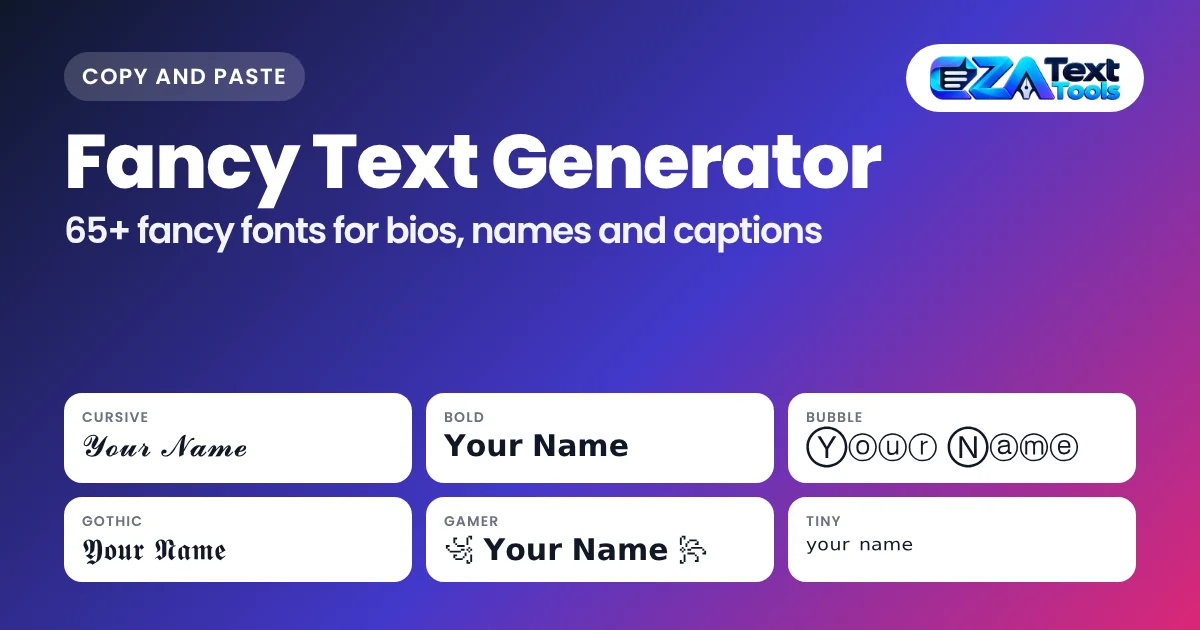
Type below and watch 150+ fancy fonts appear instantly. Tap Copy and paste anywhere.
· Tap Copy or the text itself. Tap ♡ to save a favorite.
Quick answer: a fancy text generator swaps each letter you type for a look-alike character from the Unicode standard, so “Hello” becomes 𝓗𝓮𝓵𝓵𝓸, 𝗛𝗲𝗹𝗹𝗼 or ℌ𝔢𝔩𝔩𝔬. Since the result is made of characters and not an installed font, it keeps its style when you paste it into bios, names, captions and chats. Just type, tap a style and paste.
Plain text all looks the same. A fancy text generator is the quickest way to make a name, bio or caption stand out without design software or an app. You don’t need to install anything, and the text works on most phones and computers.
This page is a free fancy font generator and a full guide in one. Use the tool above, then read on to learn which styles work where, why some letters turn into boxes, and how to keep your profile easy to find and easy to read.
How to Use the Fancy Text Generator
Type your text, tap the style you like, and paste it. Every style updates while you type, so there’s no generate button to press.
- Type your text in the box at the top. A name, a short bio line or a caption works best.
- Browse the styles. “All Fonts” shows every style. Use the buttons for Popular, Unicode Styles, Aesthetic, Cute and Fun, Gaming and Cool, Dark and Gothic, Text Effects, Border and Frame, or Mixed Fonts.
- Search by name if you know what you want. Type “bubble”, “glitch” or “tiny” in the search box.
- Tap Copy on any card, or tap the styled text itself. The button changes to “Copied” to confirm it.
- Change the preview size with the − and + buttons if the letters are too small or too big to judge.
- Paste it into your app. On a phone, press and hold the text field and choose Paste.
- Tap ♡ on the styles you use often. They’ll be waiting in Favorites next time you visit on the same browser.
The generator runs entirely in your browser. What you type isn’t sent to any server or saved anywhere.
What Is Fancy Text and How Does It Work?
Fancy text is regular Unicode characters that happen to look like styled letters. It isn’t a font file, which is why it can be copied and pasted between apps.
Unicode is the standard that gives every character a number, from the letter A to emoji. Along with normal letters, it includes several full alphabets that were added mainly for math and science, such as a bold set, an italic set, a script set and a “double-struck” set. There are also circled letters, squared letters, full-width letters used in Asian typing, and small marks that sit on top of or under a letter.
A fancy font generator simply looks up each letter you type and swaps it for its match in one of those sets. For example:
- “A” becomes 𝐀 in the Mathematical Bold set.
- “A” becomes 𝒜 in the script set, which is where cursive text comes from.
- “A” becomes Ⓐ in the circled set, used for bubble text.
- Strikethrough and underline add a “combining mark” after each letter, which is why t̶e̶x̶t̶ works inside a bio.
Because each styled letter is a separate character, the look travels with the text. You can paste it anywhere that accepts Unicode, and nearly every modern app does.
Fancy Font Styles Explained
The 150+ styles fall into eight groups, the same groups you see as filter buttons in the tool. Each group suits a different job, so pick by where the text is going, not only by looks.
| Group | Example | Best for |
|---|---|---|
| Unicode Styles | 𝓕𝓪𝓷𝓬𝔂 𝓣𝓮𝔁𝓽 | Cursive, bold, italic, gothic, bubble and tiny letters for names, bios and captions |
| Aesthetic | ⋆。°✩ ℱ𝒶𝓃𝒸𝓎 𝒯ℯ𝓍𝓉 ✩°。⋆ | Soft, dreamy and coquette profiles |
| Cute and Fun | 🎀 𝓕𝓪𝓷𝓬𝔂 𝓣𝓮𝔁𝓽 🎀 | Playful bios, friends groups and birthday posts |
| Gaming and Cool | ꧁ 𝗙𝗮𝗻𝗰𝘆 𝗧𝗲𝘅𝘁 ꧂ | Gamer tags, clan names and Discord names |
| Dark and Gothic | † 𝕱𝖆𝖓𝖈𝖞 𝕿𝖊𝖝𝖙 † | Dark aesthetics, metal and Halloween |
| Text Effects | F̶a̶n̶c̶y̶ T̶e̶x̶t̶ | Strikethrough, underline, glitch and upside down text where formatting isn’t allowed |
| Border and Frame | 【𝗙𝗮𝗻𝗰𝘆 𝗧𝗲𝘅𝘁】 | Headers, titles and standout bio lines |
| Mixed Fonts | 𝐅𝒶𝚗𝔠𝙮 𝕋𝐞𝓍𝚝 | Ransom-note and two-style looks that grab attention |
Cursive and Script Fonts
Cursive text uses Unicode’s script letters. The light version, 𝒞𝓊𝓇𝓈𝒾𝓋ℯ, looks like handwriting. The bold version, 𝓒𝓾𝓻𝓼𝓲𝓿𝓮, is thicker and easier to read on small screens. A few light script letters come from an older Unicode block, so they look slightly different from their neighbors. That’s normal. For more script options, open the cursive font generator.
Bold and Italic Text
Bold and italic styles are the most practical fancy text. Use 𝗯𝗼𝗹𝗱 to make a word stand out in a bio where formatting buttons don’t exist, or 𝘪𝘵𝘢𝘭𝘪𝘤 for a softer accent. They’re also the safest choice for names, because almost every phone can show them.
Gothic and Old English Fonts
Gothic letters, 𝔊𝔬𝔱𝔥𝔦𝔠 and 𝕲𝖔𝖙𝖍𝖎𝖈, come from the Fraktur set. People use them for dark aesthetics, metal band names, tattoo ideas and “old English” headers. They’re harder to read in long sentences, so keep them to one or two words.
Bubble, Box and Bracket Letters
Bubble letters like Ⓑⓤⓑⓑⓛⓔ and 🅑🅤🅑🅑🅛🅔 put each letter inside a circle. Squared letters like 🄱🄾🅇 do the same with squares. These sets mostly cover capital letters, which is why the black versions turn your text to uppercase. They show up well on newer phones but can appear as empty boxes on very old devices.
Aesthetic and Cute Styles
Aesthetic styles wrap your text in soft symbols, such as ♡, 🎀, ୨୧ or ⋆。°✩. They pair a light cursive or small caps base with decorations, which suits coquette, soft girl and pastel profiles. The aesthetic font generator has more of these, plus symbol packs you can mix yourself.
Glitch, Zalgo and Upside Down Text
Glitch text stacks small marks above and below each letter, so g̜̓ľ͈i̱ͥẗ͇́c͓̄h̤̾ looks shaky and corrupted. “Cursed Zalgo” stacks even more. These look striking in a meme or a spooky post, but some apps trim the extra marks, and screen readers can’t make sense of them. Upside down text flips and reverses each letter, so it reads correctly when someone turns their phone around.
Where Does Fancy Text Work?
Fancy text works almost anywhere you can type and paste, including Instagram, TikTok, Discord, WhatsApp, X, Facebook and many games. The main exceptions are usernames, handles and some search boxes, which often accept only plain letters and numbers.
| Platform | Where it works | Good to know |
|---|---|---|
| Bio, name, captions, comments, story text | Your @username can’t use fancy letters. The bio has a limit of about 150 characters. | |
| TikTok | Bio, name, captions, comments | Keep bios short, since TikTok’s bio box is small. |
| Discord | Display name, server nickname, About Me, messages | Discord usernames only allow plain lowercase letters. See our Discord fonts guide for markdown and colored text. |
| Name, about, status, chats | WhatsApp also has its own *bold* and _italic_ formatting for chats. | |
| X (Twitter) | Display name, bio, posts | Styled letters may not match in search, so keep key words plain. |
| Posts, comments, bio | Facebook name rules are strict, so styled names may be rejected. | |
| Games | Many in-game names and chats | Each game has its own filter. Bold and small caps pass most often. |
| LinkedIn and email | Technically works | Use sparingly. Recruiters and screen readers may find it hard to read. |
Writing a bio or caption first? The caption generator gives you ready lines to style here, and the hashtag generator sizes tags to each app’s rules.
Fancy Text for Names and Usernames
Use fancy text in your display name, not your username. Most apps keep usernames, also called handles, to plain letters, numbers, periods and underscores, while display names allow special characters.
That split actually helps you. Your plain username keeps you easy to find and easy to tag, and your display name carries the style. A few tips for names:
- Keep it short. Decorations like ꧁ ꧂ or ★彡 add characters, so a long name can hit the limit.
- Pick a readable base. 𝗡𝗼𝘃𝗮 or ɴᴏᴠᴀ read better in a list than heavy glitch or bubble styles.
- Match the vibe. Gamers often use wings or lenticular brackets, while aesthetic accounts lean toward soft cursive with hearts or bows.
- Test it. Paste your name, then check it on a friend’s phone before you commit.
Why Does Fancy Text Show Boxes or Question Marks?
Boxes, blank squares or question marks mean the device reading the text doesn’t have a font that includes those characters. The text itself is fine. The screen just can’t draw it.
This happens most with rarer characters, such as black bubble letters, squared letters, Egyptian-style symbols like 𓆩𓆪, and some decorations. It’s more common on older Android phones, old smart TVs and some desktop apps. Newer iPhones, Android phones and browsers usually show everything.
How to avoid it:
- Choose bold, italic, small caps or cursive for anything important. These are supported almost everywhere.
- Save rare symbols for decoration, not for the words people need to read.
- Check the result on more than one device if your audience uses many kinds of phones.
Fancy Text, Search and Accessibility
Fancy letters are different characters from normal letters, so search tools and screen readers treat them differently. That’s the main trade-off of fancy text.
Search: if your bio says 𝗕𝗮𝗸𝗲𝗿, a person searching “baker” in the app may not find you, because the app sees different characters. Searching with the exact styled characters can still match. Keep the words you want to be found for, like your name, job or city, in plain text.
Screen readers: tools that read text aloud for blind and low-vision users may read styled letters as symbol names, spell them out one by one, or skip them. A fully styled sentence can turn into noise. Use fancy text for a name or a short accent, and keep links, contact details and important information in plain letters.
Websites: if you run a site, don’t put fancy text in page titles or headings you want Google to understand. Use real web fonts and CSS for styling, and keep the text itself normal.
Fancy Text vs Fonts vs Images
Fancy text, installed fonts and text images each solve a different problem. Fancy text is the only one that works inside apps that won’t let you choose a font.
| Fancy text (Unicode) | Installed font | Text as an image | |
|---|---|---|---|
| Works in bios and names | Yes | No | No |
| Can be copied and edited | Yes | Yes | No |
| Same look on every device | Mostly | Only where installed | Yes |
| Readable by search and screen readers | Often not | Yes | No, unless alt text is added |
| Best for | Social profiles, chats, games | Documents and design files | Posters, thumbnails, covers |
Need text as an image instead? The brat generator turns text into a downloadable album-cover style image.
Common Fancy Text Mistakes (and How to Fix Them)
Most fancy text problems come from styling too much or putting it in the wrong field.
- Styling your whole bio. Why it happens: it looks great at first. How to avoid it: style one line or your name only. Fix: put key words, links and contact info back in plain text so people and search can read them.
- Trying to style a username or handle. Why it happens: the app accepts it in the name field but not the handle. How to avoid it: know the difference. Fix: keep the handle plain and style your display name.
- Using rare symbols in important words. Why it happens: they look unique on your phone. How to avoid it: test on another device. Fix: switch to bold, italic or cursive if anyone sees boxes.
- Heavy glitch text in captions. Why it happens: it’s eye-catching. How to avoid it: keep zalgo for one word. Fix: use Glitch Light, or move the effect to a short tag.
- Going over the character limit. Why it happens: decorations and combining marks add hidden characters. How to avoid it: watch the counter. Fix: drop a decoration or pick a style without extra marks.
- Using fancy text on a resume or formal message. Why it happens: wanting to stand out. How to avoid it: think about who reads it. Fix: use real bold or italic formatting in the document instead.
All Free Text Tools
EZA Text Tools has a free generator for each kind of styled text. Each one goes deeper on one style than the main fancy text generator above.
Looking for the Brat Generator? It now lives at ezainfozone.com/brat-generator/ with all the same features.
Fancy Text Generator FAQs
What is a fancy text generator?
A fancy text generator turns normal letters into look-alike Unicode characters, such as bold, cursive, bubble or gothic letters. You copy the result and paste it into a bio, name, caption or chat. It is not a font you install, so the style stays the same when you paste it into another app.
Is this fancy text generator free?
Yes. All 150+ styles are free to use with no signup, no watermark and no limit on how many times you copy. The tool runs in your browser, so nothing you type is sent to a server or stored. Your favorite styles are saved only in your own browser.
How do I copy and paste fancy text?
Type your text in the box, then tap the style you want. The generator copies it for you and shows a Copied message. Open your app, press and hold the text field on a phone or right click on a computer, and choose Paste. The styled text appears right away.
Does fancy text work on Instagram?
Yes. Fancy text works in your Instagram name, bio, captions, comments and story text. It does not work in your username, which only allows plain letters, numbers, periods and underscores. Keep your key words plain in the bio too, because styled letters may not show up in Instagram search.
Can I use fancy fonts on TikTok and Discord?
Yes. On TikTok you can paste fancy text into your name, bio, captions and comments. On Discord it works in your display name, server nickname, About Me and messages, but not in your username. Discord also has its own markdown codes for bold, italics and spoilers in chat.
Why does fancy text show as boxes or question marks?
Boxes mean the phone or computer showing the text has no font that includes those Unicode characters. It happens most with rare symbols, bubble and squared letters on older devices. Bold, italic, small caps and cursive styles are supported almost everywhere, so use those for anything important.
Is fancy text bad for SEO or search?
Fancy letters are different characters from normal letters, so a search for plain words may not find them. On social media, keep your name, job and other key words in plain text. On a website, never put fancy text in titles or headings, and use real web fonts for styling instead.
Can screen readers read fancy text?
Not reliably. Screen readers may read styled letters as symbol names, spell them out, or skip them, which makes a sentence hard to follow for blind and low vision users. Use fancy text for a name or a short accent, and keep important details like links and contact information in plain text.
Can I use fancy text in my username?
Usually not. Most apps limit usernames or handles to plain letters, numbers, periods and underscores, so they stay easy to type and search. Put your fancy text in the display name or name field instead. That way you keep a stylish look while friends can still find and tag you.
Which fancy font is best for names?
Bold, small caps and bold cursive are the best choices for names because they are easy to read and show up on almost every device. For gaming names, wrap a bold style in decorations such as wings or brackets. Avoid heavy glitch text in names, since it is hard to read and mention.
Does fancy text work in other languages?
Most fancy styles only cover the English letters A to Z and the numbers 0 to 9, because those are the letters Unicode includes in its styled sets. Other characters, such as accented letters or other alphabets, pass through unchanged. Decorations like hearts, stars and wings still work with any language.
What is the difference between fancy text and a real font?
A real font changes how existing letters are drawn, and it only works where that font is installed or chosen. Fancy text replaces the letters themselves with different Unicode characters, so the style travels with the text. That is why fancy text works in bios and names, where you cannot pick a font.
The Bottom Line
A fancy text generator gives you styled letters that work where fonts can’t, like bios, names, captions and chats. Type once, pick from 150+ styles, and paste. Use bold, italic or cursive for anything people need to read, save glitch and rare symbols for short accents, and keep your username and key words in plain text so you stay easy to find. Bookmark this page and your favorite styles will be ready whenever you need them.
EZA Text Tools is an independent site. Instagram, TikTok, Discord, WhatsApp, X, Facebook and LinkedIn are trademarks of their owners and are named only to describe where fancy text can be pasted.