Smart Gas Meter: How to Read, Reset & Check Battery (2026)
Smart Gas Meter: Complete Guide to Reading, Resetting & Home Automation
Everything you need to read your smart gas meter display, decode every warning symbol, understand your battery, and connect your meter data to Home Assistant.
A smart gas meter automatically transmits your gas usage to your utility via RF or cellular — no manual reads required. It shows consumption in CCF or therms on a digital LCD, runs on an internal lithium battery rated 10–20 years, and displays warning symbols for battery, communication, and flow issues. Your utility installs and owns the meter.
What Is a Smart Gas Meter?
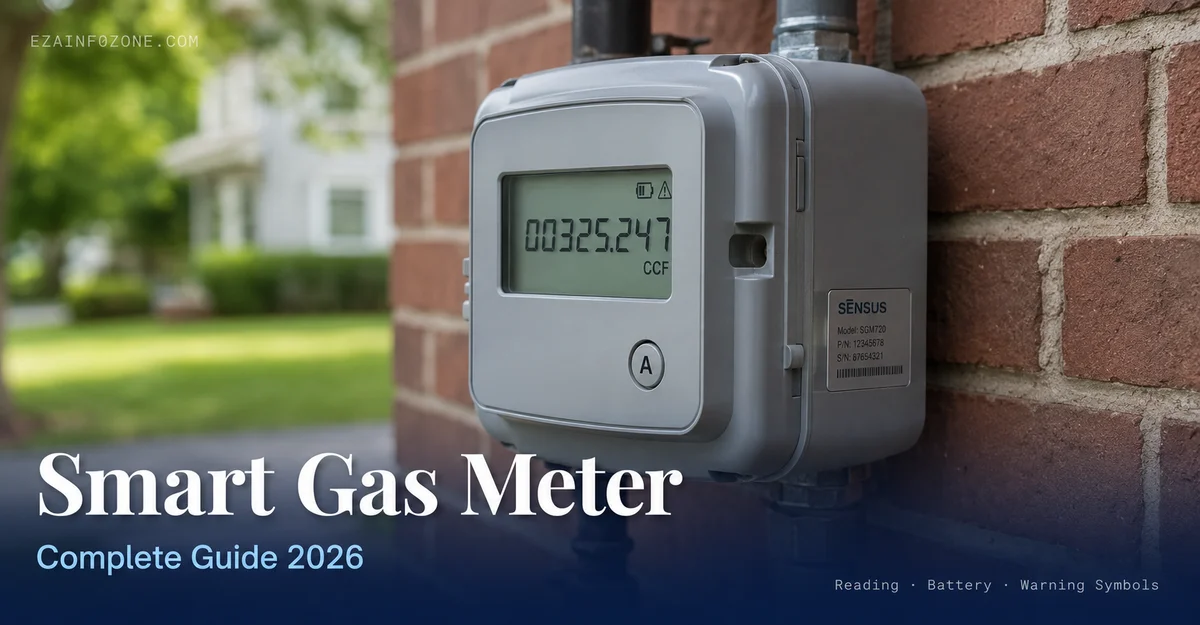
A smart gas meter is a digital utility meter that measures how much natural gas your home uses and sends that data directly to your gas company via a built-in wireless transmitter — no meter reader, no estimated bills. In the US, the majority of new residential gas meter installations since 2015 have been smart meters, part of what utilities call Advanced Metering Infrastructure (AMI). As of 2024, over 100 million AMI meters are deployed across electricity and gas networks (U.S. Energy Information Administration).
Unlike a traditional dial meter, a smart gas meter has an electronic LCD display that shows your current reading in CCF (centum cubic feet, equal to 100 cubic feet of gas) or therms. The meter also records usage history in 15-minute to hourly intervals, which your utility uses for time-of-use analysis and leak detection. You can access your own usage data through your utility’s online portal or app.
Inside the meter, a mechanical diaphragm or turbine measures gas flow — this part works with zero electronics and zero power. The digital display, tamper detection, and RF transmitter run entirely on an internal lithium battery. The meter is housed in a weather-rated enclosure (the meter box) mounted on your home’s exterior gas line, typically at or below the gas shutoff valve.
Smart Gas Meter vs Traditional Gas Meter
The core difference between a smart natural gas meter and a traditional dial meter is how readings get to your utility. Here is a full feature comparison:
| Feature | Smart Gas Meter | Traditional Gas Meter |
|---|---|---|
| Reading Method | Automatic (RF / cellular) | Manual visit required |
| Billing Accuracy | Based on actual consumption | Estimated between reads |
| Data Frequency | 15-min to hourly intervals | Monthly or bi-monthly |
| User Data Access | Utility app / web portal | Paper bill only |
| Remote Shutoff | Available (some models) | Not possible |
| Leak / Anomaly Detection | Automatic flow monitoring | No detection capability |
| Home Automation | Via pulse counter or utility API | Not possible |
| Battery Powered | Yes (10–20 yr internal) | No battery needed (fully mechanical) |
| Tamper Detection | Yes — alerts utility | No |
| Homeowner Choice | Assigned by utility | Assigned by utility |
Neither meter type is chosen by the homeowner — your gas utility installs and owns the meter on your property. The shift to smart gas meters is utility-driven, tied to federal AMI mandates and operational cost savings. If you do not yet have a smart gas meter, contact your gas utility to ask when your service area is scheduled for the upgrade.
How to Read Your Smart Gas Meter Display
Your smart gas meter display is off most of the time to conserve battery. Pressing the meter’s button wakes the LCD and cycles through multiple data screens. Here is exactly how to read a smart gas meter step by step:
Press the Display Button
Most US smart gas meters have a single button labeled A, TEST, or a circle arrow icon. Press it once to wake the LCD. On Itron INTELIS meters press A once. On Honeywell Elster meters press and hold for 3 seconds. On Landis+Gyr FOCUS meters press the scroll button on the right side of the display.
Read Screen 1: Current Meter Reading
The first screen shows your current cumulative reading in CCF or therms as a 5–6 digit number (e.g., 01234 CCF). This is the number your utility uses for billing. Write it down and compare it to the reading on your most recent bill — the difference is your usage since that bill was issued.
Press Again to Cycle Through Data Screens
Each additional button press advances to the next screen. Common screens in order: current read → daily consumption → date and time → software/firmware version → battery voltage or status → RF communication status → meter serial number. Not all models show all screens — the cycle loops back to the current read.
Record the Reading for Verification
If your bill shows an estimated read (marked EST on the bill), your current display reading lets you verify how close the estimate was. If the estimated read is more than 5% above your actual display reading, call your utility to request a corrected bill based on the actual meter reading you recorded.
How to Reset a Smart Gas Meter
The phrase “how to reset a smart gas meter” means different things depending on what outcome you need. Here is an exact breakdown of what is and is not possible for a homeowner:
| Reset Type | Who Can Do It | How |
|---|---|---|
| Return display to home screen | Homeowner | Press the A or scroll button once. The display returns to the default current-read screen. |
| Clear a warning symbol | Utility only | Call your gas company. They can remotely acknowledge or clear most error codes via the AMI network. |
| Reset usage data | Utility only | Not possible for homeowners. Meter data is stored on the utility’s server, not only on the device. |
| Restore meter after outage | Depends | If the gas supply was shut off, your utility must physically restore service. You cannot reopen a remotely closed meter valve yourself. |
| Factory reset | Utility only | Requires a technician visit. Only done during meter replacement, not for troubleshooting. |
For most homeowners, how to reset smart gas meter display means pressing the A button once — that returns the LCD to the home screen and is the only reset action available without calling your utility. For a blank screen, a persistent error code, or an unresponsive display, call your gas utility’s 24/7 meter service line. They handle all remote resets and dispatch technicians at no cost.
Smart Gas Meter Battery: Lifespan, Replacement & Low Battery Alerts
The smart gas meter battery is an internal lithium cell that powers the digital display, tamper detection circuitry, and the RF or cellular transmitter. The gas measurement mechanism itself is fully mechanical — it works whether the battery is full or dead.
| Meter Brand | Battery Type | Rated Life | Replacement |
|---|---|---|---|
| Itron INTELIS | Internal lithium pack | 20 years | Utility replaces full meter |
| Honeywell Elster BK-G | Internal lithium | 10–15 years | Utility replaces full meter |
| Landis+Gyr FOCUS | Internal lithium | 15–20 years | Utility replaces full meter |
| Sensus iPERL | Internal lithium | 10–20 years | Utility replaces full meter |
What happens when the smart gas meter battery runs low: The meter transmits a low-battery alert to your utility automatically through the AMI network. Your utility will schedule a meter replacement — typically within 6–12 months of the first low-battery alert. You may or may not receive a notification from your utility about the scheduled replacement. The LOW BATT symbol may also appear on your meter display.
What happens when the battery dies completely: The gas measurement continues mechanically, but the display goes blank and the meter stops transmitting readings to your utility. Your utility will begin issuing estimated bills until the meter is replaced. Contact your gas company immediately if your display has been blank for more than 48 hours.
Smart Gas Meter Warning Symbols Explained
Smart gas meter warning symbols appear on the LCD display when the meter detects a condition that requires attention. Here is every common warning symbol, what it means, and what to do:
| Symbol / Text | Meaning | Severity | What to Do |
|---|---|---|---|
| LOW BATT Battery icon with X | Internal battery below 20% of rated life | Low | No action needed. Your utility is notified automatically and will schedule a free meter replacement. |
| COMM Signal bars with X | Meter cannot transmit data to utility — RF or cellular link is lost | Medium | Wait 24–48 hours. If the symbol persists, call your gas utility. The issue is usually on the utility’s network, not your meter. |
| TAMPER Lock icon or padlock | Meter case has been opened, meter has been tilted beyond threshold, or magnetic interference detected | High | Call your gas utility immediately. Do not attempt to clear this symbol yourself. A technician will inspect the meter. |
| ALARM Exclamation mark | Gas flow anomaly detected — possible leak, meter bypass, or unusual consumption spike | Critical | Turn off the gas shutoff valve. Evacuate the building. Call 911 and your gas utility from outside the building. |
| ERR E followed by a number | Internal meter error code. The number identifies the specific fault (varies by manufacturer). | Medium | Note the full error code (e.g., E04, E12) and call your gas utility. They can identify the fault from the code remotely. |
| LOW CREDIT Dollar sign with arrow | Prepayment balance is below the threshold (prepayment meters only) | Low | Top up your account via your utility’s app, website, or authorized paypoint before your balance reaches zero to avoid a supply interruption. |
| [blank display] | Battery depleted, display component failed, or meter in deep sleep mode | Medium | Press the A button. If the display remains blank after pressing, call your gas utility to request a meter inspection. |
Smart Gas Meter + Home Assistant Integration
US smart gas meters transmit data exclusively to your utility via a closed RF or cellular AMI network — homeowners cannot intercept or tap into this signal directly. However, you have two practical methods to get your smart gas meter data into Home Assistant:
Method 1 — Utility Green Button API (Recommended): Several US gas utilities support the Green Button Connect standard, which lets you authorize third-party apps including Home Assistant to access your interval usage data. Check if your utility appears on the Home Assistant energy dashboard’s supported utility list. If it does, go to Settings → Energy → Add Gas Source in HA and follow the utility OAuth login flow. Consumption data updates every 24 hours or on your utility’s published interval schedule. See our full Home Assistant smart home setup guide for installation prerequisites.
Method 2 — DIY ESPHome Pulse Counter (Universal): Every smart gas meter’s rotating index dial completes one revolution per fixed gas volume (typically 1 CCF per revolution for residential meters). An optical pulse counter sensor mounted near the dial detects each revolution and reports it to Home Assistant via Wi-Fi. This method works with any smart gas meter regardless of brand or utility.
Hardware required: ESP8266 or ESP32 board ($5–$15), LDR photoresistor or TCRT5000 IR sensor ($2), 3D-printed or tape-mounted bracket to position the sensor over the meter’s last dial digit. The sensor never touches the gas line or any meter internals — it sits outside the meter housing.
ESPHome configuration for a standard 1-CCF-per-revolution meter:
sensor:
  - platform: pulse_counter
    pin:
      number: GPIO4
      mode: INPUT_PULLUP
    name: "Gas Meter Pulse"
    unit_of_measurement: "CCF"
    update_interval: 60s
    filters:
      - multiply: 0.01   # 100 pulses = 1 CCF for most residential meters
    state_class: total_increasing
device_class: gasUS Smart Gas Meter Brands: What You Likely Have
Homeowners do not select their smart gas meter — your utility chooses the manufacturer based on their AMI network contracts. The four brands below cover the majority of US residential smart natural gas meter installations. Identifying your brand lets you find the correct manual and display button instructions:
Itron
The largest smart meter manufacturer in North America. INTELIS and OpenWay CENTRON series. Common with Piedmont Natural Gas, NiSource, and Southwest Gas utilities.
Battery life: 20 years
Network: 900 MHz RF-Mesh
Units: CCF or therms
Honeywell Elster
BK-G series diaphragm meters with integrated AMI module. Common with National Grid, Eversource, and Con Edison in the Northeast US.
Battery life: 10–15 years
Network: 900 MHz AMR
Units: CCF
Landis+Gyr
FOCUS series meters. Common with Spire Gas, Atmos Energy, and Centerpoint Energy across the Midwest and Southeast United States.
Battery life: 15–20 years
Network: Cellular (4G LTE)
Units: CCF or MCF
Sensus (Xylem)
iPERL and TRIDENT series. Used by a wide range of mid-size US gas utilities. Recognized by the oval logo plate and side-mounted test port.
Battery life: 10–20 years
Network: FlexNet RF
Units: CCF or therms
To identify your exact meter model: look at the nameplate label on the front of the meter. It shows the manufacturer name, model number, and serial number. Your utility’s website also lists the meter models deployed in your service area under their AMI or smart meter program pages. For more on integrating your meter data with a broader home energy setup, visit our smart electricity meter guide.
Frequently Asked Questions — Smart Gas Meter
Monitor Your Gas Usage in Real Time
Connect your smart gas meter data to your home energy dashboard. Our guide walks you through the Green Button API setup and ESPHome pulse counter — step by step.
See the Full Energy Guide