The Outdoor Aqara Camera Hub G5 Pro Review
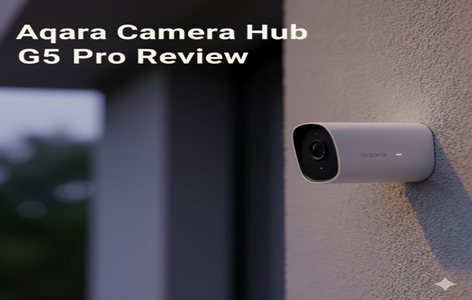
If you look at the Aqara Camera Hub G5 Pro, you might think it’s just another outdoor security camera. But that’s only half the story. This device is actually a full smart home hub, a Matter bridge, a Thread Border Router, and a Zigbee controller—all packed inside a weatherproof outdoor camera.
That combination is rare. And if you’re building a smart home, especially one that needs outdoor device coverage, this little box can solve several problems at once.
In this review, I’ll break down the features, performance, storage options, and smart home integrations based on real world testing, plus a few critical things you need to know before buying.
Design and Setup: PoE or Wi-Fi? Your Choice
Aqara sells the G5 Pro in two versions: Wi-Fi and PoE.
- The Wi-Fi model supports both 2.4 GHz and 5 GHz networks.
- The PoE version (the one I tested) uses a single Ethernet cable for both power and data, which means no Wi-Fi needed at all.
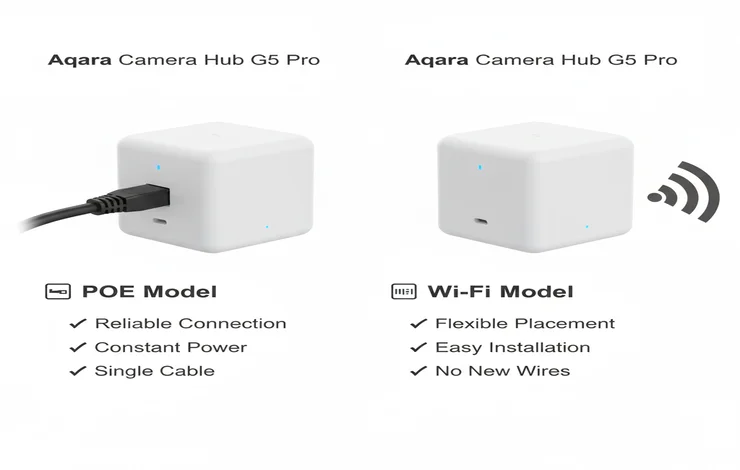
Both models include a USB-C port, but you won’t use it if you’re powering via PoE. One thing to note: the PoE model cannot connect to Wi-Fi, so make sure your Ethernet run reaches the camera’s location.
The camera itself shoots 1520p video, a step above the usual 1080p, and offers a wide 133° field of view. And unlike most outdoor cameras, this one has full-color night vision only—no black-and-white infrared mode. When it’s completely dark, a dimmable spotlight automatically turns on.
A loud 100 dB speaker, two-way audio, and flexible mounting options make placement easy. It’s also IP65-rated, so rain or dust won’t be an issue.
AI Detection That Actually Feels Useful
Aqara packed a dedicated neural processing unit (NPU) inside this camera, and it shows. All the AI detection happens locally, which means:
- Faster alerts
- No cloud dependency
- Works even during internet outages
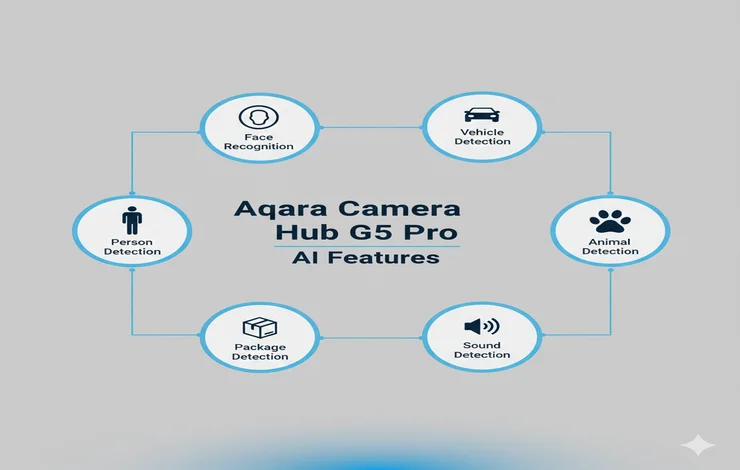
Here’s what it can detect:
✔ Face Recognition
You can upload photos of family members. When the camera sees them, alerts will say “Alex detected” instead of “Person detected.”
This is genuinely helpful for presence based automations, like turning on lights when a family member arrives.
✔ Vehicle Recognition
The camera tracks vehicles without relying on license plates. Instead, it recognizes the vehicle by shape, color, and visible details. It can even tell whether the vehicle is approaching or moving away.
This is great for automations like opening the garage when your car pulls in.
✔ People, Lingering, and Obstruction Detection
The lingering detection is particularly handy if you want to be alerted when someone hangs around your gate or front yard for too long.
✔ Animal, Package, and Sound Detection
It can spot dogs, cats, and packages.
Sound detection covers barking, crying, alarms, and even coughing (yes, I tested that—cough near it, and you’ll get an alert).
These are practical features that go beyond basic motion detection.
Storage Options: Better Than Before
Originally, the G5 Pro shipped with some limitations, but Aqara recently rolled out major updates:
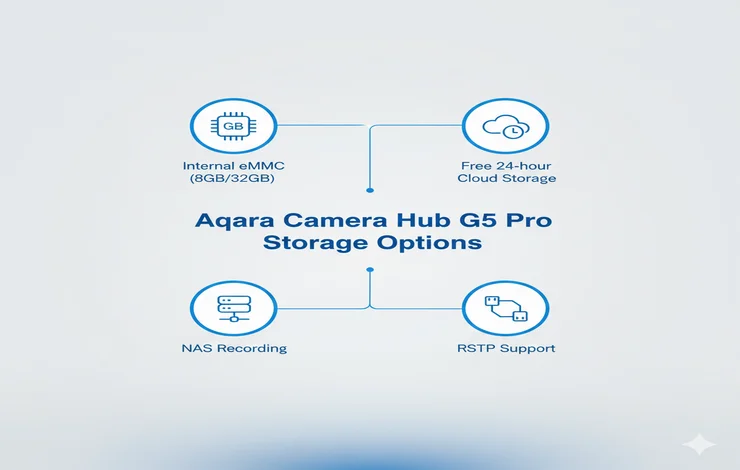
What’s inside
- 8 GB eMMC storage (Amazon units)
- 32 GB storage (units purchased directly from Aqara)
This internal storage is encrypted and records event-based clips only.
But here’s the good news: Aqara listened to user feedback.
New Improvements:
- 24 hours of free cloud storage (for 6 months, no card required).
- NAS support for 24/7 continuous recording.
- Upcoming ONVIF support for third-party NVRs.
- Download event clips directly to your phone.
- Detection timeout settings now free.
If you want continuous 24/7 recording right now, you can use:
- A NAS (Synology, QNAP, etc.)
- RTSP streaming via apps like VLC
- Home Assistant with RTSP
Using VLC or a NAS is straightforward: you simply copy the RTSP URL from the Aqara app, enter the username/password, and you’re set.
RTSP and ONVIF: Where It Stands Now
RTSP Support
The G5 Pro works with RTSP out of the box. You can add it to:
- Frigate
- Blue Iris
- Synology Surveillance Station
- Home Assistant
By default, the stream runs at 360p in the URL, but you can manually change it to 1520p for full resolution.
ONVIF Support
As of now, ONVIF isn’t active—but Aqara says it’s coming in an update.
Once ONVIF arrives, you’ll finally be able to add it directly to systems like UniFi Protect or other third-party NVRs.
Smart Home Integration: This Is Where It Shines
This camera is not just a camera, it’s also a hub.
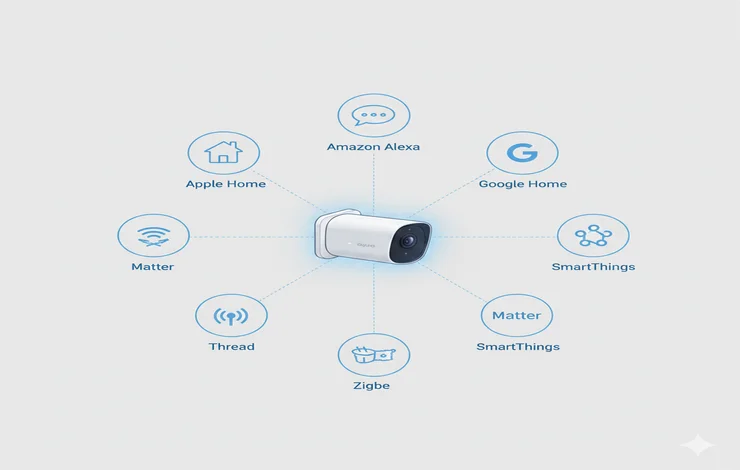
It works with:
- Apple Home
- Amazon Alexa
- Google Home
- Home Assistant
- SmartThings
- Home
- Matter ecosystems
The camera acts as a:
- Matter controller
- Zigbee hub
- Thread Border Router
That means you can pair up to 20 Aqara or third-party devices to it, and they’ll sync with your smart home platform without re-pairing them individually.
In Home Assistant
I tested three methods:
- Matter – Limited camera functionality
- HomeKit Device Integration – Worked great, full camera view
- Generic Camera (RTSP) – Instant loading, most reliable
If you use Home Assistant, RTSP is the best choice.
Real-World Image Quality Tests
To test clarity, I held a sign with my name written on it at:
- 5 ft
- 10 ft
- 20 ft
- 30 ft
Here’s what I saw:
✔ Daytime
Legible at all distances. A bit soft at 30 ft, which is normal for wide-angle cameras.
✔ Nighttime with Outdoor Lights On
Same results—clear, bright, and readable.
✔ Nighttime with Lights Off (Spotlight Off)
This was surprising.
The full-color night vision made the scene look almost like daytime. It didn’t wash out details or add noise the way cheap cameras do.
✔ Nighttime with Spotlight On
Still readable, though direct reflection on white surfaces may appear bright.
Overall, night vision performance is one of the strongest reasons to buy this camera.
Final Thoughts: Should You Buy the Aqara Camera Hub G5 Pro?
If you just want a simple camera, this might be more than you need.
But if you want a camera plus:
- A Matter controller
- A Zigbee hub
- A Thread router
- Outdoor coverage for smart devices
- Strong AI detections
- Excellent night vision
…then the G5 Pro is absolutely worth it.
The PoE model, in particular, loads streams instantly and avoids Wi-Fi headaches.
I do wish Aqara enabled 24/7 local storage directly on the internal memory, but the NAS/RTSP options fill that gap well.
The night vision alone puts this camera ahead of many competitors. You can clearly identify people and animals across a wide area even in near total darkness.
If you want an outdoor camera that doubles as a powerful smart home hub, the Aqara Camera Hub G5 Pro is one of the most unique, and surprisingly capable options available today.
👉 Try our Free Smart Home Automation Tools to plan your setup.