Ecobee Smart Thermostat Premium Review: Is It Worth the Money?
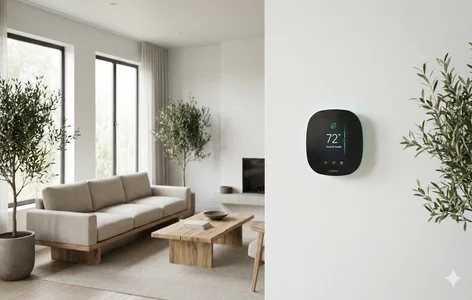
If you’re looking to upgrade your home with smart technology, one of the best devices you can buy is a smart thermostat. Not only does it make your life more convenient by allowing mobile control through your smartphone or voice assistant, but it also helps you save energy and better understand your home’s heating and cooling patterns.
Among the top brands in the market, Ecobee has consistently stood out. So, I purchased the Ecobee Smart Thermostat Premium with my own money to test everything firsthand—from unboxing and installation to daily performance. I even made a mistake that blew a fuse (yes, literally), and I’ll share how to avoid that too.
This complete review will walk you through the setup process, key features, pros, cons, and help you decide whether this $250 Ecobee thermostat is worth buying.
Unboxing the Ecobee Smart Thermostat Premium
Right out of the box, the Ecobee Smart Thermostat Premium feels like a premium product. It comes in beautifully designed, recyclable packaging featuring an artistic photo of a river in British Columbia.
Inside the box, you’ll find:
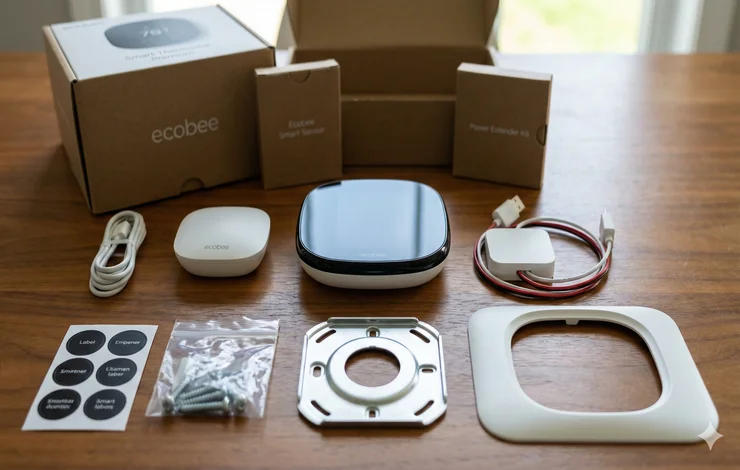
- Ecobee Smart Sensor – Helps balance temperature in the room you’re actually in
- Ecobee Smart Thermostat – With a glass front and zinc metal body
- Power Extender Kit – Useful for homes without a common wire (C-wire)
- Mounting hardware – Screws, wall anchors, and two sensor mounts
- Thermostat backplate with bubble level
- Trim plate – To cover old holes if needed
- Labels & instructions
Ecobee includes everything you need for installation—great job, Ecobee!
Installation: Step-by-Step (Plus How I Accidentally Blew a Fuse)
Setting up the Ecobee Smart Thermostat Premium is simple, but there’s one crucial step the instructions didn’t warn me about.
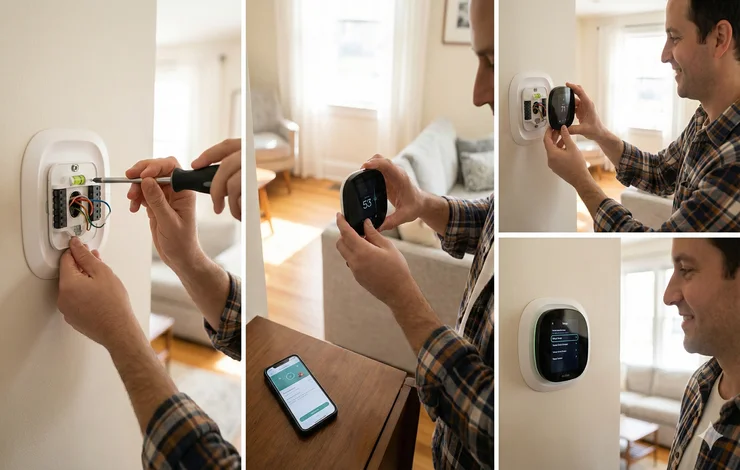
1. Download the Ecobee App
Create your account, add your home, and select Thermostat → Not Installed Yet.
2. Turn Off Power — ALL OF IT
This is where I messed up.
Most people know to turn off the HVAC system, but many homes (including mine) have a second switch labeled “FAU” (Forced Air Unit).
If you don’t turn this off, you risk:
- shorting wires
- causing sparks
- and blowing a furnace fuse (exactly what happened to me)
So check both switches!
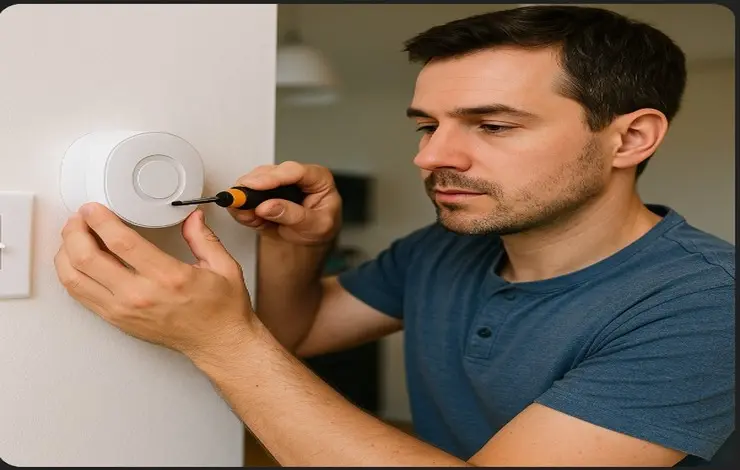
3. Remove Your Old Thermostat
I was using a Honeywell Pro previously. Simply remove the cover and take a picture of the wiring.
4. Label and Disconnect Wires
Use the Ecobee-provided stickers and pliers to disconnect the wires safely.
5. Install the Backplate
You may choose to use the trim plate, but I didn’t.
Use the built-in level and drill new holes if needed.
6. Connect the Wires
Push each labeled wire into its matching terminal and snap the thermostat into place.
7. Restore Power
Turn on both HVAC and FAU switches.
Your Ecobee will power on and walk you through:
- Wi-Fi setup
- HomeKit pairing
- Naming your thermostat
- Choosing heating type
- Temperature settings
- Time zone
- Registration
Installation took about 60–90 minutes including my fuse issue, but it can be much faster for beginners.
Adding the Ecobee Smart Sensor
The included sensor is one of the best features of the Ecobee Smart Thermostat Premium.
To add it:
- Open the Ecobee app → Press +
- Select Room Sensor
- Scan its QR code
- Pull the battery tab to activate
- Name the sensor
- Assign it to a comfort setting (Home, Away, Sleep)
Ecobee recommends:
- 2–60 ft away from the thermostat
- At least 4 ft high if placed on a table
- At least 5 ft high if wall-mounted
- Avoid windows, vents, and drafts
I installed mine in the bedroom to get more accurate temperature readings when sleeping.
Ecobee Smart Thermostat Premium: Key Features
The Ecobee Smart Thermostat Premium stands out with its modern design and advanced capabilities.
1. Beautiful Touch Display
Shows:
- Current temperature
- Humidity
- Air quality
- Comfort mode (home/away/sleep)
- Weather forecast
Changing temperature is simple with a dial or swipe.
2. Built-In Siri
This is one of the few thermostats with Siri built directly into the device.
However, because my thermostat is in a hallway, I rarely use this feature.
3. Air Quality Monitoring
Shows:
- VOCs
- CO2 levels
Helpful for homeowners who care about indoor air quality.
4. Smart Scheduling & Comfort Modes
You can fully customize:
- Home mode
- Away mode
- Sleep mode
- Vacation mode
Schedules help automate your heating/cooling so you never touch the thermostat again.
5. Ecobee Smart Home & Away (Eco+)
This detects occupancy and adjusts energy usage to save money—but only works well if you have multiple sensors throughout the house.
6. Full App Control
In the Ecobee app you can:
- Adjust temperature
- Change modes
- Get usage reports
- Track humidity
- View runtime history
- See energy savings
These detailed reports are a major reason people upgrade to Ecobee thermostats.
7. HomeKit Compatibility
Since it works with Apple HomeKit, you can:
- Trigger automations
- Use door/window sensors
- Control via Siri
- Integrate with scenes
Pros of the Ecobee Smart Thermostat Premium
✔ Premium build quality
Glass front + zinc frame = modern, elegant design.
✔ Extremely accurate temperature control
Especially when paired with the smart sensor.
✔ Reliable scheduling
Much better than many Honeywell smart thermostats.
✔ Excellent energy usage reports
Helps you understand your bill and optimize energy consumption.
✔ Air quality monitoring
Useful if your thermostat is near sleeping areas.
✔ Sensors improve comfort
Especially in multi-story homes where temperatures vary by floor.
Cons of the Ecobee Smart Thermostat Premium
❌ Smart sensors have a 45-ft range limit
They don’t form a mesh network, meaning:
- They don’t talk to each other
- Long-distance rooms won’t connect
- You may need another thermostat
❌ Eco+ Home/Away doesn’t work well with only 1 sensor
If you’re on a different floor without a sensor, Ecobee may think you’ve left the house.
❌ Motion sensors don’t work well with HomeKit automations
Tried using them to trigger lights—results were inconsistent.
❌ Speaker quality is poor
Technically you can play music… but you won’t want to.
❌ Built-in Siri is rarely practical
Great idea, average usefulness.
Is the Ecobee Smart Thermostat Premium Worth $250?
YES — If you need:
- Air quality monitoring
- Built-in voice assistant
- HVAC accessories like humidifiers or air purifiers
- Full smart home integration
- Ecobee’s home security ecosystem
NO — If you don’t need premium extras
Ecobee’s cheaper models look the same, perform the same for basic usage, and cost much less.
You can always buy additional sensors separately or use HomeKit automations with third-party sensors.
Final Verdict
The Ecobee Smart Thermostat Premium is a powerful, beautifully designed thermostat that excels at what matters most:
- Accurate temperature control
- Smart energy savings
- User-friendly app
- Reliable scheduling
- Strong smart home compatibility
But the premium features only make sense if you actually need them.
For most homeowners, the regular Ecobee Smart Thermostat or Ecobee Enhanced provides the best value at a lower price.
Still, if you want the absolute best-looking smart thermostat with air quality monitoring and full Apple integration, the Ecobee Smart Thermostat Premium is a fantastic choice.
👉 Try our Free Smart Home Automation Tools to plan your setup.