Room Automation Cost Estimator Guide : Smart Home Budget Breakdown 2026
Room Automation
Cost Estimator Guide
Room-by-room smart home cost breakdown — budget to premium. Know exactly what you’ll spend before you buy a single device.
Smart home costs vary dramatically — from $140 for a voice-controlled living room to $21,000+ for a fully automated home. This guide breaks every room down by component, tier, and total so you can budget accurately and invest where it actually matters.
Budget 3BR home (~$1,185): saves $200–280/yr, ~5yr payback. Mid-range (~$6,021): saves $480–750/yr. Premium (~$21,062): saves $900–1,300/yr. Best ROI devices: smart thermostat (2–4yr payback) → smart lighting → smart irrigation. Start with: Living Room → Bedroom → Kitchen. Most devices are DIY-installable in 10–30 min. Check utility rebates — smart thermostats often qualify for $50–$100 off.
The Five Cost Categories You Need to Budget For
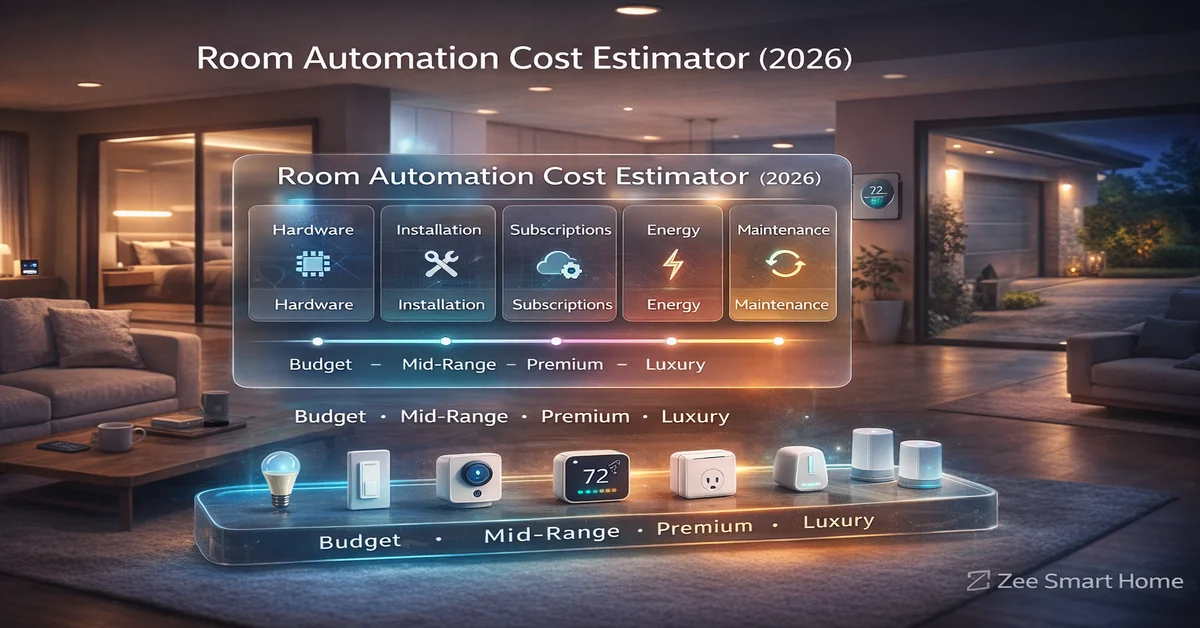
Smart home budgeting fails when people only count hardware. There are five distinct cost categories — and only accounting for all of them prevents expensive surprises after purchase.
A complete budget or mid-range smart home can be built with $0/month in subscriptions. Choose Eufy cameras (local storage included), SimpliSafe with self-monitoring, and skip cloud-only devices. The biggest subscription traps are Ring and Nest Cam — both require paid plans for full camera history.
Four Budget Tiers — What Each One Gets You
Every room breakdown in this guide uses four tiers. Match your tier to the room — budget in the guest room, premium in the master bedroom — for the best value across your whole home.
Budget Tier
30–50% of premium costSolid entry point. Basic features work well. Less reliable long-term. Best for experimenting, rental properties, and rooms you use infrequently.
Mid-Range Tier
Best value for moneyGood reliability, solid features, reasonable longevity. The right choice for most homeowners in most rooms. Best overall cost-to-quality ratio.
Premium Tier
2–3× budget costExcellent reliability, premium features, great support. Long-term investment — devices last 8–12 years. Best for daily-use rooms in permanent homes.
Luxury Tier
3–5× budget, pro install requiredWhole-home integration, custom programming, commercial-grade hardware. White-glove service. For luxury homes and buyers who want a single system for everything.
Living Room Automation — Cost Breakdown
The living room is the highest-impact starting point — most time spent, most guests see it, and multiple automation use cases stack well here. Voice control, smart lighting, and a camera deliver immediate daily value.
| Component | Budget | Mid-Range | Premium |
|---|---|---|---|
| Smart Lighting Wyze · Philips Hue · Lutron Caseta | $30 | $100 | $480–680 |
| Voice Assistant / Speaker Echo Dot · Echo · Echo Studio | $50 | $100 | $200–300 |
| TV / Entertainment Control Smart Plug · Sofabaton · Bond Bridge | $10 | $50 | $100 |
| Climate Control — · Smart Fan Controller · Smart Thermostat | — | $160–260 | $350–450 |
| Motorized Window Blinds — · IKEA FYRTUR (3) · Lutron Serena (3) | — | $390 | $1,500–2,100 |
| Indoor Security Camera Wyze Cam v3 · Eufy 2K · Nest Cam | $50 | $50 | $172 (incl. 1yr sub) |
| Living Room Total | $140 | ~$900 | ~$3,252 |
Echo Dot ($50) + Wyze bulbs 4-pack ($30) + smart plug ($10) = $90 total. Voice control, color-changing scenes, and remote on/off in one afternoon. Add a Eufy camera ($50) and you have a complete budget living room setup for $140 with zero monthly fees.
Bedroom Automation — Cost Breakdown
The bedroom focuses on sleep quality, wake-up routines, and comfort. Blackout blinds and a smart display for alarm + ambient light deliver the most noticeable daily improvement.
| Component | Budget | Mid-Range | Premium |
|---|---|---|---|
| Smart Lighting Smart Bulbs · Hue Bulbs · Lutron + LED Strip | $25 | $60 | $215 |
| Voice Assistant / Display Echo Dot Clock · Echo Show 5 · Echo Show 8 | $70 | $90 | $150 |
| Climate Control Smart Plug for Fan · Smart Fan Controller · Thermostat + Sensor | $10 | $160 | $430 |
| Window Treatments Manual Blackout · IKEA FYRTUR (2) · Lutron Serena (2) | $40 | $260 | $1,200 |
| Sleep Enhancement — · White Noise Machine · Smart Wake-Up Light | — | $30 | $150 |
| Bedroom Total | $145 | ~$600 | ~$2,145 |
Kitchen Automation — Cost Breakdown
The kitchen benefits most from safety sensors, a voice-controlled display for hands-free recipes and timers, and energy monitoring on high-draw appliances. Avoid smart appliance premiums unless you’re replacing existing units.
| Component | Budget | Mid-Range | Premium |
|---|---|---|---|
| Smart Lighting Smart Bulbs · Smart Switch + Under-Cabinet · Lutron + Pro Under-Cabinet | $30 | $160 | $650 |
| Voice Assistant / Display Echo Dot · Echo Show 8 · Echo Show 15 (mounted) | $50 | $150 | $380 |
| Smart Appliance Plugs Smart Plugs · Smart Coffee Maker · Smart Coffee Maker (premium) | $20 | $150 | $200 |
| Safety & Monitoring Water Leak Sensor · Leak Sensors + Smoke Detector · Full Water Safety + Nest Protect | $20 | $160 | $620 |
| Kitchen Total | $120 | ~$620 | ~$1,850 |
Smart refrigerators, dishwashers, and ovens add $300–$4,000 over standard appliance prices with minimal automation value — they mostly send notifications you can ignore. Only consider them when replacing a broken appliance anyway. The water leak sensor under the sink ($20) delivers far more practical value for 200× less money.
Bathroom Automation — Cost Breakdown
Bathrooms have lower automation impact than other rooms but benefit from humidity-triggered ventilation, motion lighting, and a leak sensor — all achievable for under $60 at the budget tier.
| Component | Budget | Mid-Range | Premium |
|---|---|---|---|
| Smart Lighting Night Light + Vanity Bulb · Smart Switch + Motion + LED Strip · Lutron + Smart Mirror | $25 | $175 | $520–1,020 |
| Ventilation Smart Plug for Fan · Smart Fan Switch (humidity) · Premium Smart Fan | $10 | $160 | $300 |
| Heated Towel Rack — · Heated Rack + Smart Plug · Premium Rack (installed) | — | $160 | $450 |
| Safety / Water Sensors Leak Sensor · Leak Sensor · Leak Sensors + Smart Shutoff Valve | $20 | $20 | $540 |
| Bathroom Total | $55 | ~$515 | ~$2,110 |
Free Smart Home Automation Tools
Plan, estimate, and calculate your smart home costs before spending a dollar — all tools are free and require no sign-up.
Home Office Automation — Cost Breakdown
For remote workers, the home office delivers high automation ROI: better lighting improves video call appearance and focus, while climate control directly affects productivity. If you work from home full-time, move this room up to priority 3.
| Component | Budget | Mid-Range | Premium |
|---|---|---|---|
| Smart Lighting Smart Bulbs · Smart Desk Lamp + Overhead · Lutron + Premium Desk + Bias | $20 | $185 | $450 |
| Climate Control Smart Plug for Heater/Fan · Smart Thermostat (partial cost) · Thermostat + Room Sensor | $10 | $100 | $300 |
| Productivity Tools — · Smart Plug + Presence Sensor · Power Monitoring Plugs + Occupancy + Standing Desk | — | $40 | $285 |
| Video Conference Lighting — · Ring Light + On Air Light · Pro Lighting Kit + Automated On Air | — | $65 | $250 |
| Home Office Total | $30 | ~$390 | ~$1,285 |
Outdoor & Garage Automation — Cost Breakdown
Outdoor automation delivers strong security value and — in the right climate — significant water savings through smart irrigation. The gap between mid-range and premium is widest here, driven by professional landscape lighting costs.
| Component | Budget | Mid-Range | Premium |
|---|---|---|---|
| Garage Door Sensor + Smart Plug · myQ + Sensor + Motion Lights · Premium Controller + Camera | $30 | $90 | $430 |
| Outdoor Lighting Smart Plug + Landscape + Motion · Smart Switches + Quality Landscape + Floodlights · Professional Landscape System | $100 | $550 | $2,400–3,900 |
| Irrigation Smart Hose Timer · Rachio 8-Zone · Rachio 16-Zone + Sensors (installed) | $60 | $180 | $700 |
| Security Cameras Wyze Outdoor · Eufy Outdoor (2) · Arlo Pro 4 (3) + 1yr Sub + Install | $65 | $280 | $920 |
| Outdoor/Garage Total | $255 | ~$1,100 | ~$5,050 |
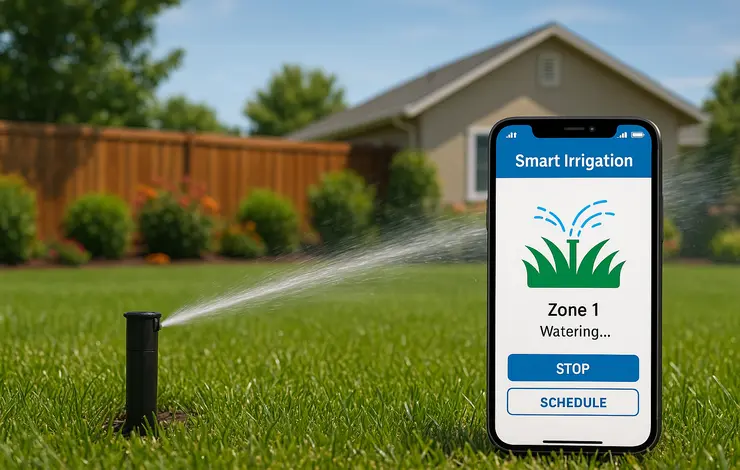
A Rachio smart irrigation controller ($180) saves $100–$300/year in water costs by using weather data to skip watering before rain. In most climates, it pays back in under 2 years — making it one of the highest-ROI smart home devices in any category. Check if your water utility offers a rebate: many do.
Infrastructure Costs That Serve Every Room
These components are shared across all rooms. Budget them as a separate line item rather than assigning them to individual rooms.
| Infrastructure Component | Budget | Mid-Range | Premium |
|---|---|---|---|
| Central Hub / Controller Smart Speaker (included) · SmartThings Station · Hubitat Elevation | $0 | $100 | $150 |
| Network / Wi-Fi Existing Router · WiFi 6 Mesh (3-pack) · WiFi 6E Mesh + Switch + Setup | $0 | $300 | $1,000 |
| Security System DIY Sensors + Self-Monitor · SimpliSafe + Pro Monitor · ADT/Ring Alarm + Pro Install + Monitor | $130 | $466 (yr 1) | $1,160 (yr 1) |
| Smart Thermostat Amazon ($80 + install) · Ecobee + 2 Sensors · Ecobee Premium + 4 Sensors | $180 | $430 | $560 |
| Infrastructure Total | $310 | ~$1,296 | ~$2,870 |
Full 3BR/2BA Smart Home — Total Investment Summary
All rooms combined for a typical three-bedroom, two-bathroom home. These are first-year totals including installation where applicable.
Monthly costs: $0
Annual savings: $150–$250
Monthly costs: ~$18 (security)
Annual savings: $300–$500
Monthly costs: ~$36 (security + cameras)
Annual savings: $500–$800
Add to Premium: Control4/Crestron system ($15,000–$40,000), professional design and programming ($5,000–$15,000), smart appliances ($5,000), AV distribution ($10,000–$25,000), motorized window treatments whole-home ($5,000–$15,000). Total: $60,000–$120,000+. Monthly: $50–$100. Annual maintenance: $1,000–$3,000.
When Does a Smart Home Pay for Itself?
saved per year
saved per year
saved per year
💰 Highest ROI Devices — Buy These First
- Smart thermostat — 2–4 year payback. $150–$300/yr savings. Single highest-ROI smart home purchase.
- Smart lighting (high-use rooms) — 3–5 year payback. LED + smart control reduces lighting energy by 60–80%.
- Smart irrigation controller — 2–5 year payback. $100–$300/yr water savings in applicable climates.
- Smart power strips / energy monitoring plugs — 2–3 year payback. Eliminating standby waste saves $100–$200/yr.
- Utility demand response enrollment — Instant ROI. $25–$50/yr in bill credits for minor thermostat adjustments during peak hours.
Non-Financial Benefits
Energy payback is only part of the value equation. Convenience saves 15–30 minutes daily (worth $50–$100/month at $20/hour). Well-integrated premium systems increase home resale value 3–5%. Accessibility features are invaluable for elderly or mobility-limited residents. These factors materially improve ROI for premium-tier investments even when the energy payback period looks long on paper.
7 Ways to Cut Your Smart Home Budget Without Cutting Corners
-
01Time Your Purchases. Black Friday / Cyber Monday delivers 30–50% off. Prime Day heavily discounts Alexa devices. Previous-generation models drop 40–60% when new versions launch. Patience is worth hundreds of dollars on premium devices.
-
02Buy in Bundles and Multi-Packs. Starter kits save 15–30% versus individual devices. Multi-packs for smart bulbs and sensors offer better per-unit costs. Same-brand ecosystems frequently run bundle deals — especially Philips Hue and Lutron.
-
03DIY Installation. Save $50–$150/hour on labor. Most smart devices are designed for non-technical DIY installation — screwdriver and smartphone required, nothing more. Hire professionals only for electrical work that requires a permit.
-
04Phase Your Purchase Over 12–24 Months. Start with the highest-ROI devices. Use energy savings to fund next purchases. Avoid buying rooms you will not use — guest rooms need only basics. A phased approach also lets you see what automation you actually use before overcommitting.
-
05Budget for Experiments, Premium for Keepers. Test a concept with a $10 Wyze bulb before committing to a $280 Lutron switch. Upgrade to premium only in rooms you use daily. Guest rooms, storage rooms, and second bathrooms rarely justify premium-tier investment.
-
06Claim Utility Rebates. Electric utilities frequently offer $50–$100 rebates on ENERGY STAR smart thermostats. Water utilities rebate smart irrigation controllers. Solar incentives apply if integrating renewable energy. Check your utility’s website before purchasing any major device — the rebate can cut payback period in half.
-
07Choose Multi-Use Devices. Smart displays replace voice control + visual dashboard + clock. Security cameras with two-way audio eliminate the need for a separate intercom. Smart thermostats with room sensors reduce the need for standalone temperature sensors. Each multi-use device you choose removes one purchase from your list.
Which Rooms to Automate First — and Why
Living Room — Highest Daily Impact
Most time spent, most guests see it, multiple use cases stack well. Quick wins: voice assistant, smart lighting, smart TV control. Immediate daily convenience from day one.
Budget: $150–300Master Bedroom — Personal Wellbeing
Sleep quality directly affects everything. Smart lighting for gradual wake-up, climate control for sleep temperature, and voice control for hands-free adjustments deliver noticeable daily improvement.
Budget: $150–400Kitchen — Safety and Efficiency
High daily use with clear safety benefits. Voice-controlled display for hands-free recipes, water leak sensor under sink, and smart lighting. The $20 leak sensor alone justifies the investment.
Budget: $120–300Outdoor / Entry — Security
Smart doorbell, outdoor lights, smart lock, and a garage controller cover the most common security use cases. Motion-triggered outdoor lights alone deter most opportunistic intrusions.
Budget: $200–400Additional Bedrooms / Home Office — Context-Dependent
Guest rooms need only basic smart lighting and thermostat access. Home office moves to priority 3–4 for full-time remote workers — smart lighting and video conference optimization deliver immediate professional value.
Budget: $100–400 per roomBathrooms — Lower Priority Unless Accessibility Required
Motion lighting, humidity-triggered ventilation, and a leak sensor cover the core use cases for under $60 at the budget tier. Heated towel racks and smart mirrors are comfort upgrades rather than functional automation.
Budget: $55–250How to Finance Your Smart Home Investment
| Option | Best For | Key Consideration |
|---|---|---|
| Cash Purchase | Budget/mid-range systems | No interest, own immediately |
| Credit Card (paid monthly) | Small purchases + rewards | High interest if carried — only use if paying off monthly |
| Home Equity Line of Credit | Premium systems ($10,000+) | Lowest rates, but home is collateral |
| Personal Loan | Mid-to-premium ($5,000–$20,000) | Fixed rates, predictable payments, higher than HELOC |
| Manufacturer Financing | Large single-brand purchases | Often 0% promotional — watch for deferred interest traps |
| Phased Purchase Plan | Budget-conscious DIY buyers | Buy highest-ROI items first, use energy savings to fund expansion over 12–24 months |
Building Your Budget — Five Steps to Get Started
Smart home automation is accessible at every budget. The key is investing in the right devices in the right order — starting with high-ROI, high-impact rooms and expanding intentionally.
-
01Define your goals. Energy savings? Security? Convenience? Entertainment? Each goal points to a different set of starting devices. A security-first buyer starts with outdoor cameras and a smart lock. An energy-first buyer starts with a thermostat and smart plugs.
-
02Set a realistic total budget. Pick your tier — budget, mid-range, or premium — and decide whether you will invest all at once or spread over 12–24 months. Factor in subscription costs before committing to cloud-dependent devices.
-
03Start with the living room and smart thermostat. Together they deliver the fastest payback and the most immediate daily improvement. Add one room at a time, verifying you actually use each automation before expanding.
-
04Check for utility rebates before purchasing. A $50–$100 rebate on your smart thermostat changes the financial picture significantly. Many water utilities also rebate smart irrigation controllers — check before you buy.
-
05Leave 20% of your budget for growth. Smart home technology evolves rapidly. Matter devices provide future flexibility. Reserve budget for devices that do not exist yet or products you discover after living with your initial setup.
Year 1: Core infrastructure — smart thermostat, living room, master bedroom. ($500–$2,000) · Year 2: Expand to kitchen, outdoor/security, home office. ($300–$1,500) · Year 3+: Refinements, upgrades, and new-generation devices. ($200–$1,000 annually)