Best Smart Home Devices 2026: Complete Setup Guide, Costs & AI Features
Best Smart Home Devices 2026:
Setup, Costs & AI Features Explained
Every device category ranked, Matter protocol decoded, real setup costs revealed — plus free planning tools so you build it right the first time.
The best smart home hub in 2026 is the Amazon Echo Hub ($150) for most users, or Google Nest Hub ($100) for Android households. Matter 1.4 now lets certified devices work across Alexa, Google, and Apple HomeKit simultaneously — no more ecosystem lock-in. Start with a hub + 3 smart bulbs + a smart plug for under $150. Smart thermostats (Ecobee or Nest) save $150–$300/year and typically pay back within 12 months. Always buy Matter-certified devices for future-proofing.
- Why 2026 Is the Best Year to Build a Smart Home
- Matter Protocol 2026 — The Game Changer
- Best Smart Home Devices By Category
- Setup Costs: What You’ll Actually Spend
- Energy Savings — What the Numbers Show
- AI Features That Actually Work in 2026
- How to Build Your Smart Home Step by Step
- Privacy & Security — What You Need to Know
- Frequently Asked Questions
Why 2026 Is the Best Year Ever to Build a Smart Home
The smart home industry hit a genuine tipping point in 2026. For years, the biggest barrier was fragmentation — an Amazon device wouldn’t talk to an Apple one, a Samsung product needed its own hub, and mixing brands was a recipe for frustration. That era is over.
Matter 1.4, the universal smart home standard backed by Apple, Google, Amazon, and Samsung, is now supported by over 550 companies worldwide. A single smart bulb can now be controlled simultaneously through Alexa, Google Home, and Apple HomeKit — without workarounds. Thread networking means devices communicate locally, staying online even when your internet goes down.
At the same time, AI has entered every device category. Security cameras now distinguish between a person, vehicle, animal, or package — not just “motion detected.” Voice assistants understand natural conversation, not just scripted commands. Thermostats predict your schedule rather than following a timer. And prices have never been lower: quality smart bulbs start at $10, and a complete starter kit runs $150–$250.
Matter protocol
smart devices 2026
reduction possible
quality smart bulb
Matter Protocol 2026 — The Game Changer You Must Understand
Before buying a single device, you need to understand Matter — because it determines whether your smart home will grow seamlessly or become a tangle of incompatible apps and hubs.
Matter is an open connectivity standard developed by the Connectivity Standards Alliance (CSA) with backing from Apple, Amazon, Google, and Samsung. Its core promise: any Matter-certified device works with any Matter-certified platform. Buy a Matter bulb today, and it will work with your current ecosystem and any future one you switch to.
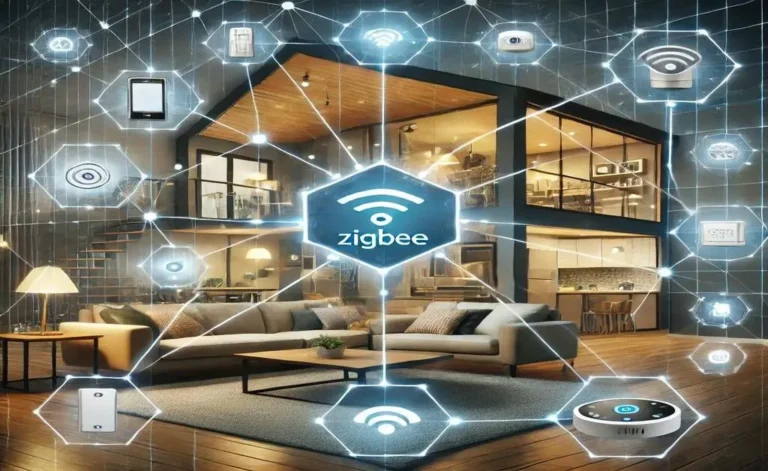
Matter uses two transport layers: Wi-Fi for high-bandwidth devices like cameras, and Thread — a low-power mesh network — for sensors, bulbs, and locks. Thread creates a self-healing mesh: if one device disconnects, others automatically reroute communications. This is why Thread-based devices respond in under 100 milliseconds and work even when your router reboots.
⚡ Matter 1.4 — What’s Supported in 2026
Always check for the Matter logo on device packaging before purchasing. Matter-certified devices are future-proofed — they will work with your current ecosystem and any platform you switch to in the future. Non-Matter devices may become orphaned if their manufacturer discontinues support.
Best Smart Home Devices By Category — 2026 Picks
Every category has a clear winner — and a smart budget pick. Here are the devices worth buying in 2026, evaluated for Matter compatibility, AI features, ease of setup, and real-world reliability.
🏠 Smart Home Hubs
Amazon Echo Hub
Wall-mounted touchscreen dashboard. Largest Alexa skill library. Alexa+ with generative AI makes natural language commands genuinely useful. Best for most households.
~$150 — Matter + Zigbee + ThreadHome Assistant Green
Open-source, fully local processing, supports every protocol — Zigbee, Z-Wave, Matter, Thread, Wi-Fi, Bluetooth. Maximum control and privacy. 2026.2 update adds family-friendly dashboard.
$99 — All protocols supportedGoogle Nest Hub
Gemini AI integration enables truly natural commands — “Hey Google, make it cozy” adjusts lights, thermostat, and music simultaneously. Best for Android households.
$100 — Matter + Thread border routerAqara Hub M3
No microphone, no camera. 8GB encrypted local storage. Supports Zigbee, Thread, Matter, IR blaster. Exceptional privacy focus. Eliminates need for separate universal remote.
~$80 — PoE option available💡 Smart Lighting
Philips Hue Starter Kit
New Bridge Pro supports 150+ lights and 50+ accessories. Unmatched color accuracy, reliability, and ecosystem size. Compatible with Alexa, Google, HomeKit, and Matter. The benchmark everything else is measured against.
$70–$200 — Full ecosystemIKEA Smart Bulbs (Matter)
Matter-over-Thread smart plugs at $8 each. Quality smart bulbs from $10. IKEA’s Dirigera hub brings full ecosystem management. Incredible value with genuine Matter support.
From $8 — Matter native📷 Smart Security Cameras
Arlo Pro 5S
2K HDR video, 160-degree field of view, integrated spotlight and color night vision. AI object detection distinguishes people, vehicles, animals, and packages. Wire-free with IP65 weather resistance.
~$200 — Battery + solar optionWyze Cam v4
Solid 2K performance under $50. AI person detection, color night vision, local storage option. Limited cross-platform support but excellent standalone value for single-ecosystem setups.
Under $50 — Wi-Fi🌡️ Smart Thermostats
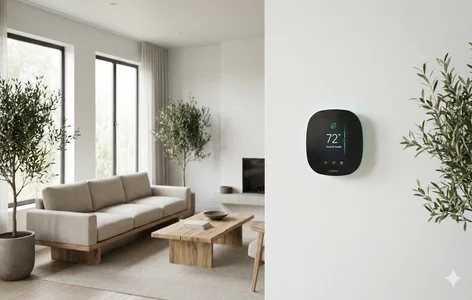
Ecobee Smart Thermostat Ultra
Native Matter support, built-in air quality monitor, remote sensors for room-by-room accuracy. Works with Siri, Alexa, and Google simultaneously. The most versatile thermostat available in 2026.
~$250 — Matter nativeGoogle Nest Learning Thermostat
Learns your schedule in about one week, then automates heating and cooling. Google reports 10–12% savings on heating and 15% on cooling bills. Sleek design, excellent Gemini AI integration.
~$130 — Google ecosystemSmart Home Setup Costs — What You’ll Actually Spend in 2026
One of the biggest misconceptions about smart homes is that they require massive upfront investment. In 2026, you can start meaningfully for under $100 and expand at your own pace. Here are three realistic budget scenarios:
Budget: Under $200
Budget: $500–$800
Smart Home Energy Savings — What the Numbers Actually Show
Beyond convenience, smart homes deliver measurable financial returns. The combination of smart thermostats, automated lighting, and solar integration can reduce household energy costs by 25–40% annually — numbers that genuinely justify the upfront investment within 1–3 years for most households.
Smart thermostats are the single highest-ROI smart home investment. Google’s data shows the Nest Learning Thermostat reduces heating costs by 10–12% and cooling by 15% on average. At typical US energy prices, this translates to $150–$300 saved per year — paying back a $130 device in under 12 months.
Smart lighting automation contributes meaningfully when configured correctly. Lights that turn off automatically when rooms are empty, dim during daylight hours, and shut down at bedtime eliminate the energy waste of lights left on unnecessarily — typically 30–45 minutes of wasted lighting per room per day in the average household.
Solar integration is the highest-ceiling opportunity. Smart energy management systems that connect solar panels, battery storage, and smart appliances can optimize when you draw from the grid versus stored solar — reducing grid dependency by 40–60% in favorable climates.
“Smart systems that optimise heating, cooling and lighting based on your habits can reduce energy bills by up to 30% — with solar and battery storage pushing savings even further.”
KNX Association · Smart Home Trends 2026| Device / System | Annual Saving | Payback Period | Difficulty |
|---|---|---|---|
| Smart Thermostat | $150–$300/year | 6–12 months | Easy — DIY |
| Smart Lighting + Automation | $80–$150/year | 12–18 months | Easy — DIY |
| Smart Plugs (standby power) | $50–$100/year | 3–6 months | Very Easy |
| Solar + Smart Energy System | $600–$1,500/year | 3–7 years | Professional install |
| Complete Smart Home | $400–$800/year | 2–3 years | Mixed |
AI Smart Home Features That Actually Work in 2026
Artificial intelligence is no longer a marketing buzzword in smart home technology — in 2026, it delivers genuinely useful capabilities across every device category. Here is what AI is actually doing inside the best smart home systems right now.
Predictive Automation: AI systems in 2026 achieve 94% accuracy in anticipating occupant needs by analyzing patterns across time, location, calendar data, and sensor inputs. Your thermostat starts warming up before you get home. Your lights shift to “focus mode” when your calendar shows a work block. Your coffee maker activates based on your typical wake-up pattern — not a fixed timer.
Conversational Voice Control: Amazon’s Alexa+ and Google’s Gemini integration have transformed voice commands from rigid trigger phrases into natural conversation. Tell Alexa “make the living room feel cozy for movie night” and it dims lights to 30%, warms color temperature, closes smart blinds, and turns on the TV — without requiring you to define what “cozy” means in advance.
On-Device AI Processing: Privacy-first AI processing has become standard in premium devices. Apple’s S9 chip in HomePod mini handles an increasing share of commands locally without sending audio to the cloud. Arlo cameras analyze video on-device for object detection. Home Assistant runs automations entirely locally. Your data stays home.
Predictive Maintenance: Smart appliance sensors monitor performance metrics, temperature fluctuations, and power consumption continuously. AI flags subtle anomalies before they become failures — your water heater notifies you that a component is nearing end of life before your morning shower runs cold.
Amazon Alexa+ — Widest skill library, best third-party device support, generative AI for natural commands. Best for variety seekers. | Google Gemini — Best natural language processing, excellent for complex multi-device routines, best Android integration. | Apple Siri / HomeKit — Best local processing, strongest privacy, most locked ecosystem but exceptional reliability for Apple households.
How to Build Your Smart Home Step by Step in 2026
The biggest mistake new smart home buyers make is buying too many devices at once, from too many brands, without a plan. The result is a garage full of half-working gadgets and a phone full of apps. Here is the right sequence:
Choose Your Ecosystem First
Pick one: Amazon Alexa, Google Home, or Apple HomeKit. Base it on your phone (Android → Google or Alexa, iPhone → HomeKit or Alexa). Mixing ecosystems causes frustration — Matter helps but cross-platform automations are still limited.
Start With Your Hub
Get a smart speaker or hub that matches your ecosystem. Echo Dot ($30) for Alexa, Nest Mini ($30) for Google, HomePod mini ($99) for Apple. This is your foundation — everything else connects to it.
Add Lighting First
Smart lighting delivers the most noticeable daily improvement and has the lowest setup risk. Start with 2–3 bulbs in the room you use most. Set one automation — lights on at sunset, off at bedtime. See the difference before buying more.
Layer in Security & Comfort
Once lighting is working reliably, add a security camera for your front door and a smart thermostat. These two devices deliver the highest ROI and the most practical day-to-day value after lighting.
Only Buy Matter-Certified
As you expand, check every device for the Matter logo before purchasing. Matter-certified devices are future-proofed. Non-Matter devices may become orphaned when manufacturers discontinue support — a real risk with cheaper brands.
Use Free Planning Tools First
Before spending money on any room, use a room automation estimator and lighting planner to visualize your setup and avoid costly mistakes. Free tools save expensive do-overs.
⚡ Common Smart Home Mistakes to Avoid
- Mixing ecosystems without Matter devices — causes incompatibility chaos you’ll regret at 11pm
- Buying cheap non-Matter devices — they may work today but become unsupported within 2 years
- Over-automating too fast — start with one room, one automation, get comfortable before expanding
- Forgetting local processing — cloud-dependent automations fail when internet goes down or servers are offline
- Ignoring firmware updates — manufacturers continuously improve performance; a Sonos speaker improved response time by 400ms via a single update
Smart Home Privacy & Security — What You Need to Know
A smart home is a connected home — and a connected home creates new security considerations that a traditional home does not have. Every device on your network is a potential entry point for unauthorized access if not properly secured.
The good news: in 2026, the industry has dramatically improved its security baseline. Matter’s end-to-end encryption is mandatory for all certified devices. Local processing means less sensitive data ever leaves your home. And most reputable brands now provide regular firmware security patches.
- Choose local-first devices — Thread-based and Matter devices that process locally expose far less data than purely cloud-dependent alternatives
- Separate IoT devices on a guest network — keep smart home devices on a different Wi-Fi network from your computers and phones
- Enable two-factor authentication on all smart home apps and accounts
- Keep firmware updated — turn on automatic updates for every device; security patches are critical
- Audit connected devices regularly — remove any device you no longer use from your network and reset it before disposal
- Choose reputable brands — Matter certification requires security audits; cheap uncertified devices often skip encryption entirely
Voice assistants with local processing (Apple HomePod, Home Assistant) never send your commands to the cloud for routine actions. Cloud-dependent assistants (standard Alexa, Google Home) send audio snippets to servers for processing. If privacy is a priority, choose a locally-processed platform or configure your assistant to minimize data retention in its privacy settings.
Frequently Asked Questions
Plan Your Smart Home — Free Tools
Use EzaInfoZone’s free smart home planning tools to design, estimate, and compare before you spend a dollar.