Apple’s First Smart Home Display 2026: Features, Price & Release Date Rumors
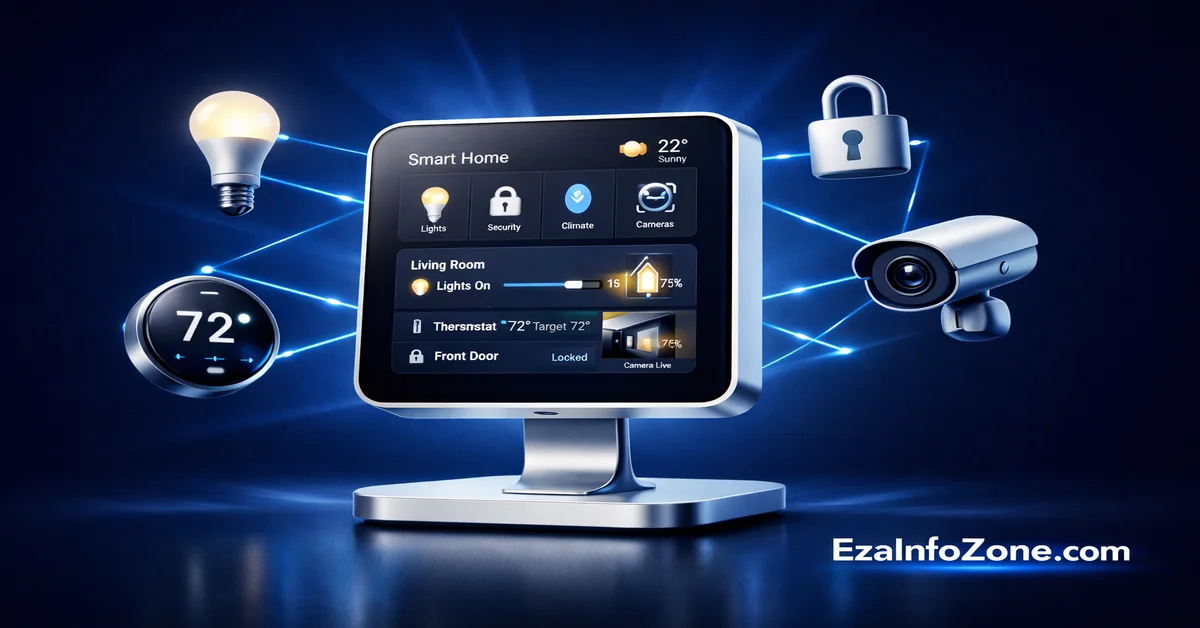
Apple HomePad 2026: Release Date, Price, Specs & Everything You Need to Know
Apple’s most anticipated smart home device is finally real — hardware is sitting in warehouses. But when will it launch? And is it worth the wait?
⚡ Quick Facts — Apple HomePad 2026
- Expected Launch: Fall 2026 (September–December)
- Expected Price: ~$350 USD
- Display: 7-inch square touchscreen
- Chip: A18 (same as iPhone 16)
- OS: Modified tvOS / homeOS
- Camera: Front-facing (FaceTime + facial recognition)
- Mounting: MagSafe-style wall mount + desktop speaker base
- Main Delay Reason: Siri / Apple Intelligence not ready
- Hardware Status: Built & sitting in warehouses ✅
April 8, 2026 Update: According to Bloomberg’s Mark Gurman via 9to5Mac, Apple has already manufactured HomePad units and they are ready to ship. The only thing holding back the launch is Apple’s next-generation Siri, which is now expected to arrive with iOS 27 in September 2026. The first beta of iOS 26.5 launched this week with no major Siri upgrade — confirming the fall timeline.
What Is the Apple HomePad? A New Category for Apple
The Apple HomePad 2026 is Apple’s first ever dedicated smart home display — a brand new product category that the company has never entered before. Think of it as Apple’s answer to the Amazon Echo Show and Google Nest Hub, but built from the ground up for the Apple ecosystem with Apple Intelligence at its core.
For years, Apple’s smart home strategy relied on the HomePod and Apple TV as indirect hubs. The HomePad changes everything. It is a screen-first, always-on device designed to sit on your kitchen counter, bedroom shelf, or mounted on your wall — giving every member of your household instant access to smart home controls, video calls, music, weather, calendars, and more, all without reaching for an iPhone.
The Apple HomePad release date is currently targeted for Fall 2026, likely September alongside the iPhone 18 lineup. The device has been in development for several years and the hardware is already complete. The only remaining obstacle is software — specifically, Apple’s new AI-powered Siri that the company wants to launch alongside the HomePad to deliver the full smart home experience it has been promising.
If you are an Apple ecosystem user — iPhone, iPad, Mac, Apple Watch, AirPods — the HomePad could become the missing centerpiece of your connected home. This guide covers everything you need to know before it launches.
Apple HomePad 2026 Specs — Full Technical Breakdown
Based on extensive leaks from Bloomberg’s Mark Gurman, the leaker Kosutami, MacRumors, and Macworld, here are the confirmed and strongly expected specifications for the Apple HomePad 2026:
Display Details
The HomePad features a 7-inch square touchscreen display — a form factor unlike any other Apple product. The square shape is deliberate. It is optimized for smart home use cases: glanceable clock faces, square camera feeds from your front door, weather widgets, and symmetrical calendar grids all look best on a square screen. This is not an iPad that Apple shrunk down. It is a purpose-built display for the home.
The A18 Chip — Why It Matters
The A18 chip in the HomePad is the same silicon that powers the iPhone 16. This is extremely significant. The A18 is the minimum chip Apple supports for full Apple Intelligence features — the AI engine that makes the HomePad’s smarter Siri possible. Without A18, the HomePad could not run on-device AI processing, could not recognize multiple family members by face, and could not handle real-time conversational Siri requests locally on the device.
Putting an A18 in a $350 smart home hub is a big move. For comparison, the Amazon Echo Show 15 runs a custom Amazon chip that is far less powerful, and Google’s Nest Hub Max uses a processor that cannot handle any on-device AI workloads at this level. Apple is building a smart display that is more powerful than many tablets from competing brands.
Two Versions — Wall Mount and Desktop
According to leaker Kosutami and MacRumors, there will be two HomePad configurations:
1. Desktop Version: Features a circular speaker base that looks similar to the HomePod mini. Place it on a kitchen counter, bathroom shelf, or bedroom nightstand. The base provides full HomePod-quality audio.
2. Wall Mount Version: Uses a MagSafe-style magnetic snap-to-wall system. You attach a mount to your wall and the HomePad clicks onto it magnetically — no screws needed for the device itself. This version can also include doorbell integration, where the HomePad automatically shows your front door camera when someone rings.
Camera and Facial Recognition
The HomePad includes a TrueDepth front-facing camera with multi-user facial recognition. Unlike current HomePod mini which only recognizes voice, the HomePad will recognize family members by face and personalize the experience for each person who walks up to it. Your calendar, your reminders, your music preferences — everything automatically changes based on who is standing in front of the device.
Why Is the Apple HomePad Delayed? Full Timeline
The Apple HomePad delay has been one of the longest product delays in recent Apple history. Understanding why it has taken so long tells us a lot about what Apple is trying to build — and why it matters.
💡 Why Apple waited: Apple could have launched the HomePad in 2025 with a basic Siri experience. But the company decided to wait until their AI-powered Siri was truly ready. The risk of launching a smart home hub with a weak assistant — in a market where Alexa and Google Assistant are already established — was too high. Apple chose to delay rather than disappoint.
Apple HomePad 2026 Features — What It Can Do
The Apple HomePad features go far beyond what a typical smart display offers today. Apple is not building a screen with Siri on it. They are building the central brain of your entire home, with several features that competitors cannot match.
1. AI-Powered Siri — Context-Aware Conversations
The new Siri on HomePad is not the voice assistant you remember. It is a fully conversational, context-aware AI powered by Apple Intelligence and the A18 chip. You can ask it follow-up questions without repeating yourself. It understands the context of your previous requests. You can say “turn off the lights in the kitchen” and then simply say “now the bedroom too” — Siri understands what you mean without restating the full command.
Early iOS 26 code reveals a ChatKit framework that suggests HomePad Siri may even support iMessage, allowing you to send and receive messages by talking to your home hub — a feature not available on any current HomePod or Apple TV.
2. HomeKit Smart Home Control Hub
The HomePad will function as the primary Apple HomeKit hub for your home. Every compatible smart device — lights, thermostats, locks, cameras, sensors, doorbells — appears in a single dashboard on the 7-inch screen. You can tap to control devices, see live camera feeds, set automations, and check the status of your entire home at a glance. The HomePad also supports the Matter standard, meaning it works with smart devices from hundreds of brands including Philips Hue, Yale, Schlage, ecobee, Nest, Ring, and more.
3. FaceTime Video Calls on Your Home Screen
Because the HomePad has a TrueDepth front-facing camera, it supports full FaceTime video calls. This is a feature that neither the HomePod mini nor the full HomePod offers. You can video call family members hands-free while cooking in the kitchen, check in with elderly parents from another room, or use the HomePad as a video intercom between rooms. When combined with the doorbell integration, you can also see and speak to whoever is at your front door on the HomePad screen.
4. Multi-User Facial Recognition
Unlike any smart display currently on the market, the HomePad can recognize different family members by face using its TrueDepth camera. When your child walks up in the morning, the HomePad shows their school schedule and their music. When you walk up, it shows your work calendar and your news briefing. Each person gets a personalized home screen without touching anything — the device adapts automatically.
5. MagSafe Wall Mount + Doorbell Integration
The MagSafe-style wall mount is one of the HomePad’s most innovative hardware features. A small plate is permanently mounted to your wall. The HomePad clicks onto it magnetically — secure enough to stay put, but easy to remove and move to another room. When mounted near your front door, the HomePad can integrate with your Apple HomeKit video doorbell, automatically displaying the door camera feed when someone rings.
6. Apple Intelligence Automations
The HomePad goes beyond simple if-then automations. With Apple Intelligence, it can learn your household routines and suggest automations based on your patterns. When your spouse arrives home, it can start their playlist, adjust the thermostat to their preferred temperature, and disarm the security system — all automatically, based on facial recognition at the door. This kind of context-aware home automation is a major leap beyond what Echo or Nest currently offer.
7. Apple Ecosystem Integration
The HomePad connects seamlessly to every Apple device in your home. iCloud calendars, Reminders, Messages, Apple Music, Apple TV+, Photos — all accessible from the hub. iPhone users can hand off activities to the HomePad (and vice versa). AirPlay lets you stream music or video from any Apple device to the HomePad’s speaker. The HomePad also works with HomePod mini as a whole-home audio system — play music in every room simultaneously.
Apple HomePad vs Echo Show 15 vs Google Nest Hub Max — Full Comparison
How does the Apple HomePad compare to Amazon Echo Show and Google Nest Hub Max? Here is the most detailed comparison available based on leaked HomePad specs and current competitor specs:
| Feature | 🍎 Apple HomePad 2026 | 📦 Echo Show 15 | 🔵 Nest Hub Max |
|---|---|---|---|
| Display Size | 7″ Square | 15.6″ Landscape | 10″ Landscape |
| Chip / Processor | A18 Bionic | Amazon AZ2 | Amlogic S905D2 |
| AI / On-Device Processing | Apple Intelligence | Alexa (cloud) | Google Assistant |
| Voice Assistant | New AI Siri (iOS 27) | Alexa | Google Assistant |
| Facial Recognition | Multi-user (TrueDepth) | Visual ID (limited) | Face Match |
| FaceTime / Video Calls | FaceTime ✅ | Amazon Calling | Google Meet / Duo |
| Privacy | On-device processing | Cloud-based | Mixed |
| Smart Home Standard | Matter + HomeKit | Matter + Alexa | Matter + Google |
| Wall Mount | MagSafe magnetic | Bracket (screws) | No wall mount |
| Speaker Quality | HomePod audio | Good (AZ2) | Decent |
| App Store | No (curated apps) | Amazon apps | Limited |
| Non-Apple Devices | Matter devices ✅ | Most brands | Most brands |
| Price | ~$350 | $299 | $229 |
| Best For | Apple ecosystem users | Amazon ecosystem | Google ecosystem |
The HomePad’s biggest advantage is raw processing power and on-device AI. The A18 chip allows Apple Intelligence features to run locally on the device — your conversations, your family’s face data, your home automation patterns — none of it needs to go to a cloud server. For privacy-conscious users, this is a decisive advantage over both Echo Show and Nest Hub.
The HomePad’s biggest weakness (for now) is ecosystem openness. Echo Show works well with nearly every smart home brand and Alexa has thousands of third-party skills. The HomePad, like all Apple products, works best when your home is already on Apple’s ecosystem.
Apple HomePad 2026 — Pros and Cons
✅ Reasons to Buy Apple HomePad
- Most powerful chip in any smart display (A18)
- Best privacy — on-device AI processing
- FaceTime video calls from your home hub
- MagSafe wall mount — easy install anywhere
- Multi-user facial recognition
- Seamless iPhone, iPad, Mac, Watch integration
- Full HomePod speaker quality
- Matter standard — works with most devices
- Apple Intelligence automations
- Will get software updates for many years
❌ Reasons to Wait or Look Elsewhere
- Only for Apple ecosystem users (iPhone required)
- Higher price than Echo Show 15 and Nest Hub Max
- No traditional App Store
- Still relying on delayed Siri to be truly good
- Only 7 inches (Echo Show 15 is much larger)
- New product — no proven track record yet
- If you use Android, this is not the right choice
Should You Buy the Apple HomePad? Our Verdict
The answer depends entirely on your existing ecosystem and what you want from a smart home hub. Here is our verdict for four different types of buyers:
How to Prepare Your Home for Apple HomePad Right Now
Even though the Apple HomePad launch date is still a few months away, there are things you can do today to get your home ready so you can take full advantage of it on day one.
1. Build Your HomeKit / Matter Foundation
Start adding Matter-compatible smart home devices to your home now. Smart lights (Philips Hue, IKEA TRÅDFRI), smart locks (Yale Assure Lock 2, Schlage Encode Plus), smart thermostats (ecobee, Honeywell), and smart plugs that support Matter will all connect seamlessly to your HomePad from day one. The more Matter devices you have, the more useful your HomePad will be immediately after setup.
2. Use HomePod Mini as a Temporary Hub
If you do not already have a HomePod mini, this is a great time to pick one up. At $99 it is an affordable way to start building HomeKit automations, get familiar with Apple Home, and have a functioning smart home hub right now. When the HomePad arrives, your HomePod mini becomes a bedroom or kitchen speaker in a whole-home audio system.
3. Make Sure Your iPhone Is Apple Intelligence Compatible
The HomePad’s best features require Apple Intelligence, which needs an iPhone 15 Pro or newer (or any iPhone 16 or later). If you are still on an older iPhone, upgrading before the HomePad launch means you will get the full, seamless experience from day one — including the new Siri on both your phone and your home hub working together.
4. Pick Your Mounting Location in Advance
Think now about where your HomePad will live. Kitchen counter? Bedroom nightstand? Mounted next to your front door? If you want the wall-mount version, identify your wall location now. The MagSafe mount requires one small anchor point in the wall — a 10-minute installation. Planning ahead means you can set it up in minutes when the HomePad arrives.
❓ Frequently Asked Questions — Apple HomePad 2026
These are the most common questions people search on Google about the Apple HomePad. Tap any question to read the full answer.
The Apple HomePad is currently expected to launch in Fall 2026 — September to December 2026. The most likely scenario is a September 2026 launch alongside the iPhone 18 lineup, when Apple typically holds its biggest annual event. The device has been delayed multiple times — it was originally targeted for early 2025, then early 2026 — due to Apple’s next-generation Siri not being ready. As of April 2026, the HomePad hardware is already manufactured and sitting in warehouses. The launch is waiting on iOS 27 and the new AI-powered Siri.
According to multiple reports including MacRumors and Hypebeast, the Apple HomePad price is expected to be around $350 USD. This makes it more expensive than the Google Nest Hub Max ($229) and Amazon Echo Show 15 ($299), but in line with Apple’s typical premium pricing. There may be two versions — a desktop version with speaker base and a wall-mount version — which could have slightly different prices. A higher-end robotic arm version is also in development but may not arrive until 2027 and could cost around $1,000.
The Apple HomePad has been delayed primarily because of issues with Apple’s new AI-powered Siri. The HomePad’s entire user experience is built around an intelligent, conversational Siri that can understand context, recognize family members, manage automations, and handle natural language requests. Apple decided that launching the HomePad with a weaker version of Siri — in a market where Amazon Alexa and Google Assistant are already well-established — would be a mistake. Instead, Apple chose to wait until the new Siri was reliable enough to deliver the experience they promised. That new Siri is now tied to iOS 27, expected in September 2026.
The Apple HomePad has a 7-inch square touchscreen display. This is a unique form factor — most smart displays use landscape rectangular screens (like the Echo Show 15 at 15.6 inches). Apple chose a square shape because it works well for smart home use cases: security camera feeds, clock faces, weather widgets, and home control dashboards all look natural on a square screen. The 7-inch size is compact enough to place anywhere in your home without dominating the space, while still being large enough to read at a glance from across the room.
Yes — the Apple HomePad supports the Matter standard, which means it works with smart home devices from hundreds of brands, not just Apple accessories. Devices from Philips Hue, IKEA, Yale, Schlage, ecobee, Honeywell, Nanoleaf, Eve, and many others will connect to the HomePad through HomeKit and Matter. However, it works best when your ecosystem is primarily Apple. Devices that are only compatible with Amazon Alexa or Google Assistant (and not Matter) may not work with the HomePad.
The HomePad and HomePod are very different products. The HomePod (and HomePod mini) is primarily a smart speaker with Siri voice control. It has no screen, no camera, and limited smart home control capability. The HomePad is a full smart home hub with a 7-inch touchscreen display, a front-facing camera for FaceTime and facial recognition, and much more powerful AI capabilities powered by the A18 chip. Think of the HomePod as a speaker you talk to, and the HomePad as the central screen-based command center for your entire home. They are designed to work together — HomePod mini becomes a bedroom speaker while HomePad is the main hub.
Yes — FaceTime video calls are a key feature of the Apple HomePad. The device includes a TrueDepth front-facing camera specifically designed for video calls. You will be able to FaceTime family and friends hands-free from your kitchen, bedroom, or any room where the HomePad is placed. Apple has confirmed (via leaked iOS 26 code including the ChatKit framework) that the HomePad may also support iMessage, allowing you to send and receive text messages via voice command from your home hub.
The HomePad runs a specialized operating system described in leaks as homeOS — a modified version of tvOS 27 that incorporates iOS-like features. It is not the same as iOS, iPadOS, or macOS. It is a purpose-built OS for the smart home context: always-on display, quick-glance widgets, touch controls, and deep HomeKit integration. It does not have a traditional App Store like an iPhone or iPad. Instead, it runs a curated set of Apple apps including FaceTime, Notes, Calendar, Reminders, Apple Music, and Apple Home — everything you need for a home hub, without the distraction of third-party apps.
It is very likely that the Apple HomePad will launch in the same fall 2026 window as the iPhone 18. Multiple reports confirm that the HomePad’s launch is tied to iOS 27, which Apple plans to reveal at WWDC in June 2026 and release publicly in September 2026 alongside the iPhone 18 lineup. Apple has historically used September as its biggest product launch period. Launching the HomePad, Apple TV 4K (updated), HomePod mini 2, and iPhone 18 together in one fall event would give Apple its strongest smart home and device lineup announcement in years.
It depends on your ecosystem. If you are an iPhone user, waiting for the HomePad is absolutely worth it. The A18 chip, Apple Intelligence, FaceTime, MagSafe mount, multi-user recognition, and deep iPhone integration will make it dramatically better than anything on the market today for Apple users. The wait is only a few months. If you are an Android user, the HomePad is not designed for you — get a Nest Hub Max or Echo Show instead. If you are somewhere in between, consider waiting for the first wave of reviews in fall 2026 before deciding. The key question is: does the new Siri actually deliver? If yes, HomePad will be the best smart display ever made.
According to multiple reports, Apple is planning a broader smart home ecosystem launch in fall 2026 alongside the HomePad. Expected products include: HomePod mini 2 (with Apple Watch S10 chip, new colors, updated audio), Apple TV 4K (with A17 Pro chip and Apple Intelligence), a new Apple HomeKit security camera (with facial recognition and audio sensors), and the iPhone 18 lineup (with even more advanced Apple Intelligence features). Together, these products represent Apple’s most aggressive push into the smart home market ever — trying to catch up to and surpass Amazon and Google in a space they have dominated for years.
📧 Get Notified When HomePad Launches
We will publish a full hands-on review the day Apple HomePad is available. Explore our other smart home guides while you wait.
Read: Best Smart Home Devices 2026 →