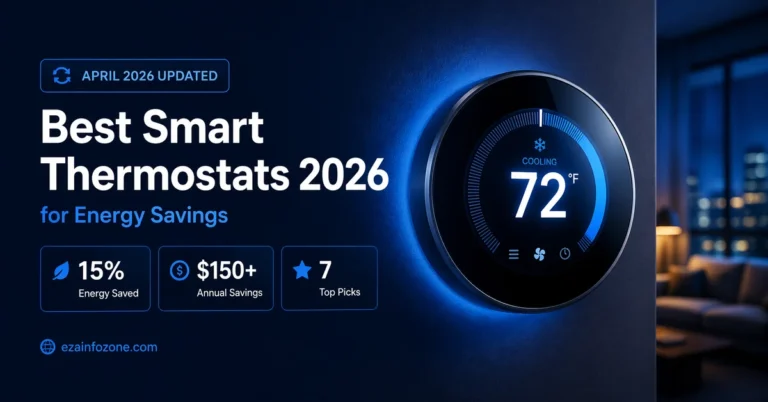
Best Smart Thermostat 2026: Google Nest vs Ecobee vs Honeywell
Best Smart Thermostat 2026:
Nest vs Ecobee vs Honeywell
— Which One Saves You the Most?
AI learning, room sensors, energy bills, subscription costs, installation complexity — every factor that matters, compared in one complete guide.
Heating and cooling account for nearly half of the average home’s energy bill — more than $900 a year for most households. A smart thermostat does not just add convenience. Done right, it puts real money back in your pocket every month. The question is which one, and whether the premium models are actually worth the price difference.
Nest Learning 4th Gen ($279.99) = best overall — AI programs itself in 1 week, no C-wire needed, Matter certified. Ecobee Premium ($249.99) = best for Apple HomeKit users and multi-room homes — built-in Alexa, 32 room sensors, air quality monitor. Honeywell T9 ($199.99) = best value and complex HVAC — 200ft sensor range, dual-fuel support, often under $100 after utility rebates. All three: no monthly subscription, 10–23% annual savings, 1–2 year payback.
Why a Smart Thermostat Is the Smartest Home Upgrade You Can Make
The smart home market is full of gadgets that promise transformation but deliver novelty. A smart bulb that changes color is fun. A smart plug that you can turn on from your phone is mildly useful. A smart thermostat is different — it is one of the few connected home devices that pays for itself, repeatedly, in real dollar savings, without you having to think about it.
According to data collected by the US Environmental Protection Agency, ENERGY STAR certified smart thermostats save users an average of 8% on heating and cooling costs annually — that is roughly $50 to $75 per year at minimum. Independent field studies of Nest and Ecobee specifically show savings of 10 to 15% annually, which translates to $150 to $200 per year for the average American household spending $1,500 to $2,500 on HVAC. Most smart thermostats at the $150 to $280 price point pay for themselves within 12 to 24 months and then continue delivering savings for the lifetime of the device.
The mechanism is simple but powerful. Traditional thermostats — even programmable ones — run on fixed schedules that do not adapt to reality. You set them to heat the house at 7am, but when you sleep in on the weekend the system runs anyway. Smart thermostats use occupancy sensors, geofencing, and AI learning to detect when the house is actually empty and reduce heating or cooling during those periods automatically. Consumer Reports notes that as many as 70% of programmable thermostat owners never use the programming feature at all — the smart thermostat solves this problem by eliminating the need for manual input entirely.
In 2026, smart thermostats have added another layer of value: Matter protocol support. Matter is the universal smart home standard that allows thermostats to work natively with every major platform — Alexa, Google Home, Apple Home, and Samsung SmartThings — without ecosystem lock-in. This means whichever thermostat you choose today will integrate into whatever smart home ecosystem you build in the future.
savings range
savings per home
period
bill is HVAC
The Three Smart Thermostats Worth Considering in 2026
The smart thermostat market in 2026 is dominated by three brands that have earned consistent top rankings across Consumer Reports, Wirecutter, Tom’s Guide, and independent reviewers. Understanding what each brand does best — and where it falls short — is the starting point for making the right choice.
All three devices have been updated for 2026 with Matter protocol support, improved app interfaces, and enhanced AI features. The Google Nest 4th Gen introduced a larger 2.7-inch display and comes bundled with a Nest Temperature Sensor. Ecobee Premium added radar occupancy sensing and improved air quality monitoring. Honeywell’s T9 continues to lead on HVAC system compatibility, supporting complex multi-stage systems that some competitors handle poorly.
Full Feature Comparison — Every Spec That Matters
Four factors determine which thermostat fits your home: AI learning capability, room sensor count, Apple HomeKit support, and C-wire requirements.
| Feature | Google Nest 4th Gen | Ecobee Premium | Honeywell T9 |
|---|---|---|---|
| Price | $279.99 | $249.99 | $199.99 |
| AI Learning | Best — auto in 1 week | Good — with input | Basic scheduling |
| Room Sensors | 1 included (add $39 ea) | 1 included + 32 max | Up to 20 sensors |
| Sensor Range | ~50ft | ~50ft | 200ft — industry best |
| Display Size | 2.7″ circular | 3.5″ touchscreen | 3.5″ touchscreen |
| Built-in Voice Assistant | No | Alexa built-in | No |
| Air Quality Monitor | No | Yes — VOC + humidity | No |
| Alexa | ✓ | ✓ Built-in | ✓ |
| Google Home | Native — best | Works | Works |
| Apple HomeKit | No | Yes — native | No |
| Samsung SmartThings | ✓ | ✓ | Limited |
| Matter Support | Yes — official | Via update | Limited |
| C-Wire Required | No — Power Share | PEK included | Yes (adapter incl.) |
| Heat Pump Support | Good | Excellent — 4H/2C | Best — dual fuel |
| Geofencing | ✓ | ✓ | ✓ |
| Energy Reports | ✓ | ✓ Detailed | ✓ |
| Monthly Subscription | Not required | Not required | Not required |
| Installation Difficulty | Easiest — DIY | Easy — DIY | Moderate |
| Best For | Google users, simplicity | Apple, large homes | Complex HVAC, value |
Unlike Ring doorbells or Nest security cameras which require monthly subscriptions for full functionality, all three smart thermostats in this comparison — Nest, Ecobee, and Honeywell T9 — work with full features including learning, geofencing, remote control, scheduling, and energy reports without any subscription fee. This is a significant advantage over many other smart home devices.
Google Nest Learning Thermostat 4th Gen — The AI That Programs Itself
The Google Nest Learning Thermostat is the device that defined the smart thermostat category when it launched in 2011, and the 4th generation model available in 2026 remains the most elegant and effortless smart thermostat on the market. Its core differentiator has not changed in fifteen years: it programs itself. You do nothing but adjust the temperature when you feel too hot or cold during the first week. The thermostat observes, records, and builds a schedule automatically — by day ten, most users never need to touch it manually again.
The 4th generation brings meaningful hardware upgrades. The circular display grew to 2.7 inches with improved resolution and a borderless design that blends cleanly into any wall aesthetic. The thermostat now ships with a puck-shaped Nest Temperature Sensor in the box — previously a separate $39 purchase — which you can place in the room where you spend the most time, allowing Nest to prioritize comfort there rather than at the thermostat’s wall location. Additional sensors can be purchased at $39 each.
Matter compatibility, introduced in this generation, means the Nest will work with Apple Home, Amazon Alexa, Google Home, and Samsung SmartThings simultaneously — eliminating ecosystem lock-in entirely. For Google Home households, the integration is native and exceptional: the thermostat appears in the Google Home app, responds to Google Assistant voice commands, and participates in home routines and automations without any additional setup.
Where Nest Leads:
AI learning is genuinely the best in the category. Nest’s auto-scheduling is more accurate and requires less human intervention than Ecobee or Honeywell. The Home/Away Assist feature — using both geofencing and the thermostat’s built-in occupancy sensor — reliably detects empty homes and reduces HVAC use without manual Eco mode activation. Installation is also easier than any competitor: Nest’s Power Sharing technology works without a C-wire in the vast majority of homes, meaning most people can install it themselves in under 30 minutes with a screwdriver and the Nest app guiding them through every step.
Where Nest Falls Short:
Nest does not support Apple HomeKit natively — a dealbreaker for households that have committed to the Apple ecosystem. Room sensor support is more limited than Ecobee, with a maximum of six sensors versus Ecobee’s thirty-two, and the sensors lack occupancy detection capability, simply measuring temperature. There is no built-in voice assistant — you need a separate Google Home or Alexa device for voice control. And Nest does not monitor indoor air quality, which Ecobee’s Premium model does as standard.
Google Nest Learning Thermostat 4th Gen is the right choice for Google Home households, Android phone users, and anyone who wants maximum automation with minimum effort. If your priority is a thermostat that genuinely manages itself — learning your schedule, adjusting for occupancy, and requiring almost no configuration — Nest delivers this better than any competitor at any price point. It is also the best choice for homes with straightforward single-zone HVAC systems and renters who want easy self-installation.
Ecobee Smart Thermostat Premium — The Multi-Room Comfort Master
The Ecobee Smart Thermostat Premium is the most feature-rich smart thermostat available in 2026, and for homes with specific needs — multiple floors, persistent hot and cold spots, Apple HomeKit integration, or indoor air quality concerns — it is arguably the best device in the category regardless of price. Where Nest focuses on simplicity and elegant AI learning, Ecobee focuses on giving you the most complete set of tools to manage a complex home environment.
The room sensor system is Ecobee’s defining advantage. The SmartSensor included in the box uses both temperature measurement and radar-based occupancy detection — it does not just measure the temperature in a room, it knows whether anyone is in that room. The thermostat can then use its Follow Me feature to prioritize comfort in whichever rooms are currently occupied, automatically shifting focus as your household moves through the day. Up to 32 sensors can be connected, making Ecobee genuinely effective for large multi-story homes where a single thermostat placement at one wall cannot accurately represent the whole house.
The built-in Alexa speaker is a genuine differentiator. You can ask Ecobee questions, control other smart home devices, play music, and set timers directly from the thermostat without any additional hardware. For Apple users, Ecobee is the only major smart thermostat with native Apple HomeKit support — allowing Siri voice control and full Home app integration without workarounds.
Indoor air quality monitoring — tracking humidity and volatile organic compounds — is a premium feature that goes well beyond what most homeowners expect from a thermostat. Poor indoor air quality is directly linked to health impacts, and having continuous monitoring displayed on your thermostat screen is something no competitor currently offers at this price point. Ecobee also provides maintenance reminders and automatically detects when windows or doors have been left open for more than five minutes, shutting off heating or cooling to avoid waste.
Where Ecobee Falls Short:
The feature set comes with a steeper learning curve than Nest. Setting up Ecobee’s scheduling system — with its “comfort profiles” concept rather than simple time-based temperature settings — can be confusing for first-time users. The app is comprehensive but dense. Users who want a device that simply works without configuration may find Ecobee’s depth overwhelming rather than empowering.
Ecobee Smart Thermostat Premium is the right choice for Apple HomeKit households, homeowners with large or multi-story properties experiencing uneven temperatures, anyone concerned about indoor air quality, and buyers who want Alexa built into the thermostat rather than a separate device. It is particularly valuable for homes with bedrooms significantly hotter or colder than living areas — the room sensor system solves this problem more effectively than any competing device.
Honeywell Home T9 — The HVAC Professional’s Choice
Honeywell has been making thermostats since 1906 — longer than any competitor — and that century of HVAC experience shows in the T9’s technical depth. Where Nest and Ecobee are primarily consumer products designed for ease of use, the Honeywell T9 is built for homes with complex heating and cooling systems that require a thermostat to do more than the basics.
The RedLINK 3.0 room sensor system has the longest wireless range in the category — 200 feet — making it reliable in large homes where competitors’ sensors struggle to maintain connection through multiple walls and floors. Up to 20 sensors can be connected, and the system continually monitors both temperature and occupancy in each room, giving the thermostat granular data to make precise heating and cooling decisions. The response time from occupancy detection to HVAC adjustment is among the fastest tested by Consumer Reports.
For dual-fuel systems — homes that use a heat pump for mild temperatures and a gas furnace backup for extreme cold — the Honeywell T9 handles the automated switchover logic better than either Nest or Ecobee. This is a genuine technical differentiator for homes in climates with wide temperature swings. The T9 also supports the most complex multi-stage HVAC configurations, making it the preferred choice for HVAC professionals installing smart thermostats in technically demanding situations.
At $199.99, the T9 is the most affordable option in this comparison. Combined with frequent utility rebates — Honeywell’s Energy Star credentials make it eligible for many utility programs offering $50 to $125 off the purchase price — the effective cost can drop to under $100 in many regions, making the payback period extremely short.
Honeywell T9 is the right choice for homeowners with complex HVAC systems — dual-fuel, multi-stage, or heat pump setups — and for large homes where wireless sensor range matters. It is also the best value option for budget-conscious buyers who still want room sensor capability. Those who prefer a straightforward interface without the feature complexity of Ecobee or the AI dependency of Nest will appreciate Honeywell’s more manual, predictable approach to scheduling.
How Much Will Each Thermostat Actually Save You?
Energy savings claims from thermostat manufacturers range from optimistic to wildly overstated. The real-world numbers from independent testing and EPA field data are more conservative — but still compelling. Here is what the evidence actually shows, broken down by device and household type.
The single biggest variable in savings is not which thermostat you choose — it is how much heating and cooling waste exists in your current setup. A household that already manually adjusts the thermostat diligently, maintains sensible schedules, and has a modern well-insulated home will see modest gains. A household where the thermostat is set to one temperature 24 hours a day and nobody ever thinks about it will see dramatic improvements immediately after installation.
💰 Annual Savings Estimates — By Household HVAC Spend
($900/year) at 8%
($1,500/year) at 10%
($2,000/year) at 17%
Independent field research on Nest and Ecobee specifically shows 13% reduction in heating energy and 15% reduction in cooling energy for average US homes — translating to $150 to $200 annually for the typical household. These numbers are achieved when all smart features are enabled: learning or scheduling, geofencing, and room sensors where applicable. Homes that install a smart thermostat but never connect it to Wi-Fi or disable its automatic features see far smaller benefits.
Utility rebates can significantly improve the financial picture. Ecobee lists over 400 utility partners offering rebates — in some regions, a $249 Ecobee can be purchased for as little as $79 after instant rebate, bringing the payback period down to a matter of weeks rather than months. Both Nest and Ecobee include rebate finders in their respective apps. Honeywell’s Energy Star certification makes it broadly eligible for utility programs that may not explicitly list the brand.
“Independent studies show Nest and Ecobee reduce annual heating energy by about 13% and cooling by 15% — translating to up to $200 per year for the average household.”
Vetted Home Gear · Field Research 2026Installation — Can You Do It Yourself?
Installation is where most smart thermostat purchases succeed or fail — not because it is technically difficult, but because the C-wire situation in your home determines which devices will work without an electrician visit. Understanding your wiring before purchasing saves significant frustration.
A C-wire (common wire) provides continuous low-voltage power to a smart thermostat. Older homes and heating-only systems often lack a C-wire. Google Nest handles this with its Power Sharing technology, which borrows power from existing wires during brief periods when the HVAC is not running — this works in the vast majority of homes but can cause issues with certain system types. Ecobee includes a Power Extender Kit that effectively creates a C-wire equivalent. Honeywell T9 requires a C-wire but includes a wiring adapter that works for most installations.
| Installation Factor | Google Nest 4th Gen | Ecobee Premium | Honeywell T9 |
|---|---|---|---|
| C-Wire Needed | No — Power Share | No — PEK included | Yes (adapter incl.) |
| DIY Friendly | Easiest | Easy | Moderate |
| App Guided Setup | ✓ | ✓ | ✓ |
| Avg. Install Time | 20–30 mins | 20–30 mins | 30–45 mins |
| Tools Required | Screwdriver only | Screwdriver only | Screwdriver only |
| Pro Install Recommended | Complex HVAC only | Complex HVAC only | Heat pump / dual fuel |
All three manufacturers offer online compatibility checkers. Enter your thermostat wire colors (typically labeled R, W, Y, G, C on your existing thermostat) and the tool confirms compatibility in minutes. If your system has an Rh and Rc wire (separate heating and cooling transformers), read the compatibility guide carefully — some configurations require additional steps regardless of which brand you choose.
Matter Protocol & Smart Home Integration in 2026
One of the most important factors in choosing a smart thermostat in 2026 is Matter compatibility — the industry standard protocol that allows devices from different manufacturers to communicate directly, without cloud dependency, across all major smart home platforms.
Matter works over Thread — a low-power mesh networking protocol — to create reliable, local connections between devices. A Matter-enabled thermostat connects directly to a Thread border router (built into most modern smart home hubs) and communicates with Alexa, Google Home, Apple Home, and SmartThings simultaneously without ecosystem fragmentation. When your internet connection goes down, a Matter-connected thermostat continues to work locally rather than becoming unresponsive.
Google Nest 4th Gen offers the most complete Matter implementation of the three devices, with official Matter certification and Thread border router functionality built into the thermostat itself. Ecobee has committed to Matter support via software update, with Thread capabilities expected to follow. Honeywell’s Matter roadmap for the T9 is less clear — buyers who prioritize future-proofing should note this when choosing.
For existing smart home users, the practical implication is straightforward: a Nest thermostat today will work natively with whatever smart home platform you adopt tomorrow, including Apple HomePad when it arrives in fall 2026. This eliminates the “ecosystem trap” that plagued early smart home adopters who chose products that only worked within a single platform.
How to Maximise Your Smart Thermostat Savings After Installation
A smart thermostat that is installed but not configured to its potential delivers a fraction of its possible savings. These steps — applicable to all three brands — significantly improve real-world energy and cost reduction after installation is complete.
- Enable Geofencing Immediately — Connect your smartphone location to the thermostat app on day one. Geofencing that detects when the last household member leaves is the single most impactful energy-saving feature. Without it, the thermostat cannot differentiate a genuinely empty home from an occupied one.
- Place Room Sensors Strategically — Put sensors in the rooms where you spend the most time, not in hallways or rooms adjacent to the thermostat. For sleeping comfort, a bedroom sensor set as the priority during sleeping hours provides noticeably better results than relying on the thermostat’s wall location alone.
- Allow the Learning Period — For Nest, do not override the thermostat manually during the first two weeks unless necessary. Manual overrides confuse the learning algorithm. Adjust using the app’s temporary hold function rather than the dial to give the AI clean learning data.
- Enable Eco or Away Modes Properly — Set your Eco temperatures to the widest comfortable range — typically 62°F for heat and 78°F for cooling. The wider the range, the more the thermostat can reduce HVAC use during unoccupied periods without making the home uncomfortable to return to.
- Use the Energy Reports — All three thermostats generate monthly energy reports showing what drove your HVAC usage. Review these once a month during the first three months after installation. They reveal patterns — like HVAC running during specific recurring empty periods — that you can address through schedule adjustments.
- Check for Utility Demand Response Programs — Many energy providers offer additional credits when you enroll your smart thermostat in demand response programs. During peak demand events, your utility adjusts your thermostat by 1 to 2 degrees for a brief period — in exchange, you receive bill credits of $25 to $50 annually. Ecobee lists over 400 participating utilities.
- Pair With a Solar Setup — If you have or plan solar panels, integrating your thermostat with a solar monitoring system allows pre-heating or pre-cooling during peak solar generation hours, shifting HVAC load to your cheapest power and maximising self-consumption.
Which Smart Thermostat Should You Buy in 2026?
All three thermostats in this comparison are genuinely good products that will save you money and improve your home’s comfort. The right choice is determined almost entirely by your existing ecosystem, home size, and HVAC complexity rather than by any objective quality difference.
Buy Google Nest 4th Gen — Best AI Learning, Google Users, Simple Homes
If you use Google Home, Android, or simply want the best hands-off thermostat experience, Nest is the answer. It programs itself more accurately than any competitor, installs without a C-wire, looks exceptional, and comes with Matter support for future-proof integration. For single-zone HVAC systems and households that prioritise simplicity over feature depth, Nest delivers the best combination of performance and user experience in 2026.
Buy Ecobee Premium — Apple Users, Large Homes, Feature Maximalists
If your household uses iPhone, iPad, and Siri, Ecobee is the only major smart thermostat with native Apple HomeKit support — making it the automatic choice for Apple-first homes. For anyone with a multi-story home, persistent hot or cold spots, or interest in indoor air quality monitoring, the SmartSensor system and built-in Alexa give Ecobee a depth of capability that Nest simply does not offer. It costs less than Nest despite more features — the premium positioning is somewhat misleading given the value it delivers.
Buy Honeywell T9 — Complex HVAC, Best Value, Dual-Fuel Systems
For homes with heat pumps, dual-fuel systems, or complex multi-stage HVAC configurations, Honeywell T9 handles the technical requirements better than either competitor. Its RedLINK sensor range of 200 feet is unmatched for large properties. At $199.99 — often reduced to under $100 after utility rebates — it represents the fastest payback period in the category. Choose Honeywell if your priority is HVAC technical depth and value rather than AI sophistication or ecosystem integration.
Best Budget Pick — Amazon Smart Thermostat ($79)
For renters, first-time smart home buyers, or anyone not ready to spend $200 to $280, the Amazon Smart Thermostat at $79 delivers reliable energy savings, Alexa voice control, and geofencing without complexity. It does not learn automatically and lacks room sensors, but for straightforward single-zone homes where the main goal is remote control and basic scheduling, it is a legitimate option that pays for itself in months rather than years.