Best Smart Lock in 2026 : Yale vs August vs Schlage
Best Smart Lock 2026:
Yale vs August vs Schlage
— Which One Is Right for Your Home?
Security ratings, Apple HomeKit, fingerprint entry, installation, subscription costs — every factor that matters, compared honestly in one complete guide.
Over 30% of home break-ins happen through the front door — not through broken windows or forced entry, but through unlocked or easily bypassed doors. A smart lock solves this permanently, adding remote monitoring, access logs, guest codes, and keyless entry while eliminating the security risk of hidden spare keys and unreturned copies. The question is which one to buy.
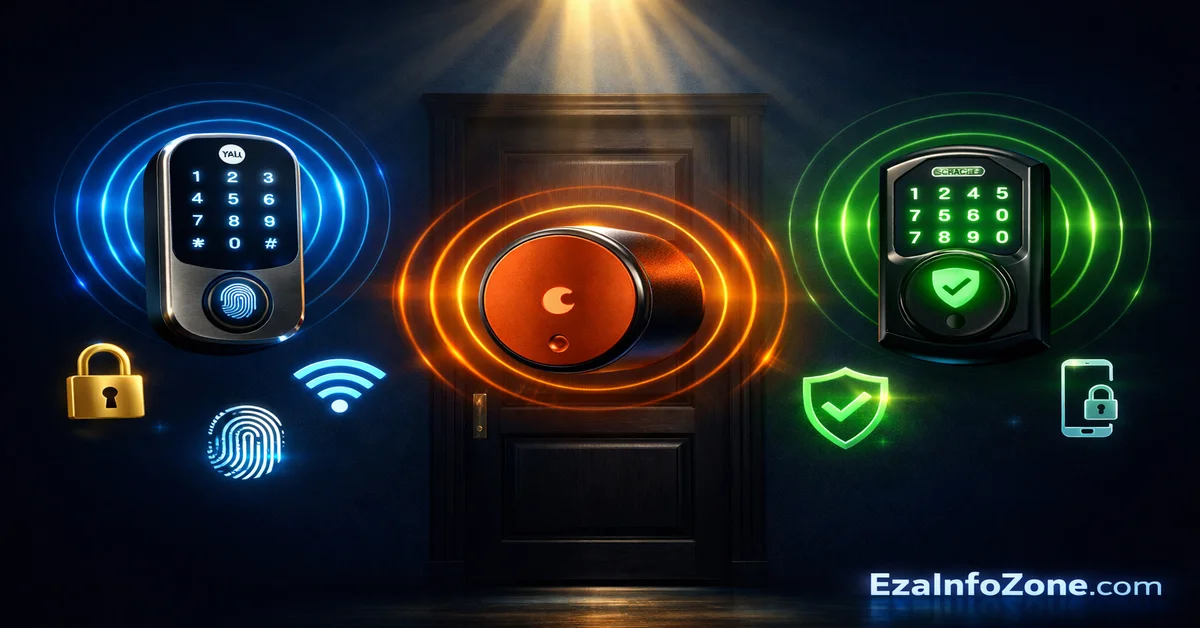
Best smart lock 2026: Yale Assure Lock 2 is best for most buyers (Matter-certified, works with Alexa, Google Home, Apple HomeKit). August Wi-Fi Smart Lock is best for renters (no door replacement, fits over existing deadbolt). Schlage Encode Plus is best for Apple HomeKit + Home Key tap-to-unlock. No monthly subscription needed for any of them.
Why a Smart Lock Is One of the Best Home Security Investments You Can Make
A traditional deadbolt is only as secure as the weakest link in how you manage keys. The moment you give a spare to a neighbour, a cleaner, a dog walker, or a family member who loses it, your home’s security is compromised in ways that are difficult to track or correct without rekeying the entire lock.
Smart locks solve this problem structurally. Instead of physical keys, you create and manage digital access codes, each tied to a specific person, with a start and end time if needed. When the dog walker’s services end, you delete their code from the app in ten seconds. When your Airbnb guest checks out, their access automatically expires. The lock’s access log shows exactly when the door was opened and by whom.
In 2026, smart locks have reached a level of reliability, security, and ecosystem integration that makes them appropriate for mainstream adoption. Matter protocol support means the best locks work natively with Alexa, Google Home, Apple HomeKit, and Samsung SmartThings simultaneously. Battery life has extended to six months or more on most models. And critically, none of the major brands require a monthly subscription for core functionality.
front door
on leading models
required
life 2026
Yale, August & Schlage — Three Approaches to Smart Security
Three brands have consistently topped independent testing in 2026 — each with a distinct design philosophy that serves different types of buyers. Understanding the core approach of each brand saves significant time when comparing specific models.
Yale acquired August in 2017, which is why their apps and underlying technology share significant overlap. Yale Assure Lock 2 and August Wi-Fi Smart Lock both use the August platform and app ecosystem. The main practical difference is form factor — Yale replaces your entire deadbolt for a complete installation, while August fits over your existing interior mechanism as a retrofit solution.
Yale vs August vs Schlage — Every Spec That Matters
| Feature | Yale Assure Lock 2 | August Wi-Fi Lock | Schlage Encode Plus |
|---|---|---|---|
| Price Range | $249–$299 | $199–$249 | $279–$329 |
| Installation Type | Full deadbolt replacement | Retrofit — over existing lock | Full deadbolt replacement |
| Install Time | 30–45 mins | 15–20 mins | 30–45 mins |
| Original Keys Work | Optional (keyed model) | Yes — always | No — keyless only |
| ANSI Security Grade | Grade 2 | N/A (retrofit) | Grade 1 — highest |
| Built-in Alarm | No | No | Yes — 90dB tamper alarm |
| Fingerprint Reader | Yes (select models) | No | No |
| Apple HomeKit | ✓ | ✓ | ✓ |
| Apple Home Key | ✓ (select models) | No | ✓ — tap iPhone/Watch |
| Amazon Alexa | ✓ | ✓ | ✓ |
| Google Home | ✓ | ✓ | ✓ |
| Matter Support | ✓ Full | Partial | Limited |
| Max Access Codes | 250 | Unlimited (app) | 100 |
| Auto-Lock | ✓ | ✓ | ✓ |
| Auto-Unlock (Geofencing) | ✓ | ✓ | No |
| DoorSense (Ajar Alert) | ✓ | ✓ | No |
| Access Log | ✓ | ✓ | ✓ |
| Built-in Wi-Fi | ✓ | ✓ | ✓ |
| Monthly Subscription | Not required | Not required | Not required |
| Best For | Versatility, most homes | Renters, retrofits | Maximum security, Apple |
Unlike Ring doorbells and Nest cameras which require monthly fees for full functionality, all three smart locks work with complete features — remote access, access codes, activity logs, auto-lock, voice control — with zero subscription cost. This makes them significantly better value over time than subscription-dependent security devices.
Security Ratings — How Strong Are They Against Real Attacks?
A smart lock that can be easily kicked in or drilled through defeats its own purpose. Physical security ratings matter as much as smart features — and this is where the three brands diverge significantly. ANSI/BHMA grades provide a standardised measure of resistance to physical attacks including kick-ins, drilling, and lock-picking attempts.
🛡️ ANSI/BHMA Security Ratings — 2026 Models
Schlage’s Grade 1 rating is a genuine differentiator for security-conscious buyers. In Consumer Reports testing, the Schlage Encode Plus withstood kick-in and drilling attacks that lower-rated locks failed. The integrated 90-decibel alarm activates when the lock detects tampering attempts — loud enough to wake neighbours and deter opportunistic break-in attempts.
Yale’s Grade 2 rating is entirely appropriate for the vast majority of residential front doors. It provides strong resistance to common attack methods while keeping weight and cost reasonable. The practical security difference between Grade 1 and Grade 2 in everyday residential use is modest — both grades significantly exceed the security of most traditional deadbolts.
August’s retrofit approach means its physical security is determined by your existing deadbolt. If you have a well-rated existing deadbolt, the total security remains strong. A smart retrofit lock on a cheap deadbolt is only as secure as the cheap deadbolt — worth checking before installing.
All three brands use AES 128-bit encryption for wireless communication between the lock and your smartphone — the same standard used in banking applications. The app communication is end-to-end encrypted. The primary security risk in smart locks is not hacking — it is poor password management on your phone or app account.
Yale Assure Lock 2 — The Most Versatile Smart Lock
Yale has been making locks since 1840 — longer than any competitor in this comparison — and the Assure Lock 2 represents the maturation of that heritage combined with genuinely modern smart home integration. It consistently appears at the top of independent testing from Consumer Reports, Tom’s Guide, and PCWorld, not because of any single standout feature but because of its comprehensive balance across every important dimension.
The Assure Lock 2’s most compelling advantage is ecosystem breadth. It supports Alexa, Google Home, Apple HomeKit, Samsung SmartThings, and Matter simultaneously — without requiring separate hubs or bridges for each platform. For households that mix different smart home platforms, or that anticipate switching ecosystems in the future, Yale’s Matter certification provides a level of future-proofing that most competitors lack.
Configuration flexibility is another Yale strength. The Assure Lock 2 is available in more variations than any competitor — keypad only, with fingerprint reader, with key slot, key-free, in multiple finishes and colours. The fingerprint scanner achieves 99% accuracy according to Yale’s own data and adds a genuinely convenient entry method beyond app and keypad.
DoorSense — a sensor that detects whether the door is fully closed and latched — is a feature Yale (and its sister brand August) offer that Schlage does not. The app alerts you if the door is left ajar, even by just a few millimetres. For homeowners who regularly question whether they actually locked the front door, this single feature is worth significant peace of mind.
Yale Assure Lock 2 is the right choice for homeowners who want maximum compatibility across smart home platforms, a fingerprint option, or the reassurance of a hardware brand with 180 years of lock-making heritage. It is particularly well-suited to tech households running multiple ecosystems and anyone planning to add an Apple HomePad, Echo Hub, or Nest Hub as a central smart home controller.
August Wi-Fi Smart Lock — The Perfect Solution for Renters
August’s founding insight — that most renters cannot modify their doors but still deserve smart lock features — has made the Wi-Fi Smart Lock one of the best-selling smart home devices of the past decade. The retrofit approach remains as relevant in 2026 as it was at launch, and the device itself has matured considerably since the early generations.
Installation takes approximately 20 minutes for most users. You remove the interior portion of your existing deadbolt — the thumb-turn mechanism on the inside of your door — and the August lock clips directly onto the deadbolt’s existing spindle. No drilling, no additional holes, no changes to the exterior door hardware. Your existing keys still work from outside. When you move, you unclip the August lock in minutes and reinstall your original hardware, leaving the door exactly as your landlord expects it.
Feature-wise, August does not compromise for its retrofit form factor. Auto-unlock uses your phone’s GPS to detect when you are approaching home and unlocks the door before you reach for your keys. Auto-lock closes the door behind you automatically. The August app allows unlimited user access with individually named entries in the activity log. Guest access can be permanent or time-limited, and Alexa, Google Home, and Apple HomeKit are all supported.
The main limitation compared to Yale and Schlage is that August does not have a built-in keypad — you access via app or existing key. August sells a separate wireless keypad accessory for around $79 for users who want keypad entry.
“The August Smart Lock Pro is the easiest installation of any smart lock — it slips over your existing deadbolt’s interior thumb-turn in about 10 minutes with no drilling required.”
The Verge · Smart Lock Review 2026August Wi-Fi Smart Lock is the definitive choice for renters, apartment dwellers, and anyone living in properties where door modification is restricted. It is also the right pick for homeowners who want smart features without replacing a recently installed or high-quality deadbolt they are happy with. The auto-unlock feature alone converts many sceptical buyers — experiencing keyless entry for the first time reliably converts people to smart locks permanently.
Schlage Encode Plus — Maximum Security for Apple Users
Schlage has been making commercial and residential locks since 1920 and built its reputation on physical security rather than technology features. The Encode Plus is the company’s most advanced smart lock — taking Schlage’s Grade 1 security standards and wrapping them in modern smart home connectivity including built-in Wi-Fi, Apple Home Key support, and comprehensive voice assistant compatibility.
Apple Home Key sets the Schlage Encode Plus apart from every other lock in this comparison except select Yale models. Apple Home Key allows you to unlock the door by holding your iPhone or Apple Watch near the lock — exactly like Apple Pay, no app needed, no code required. Crucially, it works even when your iPhone battery is depleted through Express Mode, which reserves power specifically for Home Key even when the phone cannot make calls or load apps.
The physical security credentials are the strongest available in residential smart locks. Grade 1 ANSI certification, anti-pick, anti-drill, and anti-bump construction, plus a 90-decibel built-in tamper alarm. In Consumer Reports brute-force testing, the Encode Plus outperformed both Yale and August models in resistance to drilling and kick-in attempts.
Where Schlage falls behind Yale is in ecosystem breadth and geofencing. The Encode Plus does not offer auto-unlock based on your phone’s proximity, and Matter support is more limited than Yale’s implementation. For buyers who primarily live in the Apple ecosystem and prioritise physical security above all else, these limitations are acceptable.
Schlage Encode Plus is the right choice for Apple-first households who want maximum physical security and the convenience of Apple Home Key tap-to-unlock. It is also well-suited to homeowners in high-security areas, rental properties managing multiple guests who benefit from up to 100 time-limited access codes, and anyone who values the reassurance of the highest available residential security rating.
How to Install a Smart Lock — What to Know Before You Buy
Smart lock installation is genuinely achievable as a DIY project for most homeowners and renters. Understanding the basic requirements before purchasing prevents the most common frustrations, particularly around door preparation and deadbolt compatibility.
| Installation Factor | Yale Assure Lock 2 | August Wi-Fi | Schlage Encode Plus |
|---|---|---|---|
| Installation Type | Full deadbolt replace | Retrofit — interior only | Full deadbolt replace |
| Door Modification | None (uses existing holes) | None at all | None (uses existing holes) |
| Tools Required | Screwdriver only | No tools needed | Screwdriver only |
| Average Install Time | 30–45 mins | 15–20 mins | 30–45 mins |
| Standard Door Compatible | ✓ | ✓ | ✓ |
| App Guided Setup | ✓ | ✓ | ✓ |
| Remove When Moving | No — replaces deadbolt | Yes — takes 5 minutes | No — replaces deadbolt |
| Landlord Permission | Usually required | Not required | Usually required |
Standard residential doors use a 2-1/8 inch bore hole for the deadbolt and a 1 inch edge bore — all three locks in this comparison fit this standard preparation. If your door has a non-standard bore hole, a multi-point locking system, or a door thicker than 2-1/4 inches, verify compatibility with the manufacturer’s online tool before purchasing.
Smart Lock + Smart Home — Automations That Change How You Live
A smart lock connected to a broader smart home ecosystem does significantly more than a standalone smart lock. The real value of integration is automation — your lock becoming a trigger that activates other devices and creates experiences that feel genuinely intelligent rather than merely convenient.
The most immediately impactful integration is pairing your smart lock with smart lighting. When the lock detects you arriving home after dark, your entryway lights turn on automatically before you step inside. When you lock the door as you leave, the lights turn off. All three locks in this comparison support this type of routine through their respective smart home platforms.
Security camera integration adds another layer. Most smart doorbells and cameras — Ring, Eufy, Nest — can be configured to begin recording when the smart lock detects activity, ensuring footage is captured around the times your door is actually being used. Yale’s integration with Ring and August’s integration with Ring are particularly seamless, since all three brands are part of the Amazon ecosystem.
For Airbnb hosts and short-term rental managers, smart lock integration with booking platforms is a compelling feature. Yale and August both support integrations with property management systems that can automatically generate and expire guest codes aligned with reservation check-in and check-out times.
Other Smart Locks Worth Knowing — Beyond the Top Three
Yale, August, and Schlage dominate the mainstream market, but several other brands offer compelling alternatives for specific use cases that the top three do not fully address.
- Ultraloq U-Bolt Pro — Best Fingerprint Accuracy ($199) — Achieves 96% first-attempt fingerprint success. CNET named it the best fingerprint smart lock for 2026. Supports Alexa and Google Home. No Apple HomeKit support. Best for fingerprint-first households who do not need HomeKit.
- Aqara U200 — Best for Apple + Matter at Lower Price ($149) — Retrofit lock with Apple Home Key support at nearly half the price of Schlage. Matter over Thread certified. Six entry methods including fingerprint, PIN, app, and key. Outstanding value for Apple HomeKit households.
- Level Bolt — The Invisible Smart Lock ($229) — Installs completely inside your existing deadbolt cylinder — nothing visible on the door at all. The most discreet smart lock available. Works with HomeKit, Alexa, and Google. Best for design-conscious users.
- Wyze Lock Bolt — Best Budget Option ($89) — Fingerprint reader, keypad, app control, Alexa and Google compatibility at under $90. The most affordable fingerprint smart lock tested. No HomeKit, no Matter. Best for secondary doors or budget-conscious buyers.
- Eufy FamiLock S3 Max — Smart Lock + Doorbell Combo ($299) — Combines a smart lock, 2K video doorbell, palm scanner, and interior display. Free local storage, no subscription. Best for homeowners wanting a complete front-door upgrade in a single installation.
Which Smart Lock Should You Buy in 2026?
All three locks are reliable, secure, and well-made. The right choice comes down entirely to your specific situation — whether you rent or own, which smart home ecosystem you use, and whether physical security rating or convenience features matter more to you.
Buy Yale Assure Lock 2 — Best for Most Homeowners
Yale wins for homeowners who want the most comprehensive smart lock available in 2026. Matter certification, fingerprint option, DoorSense, 250 access codes, and compatibility with every major ecosystem make it the most future-proof choice. If you are building a smart home and want a lock that integrates cleanly with whatever hub you choose, Yale is the answer.
Buy August Wi-Fi Smart Lock — Best for Renters
August is the only sensible choice for renters and apartment dwellers. The retrofit installation requires no door modification, no landlord permission, and preserves your existing keys. Installation takes 20 minutes and the lock removes in five when you move. Auto-unlock, DoorSense, and full Alexa, Google, and HomeKit support deliver the complete smart lock experience without requiring property ownership.
Buy Schlage Encode Plus — Best for Apple Users and Maximum Security
Schlage wins on two dimensions that matter intensely to specific buyers: physical security and Apple Home Key. Grade 1 ANSI certification, built-in 90dB alarm, and a construction tested to withstand attacks that defeat competitors make it the most physically secure residential smart lock available. For iPhone and Apple Watch users, tap-to-unlock through Home Key is a daily convenience that converts sceptics immediately.
Best Budget Pick — Wyze Lock Bolt ($89)
For buyers not ready to spend $200 or more, the Wyze Lock Bolt at $89 delivers fingerprint scanner, keypad, app control, and Alexa and Google compatibility at a price that pays for itself in convenience within weeks. No HomeKit, no Matter, no auto-unlock — but for back doors, garage entries, or first-time smart lock buyers testing the category, it is a legitimate option.