How to Monitor Your Home’s Energy Usage with Smart Devices in 2026
How to Monitor Your Home’s Energy Usage with Smart Devices in 2026
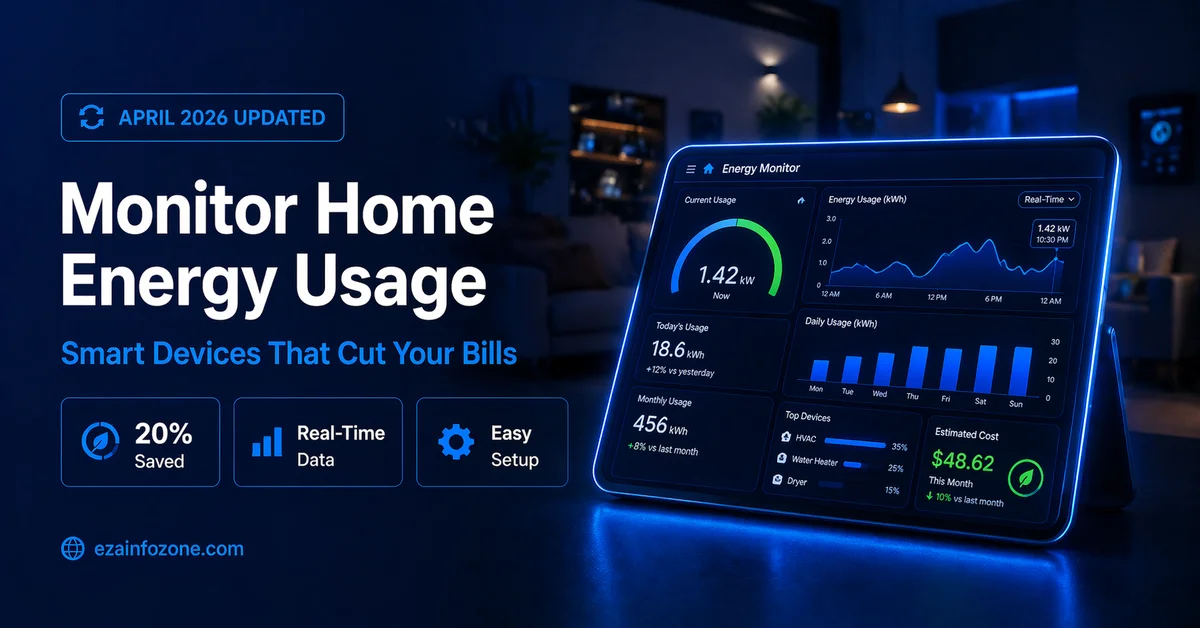
Smart energy monitoring devices in 2026 show you exactly which appliances waste electricity, help you cut bills by 20–30%, and automate energy saving — all from your smartphone.
The best way to monitor home energy usage in 2026 is with a whole-home energy monitor like the Emporia Vue 3 connected to your electrical panel — it shows real-time watt usage per circuit, identifies your biggest energy wasters, and integrates with your smart home hub. Pair it with smart plugs for device-level monitoring. Most households find and eliminate $100–$200 in annual waste within the first month.
- Why Monitoring Home Energy Usage Matters in 2026
- 5 Types of Smart Energy Monitoring Devices
- Best Smart Energy Monitors 2026
- Comparison Table
- Step-by-Step Setup Guide
- Best Energy Monitoring Apps 2026
- What to Look for When Buying
- Energy Saving Tips from Your Monitor Data
- Integrating with Your Smart Home
- Buying Guide 2026
- FAQs
Why Monitoring Home Energy Usage Matters in 2026
Most homeowners have no idea which appliances are costing them the most money. Your electricity bill gives you a total — but not a breakdown. Smart energy monitoring changes this by showing exactly which devices draw the most power, when peak consumption occurs, and how much each appliance costs per month.
In 2026, smart energy monitors have become significantly more affordable and capable. Whole-home monitors that once cost $300+ now start at $59, and the combination of real-time monitoring, AI-powered insights, and smart home integration makes them more useful than ever for reducing bills.
5 Types of Smart Energy Monitoring Devices
These clip onto your electrical panel and monitor total home energy use plus individual circuit usage in real time. The best option for getting a complete picture of your entire home’s consumption. Top picks: Emporia Vue 3, Sense Energy Monitor, Shelly EM.
Smart thermostats like Nest and Ecobee track heating and cooling energy use — typically 40–50% of total home electricity. Monthly energy reports show exactly how much your HVAC system costs and suggest optimization schedules to reduce consumption automatically.
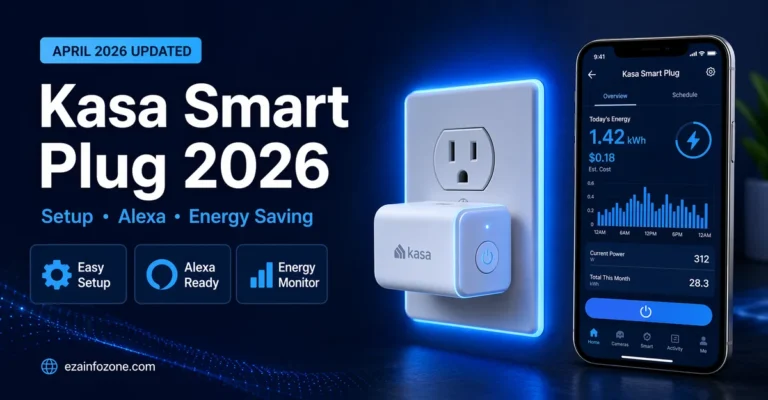
Smart plugs like the TP-Link Kasa EP25 show real-time watt usage for individual devices. Perfect for identifying which specific appliance — TV, gaming console, desktop computer — is drawing the most power and calculating exact monthly costs per device.
Modern washing machines, dishwashers, and refrigerators from Samsung, LG, and Bosch include energy monitoring in their companion apps. These show per-cycle usage and can schedule runs during off-peak electricity rate hours automatically.
Smart lighting systems like Philips Hue and Nanoleaf track how long lights run and calculate energy costs. Motion sensors ensure lights turn off in empty rooms, and usage reports show lighting as a percentage of total home electricity use.
Best Smart Energy Monitors 2026
The Emporia Vue 3 is the best whole-home energy monitor in 2026 for most households. At $69, it monitors your entire electrical panel with up to 16 individual circuit sensors, shows 1-second real-time updates, integrates with solar panels, and works with Alexa, Google Home, and Home Assistant. The Emporia app is the clearest and most actionable energy dashboard available at this price point.
The Sense Energy Monitor uses AI machine learning to automatically identify individual devices by their electrical signature — no manual setup needed. It learns over 2–4 weeks and then shows you “your dishwasher just turned on” notifications in real time. Premium price but the most sophisticated device-level insights available without installing individual smart plugs on every appliance.
The Shelly EM is the best budget energy monitor for Home Assistant users in 2026. At $35, it provides 2-channel monitoring with 100% local processing — no cloud subscription, no data sharing. Perfect for tech-savvy users who want to integrate energy monitoring deeply into their Home Assistant dashboard.
Comparison Table — Best Smart Energy Monitors 2026
| Monitor | Price | Circuits | AI Detection | Solar | Best For |
|---|---|---|---|---|---|
| Emporia Vue 3 | ~$69 | Up to 16 | ❌ | ✅ | Best Overall |
| Sense Energy | ~$299 | Whole home | ✅ AI | ✅ | AI Insights |
| Shelly EM | ~$35 | 2 | ❌ | ❌ | Budget/HA |
| Kasa EP25 Plug | ~$17 | Per device | ❌ | ❌ | Device Level |
| Nest Thermostat | ~$129 | HVAC only | ✅ | ❌ | Heating/Cooling |
Step-by-Step: How to Set Up Home Energy Monitoring in 2026
Choose Your Monitoring Level
Decide whether you want whole-home monitoring (electrical panel monitor), device-level monitoring (smart plugs), or both. For most households, starting with a whole-home monitor plus smart plugs on the top 3 energy consumers gives the best insight-to-cost ratio.
Install the Whole-Home Monitor
Turn off the main breaker, clip the current transformers (CTs) onto the main lines inside your electrical panel — this takes 15–20 minutes and requires basic comfort with electrical panels. Connect the monitor to Wi-Fi via the app. If uncomfortable, an electrician can install in under 30 minutes.
Add Smart Plugs to Key Devices
Install energy-monitoring smart plugs on your top energy consumers — TV entertainment center, desktop computer, washing machine, and any devices you suspect are high draws. This gives device-level data to complement the whole-home view.
Review First Week of Data
After one week, open the app and look for usage spikes. Note which times of day your consumption peaks, which circuits draw the most power, and whether any devices show unexpectedly high standby consumption. Most households identify their biggest savings opportunity within the first 7 days.
Set Up Alerts and Automations
Create energy budget alerts that notify you when daily consumption exceeds a threshold. Set up automations that shift high-consumption appliances to off-peak hours. Connect with your smart home hub to create “energy saving mode” routines triggered by time of day or electricity rate peaks.
Review Monthly Reports and Optimize
Most apps generate monthly energy reports comparing your usage to the previous month and to similar homes. Use these reports to track progress, identify seasonal patterns, and find new optimization opportunities as your usage habits become clearer over time.
Best Energy Monitoring Apps 2026
The app experience is as important as the hardware. The best energy monitoring apps in 2026 provide real-time dashboards, historical trends, appliance cost estimates, and smart home integration:
- Emporia App — Best overall dashboard, clear cost estimates, solar integration, free
- Sense App — Best AI device detection, notification system, timeline view
- Home Assistant Energy Dashboard — Best for privacy, fully local, unlimited customization
- Google Home Energy — Best for Google ecosystem, integrates with Nest thermostat data
- Kasa Smart App — Best for smart plug device-level monitoring, simple interface
What to Look for When Buying a Smart Energy Monitor 2026
Number of Circuits Monitored
Basic whole-home monitors track just total consumption. Better models track individual circuits — so you can see that your HVAC draws 4.2kW, your water heater 3.5kW, and your kitchen appliances 1.1kW independently. For actionable insights, circuit-level monitoring delivers far more value than total-only monitoring.
Update Frequency
Some monitors update every 5–15 minutes — useful for trend analysis but not real-time monitoring. The best monitors in 2026 update every 1–5 seconds, giving you true real-time visibility that shows devices turning on and off as they happen.
Cloud vs Local Processing
Cloud-based monitors require an internet connection for real-time data and may charge monthly subscriptions. Local-processing monitors like Shelly work without internet, store data on your home network, and integrate directly with Home Assistant — better for privacy and reliability.
Energy Saving Tips from Your Monitor Data
The real value of energy monitoring comes from acting on the data. Here are the most common findings from smart energy monitor users and the actions that deliver the biggest savings:
- Old refrigerator running 24/7: Often 3–5x the energy of a modern efficient model — replacing saves $80–$150/yr
- HVAC running while nobody home: Smart thermostat fix saves $100–$200/yr
- Entertainment center in standby: Smart plug fix saves $40–$60/yr
- Electric water heater running at peak rates: Scheduling to off-peak saves $50–$100/yr
- Pool pump running too many hours: Timer optimization saves $100–$300/yr for pool owners
Integrating Energy Monitoring with Your Smart Home
The most powerful use of home energy monitoring in 2026 is integration with your smart home hub. When your energy monitor connects to Samsung SmartThings or Home Assistant, you can create automations that respond to real-time energy data — automatically turning off non-essential devices when consumption exceeds a threshold, shifting loads to cheaper off-peak periods, or triggering “energy saving mode” when you leave home.
Smart Energy Monitor Buying Guide 2026
- Best overall value: Emporia Vue 3 — $69, monitors 16 circuits, solar ready
- Best AI device detection: Sense Energy Monitor — identifies devices automatically
- Best budget option: Shelly EM — $35, 100% local, Home Assistant native
- Best for device-level monitoring: TP-Link Kasa EP25 smart plugs per device
- Best for HVAC monitoring: Google Nest Thermostat with energy reports
- Best for solar homes: Emporia Vue 3 or Sense with solar add-on
📊 Calculate Your Energy Savings
Use our free smart home energy calculator to estimate your potential savings before buying a monitor.
Try Free Energy Calculator →FAQs — Smart Home Energy Monitoring 2026
Conclusion — Smart Home Energy Monitoring in 2026
Monitoring your home’s energy usage with smart devices in 2026 is one of the most impactful steps you can take to reduce electricity bills and live more sustainably. The Emporia Vue 3 at $69 is the best starting point for most households — it provides circuit-level real-time monitoring, solar integration, and works with all major smart home platforms at a price that pays for itself within months.
Start with a whole-home monitor to identify your biggest energy wasters, add smart plugs for device-level visibility on the top offenders, and integrate everything with your smart home hub for automated energy-saving routines. The combination of visibility and automation is what turns a monitoring investment into lasting, significant bill reductions every month.