Everything New in Home Assistant 2025.12: The Final Update of the Year
Everything New in Home Assistant 2025.12
Labs, a redesigned automation editor, real-time energy monitoring, smarter dashboards, and 11 new integrations — the complete breakdown.
Home Assistant 2025.12 introduces Home Assistant Labs for early feature access, a completely redesigned home assistant automation editor with targets-based structure, live home assistant energy monitoring in the Energy Dashboard, system-wide and per-user dashboard controls, an AI conversation debugger, GPT-5.1 support via OpenAI, and 11 brand-new integrations. The old Areas Dashboard is removed and replaced by the improved Home Dashboard.
Home Assistant closes out 2025 with one of its most thoughtful releases of the year. The 2025.12 update delivers meaningful improvements across dashboards, home assistant automation editor design, and home assistant energy monitoring — plus a new way to test upcoming features before they officially launch. Whether you run a simple smart home setup or a complex multi-room system, this update adds tools that make Home Assistant more intuitive, flexible, and insightful. Here is a complete breakdown of every change.
Home Assistant Labs — Try Features Before They Launch
The standout addition in 2025.12 is Home Assistant Labs. This is not a beta program — it is a curated set of fully functional experimental features that users can enable individually before they become part of the standard release.
What Makes Labs Different
Unlike a traditional beta where you opt into everything at once, Labs lets you enable or disable each feature independently. You can test what interests you while leaving everything else unchanged. Features in Labs are complete and working — they may simply evolve before becoming permanent.
- Enable or disable each experimental feature individually
- No need to opt into all changes at once
- Features are fully functional — not broken previews
- Ideal for users who want to explore improvements early
- Changes can be reverted at any time without side effects
The first feature available through Labs is the redesigned home assistant automation editor — covered in full in the next section.
Redesigned Home Assistant Automation Editor: Intuitive Triggers & Conditions
The biggest functional change in 2025.12 is the overhaul of the home assistant automation editor. Enable the “Intuitive Triggers & Conditions” Labs feature and the editor switches to a new targets-based structure designed to make building automations significantly faster and less confusing.
How the New Automation Editor Works
The redesigned home assistant automation editor organizes your home’s devices around the physical layout you have already defined. Floors appear at the top, with areas and devices grouped beneath them. Triggers, conditions, and actions are arranged more visually so the logic of an automation is easier to read at a glance.
What Changed in the Automation Editor
- Floors and areas listed at the top for faster navigation
- Devices grouped by room — no more hunting through flat lists
- Triggers, conditions, and actions organized more visually
- Unassigned entities, helpers, and labels shown in a separate section
- Search still available for direct navigation when preferred
- Old-style trigger menus remain accessible at any time
For beginners: The new automation editor is the biggest usability improvement in recent memory. By grouping devices around rooms rather than device types, it mirrors how most people think about their home. See our guide on creating automated routines with smart devices to get the most from the updated editor.
Experienced users who prefer the existing layout can disable the Labs feature at any time. The home assistant automation editor update is genuinely optional — nothing about your existing automations changes unless you enable it.
Dashboard & UI Improvements
Home Assistant 2025.12 introduces several quality-of-life upgrades to dashboards, making navigation and customization meaningfully smoother for everyday users.
Set one dashboard as the default for all users system-wide. Go to Settings → Dashboards → (…) → Set as Default.
Individual users can have their own dashboard. Set it through their Profile → Default Dashboard Selector. Ideal for tablets and guest accounts.
Reorder floors and drag areas between them directly. No more editing each room manually just to reorganize your home layout.
The redesigned Home Dashboard now includes a sidebar with quick-access shortcuts. Floor and area order in the sidebar reflects your custom layout.
Home Dashboard is Now Standard
The Home Dashboard is no longer an experimental feature — it is now the default experience in 2025.12. The older Areas Dashboard has been officially removed. If you were using the Areas Dashboard, it has been replaced by the improved Home Dashboard with equivalent and expanded functionality.
Undo / Redo in Dashboard Editor
The dashboard editor now supports undo and redo. This brings it in line with the automation editor, which received this feature in an earlier release. A small but very welcome quality-of-life improvement for anyone who frequently edits dashboard layouts.
Real-Time Home Assistant Energy Monitoring: Electricity & Water
Two significant upgrades to home assistant energy monitoring land in 2025.12 — one for electricity and one for water — making the Energy Dashboard meaningfully more useful for households focused on consumption tracking and cost reduction. Whether you are new to home assistant energy monitoring or have been using it since it launched, this release brings capabilities that were simply not available before.
Live Real-Time Power Monitoring
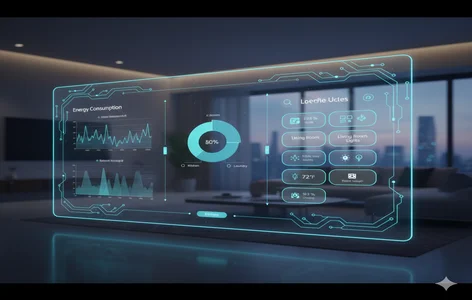
If you have compatible energy sensors already configured, you can now view live electricity consumption directly in the Energy Dashboard. The standout capability of this home assistant energy monitoring upgrade is the ability to spot unusually high usage the moment it happens — not hours later when reviewing historical data. This is especially valuable for identifying phantom loads and monitoring high-draw appliances like EV chargers, heat pumps, and washing machines.
- Monitor electricity consumption in real time as it happens
- Spot unusually high usage instantly without waiting for daily summaries
- Track behavior of individual power-hungry appliances
- Supports troubleshooting unexpected consumption spikes
Downstream Water Consumption Tracking
Home Assistant has supported water consumption since 2022, but 2025.12 extends this significantly. You can now track water usage at the device level — per washing machine, irrigation zone, or sprinkler system — and display the data directly in your Energy Dashboard. Combined with electricity tracking, this makes home assistant energy monitoring a complete picture of household resource consumption. The new sand key card makes visualization straightforward.
Between real-time electricity and granular water tracking, home assistant energy monitoring in 2025.12 gives households the data they need to make meaningful changes to consumption habits. Setting automations to react to live usage data — for example, alerting when consumption spikes above a threshold — is now straightforward with the updated Energy Dashboard.
For households looking to reduce energy costs, combining home assistant energy monitoring with smart automation is the most effective approach. Read our full guide on monitoring your home’s energy usage with smart devices to see how to configure compatible sensors.
AI Conversation Debugger
For users running Home Assistant’s AI conversation pipelines, 2025.12 adds a dedicated debugging tool that gives full visibility into how the AI is processing commands and making decisions.
What the Debugger Shows
- System prompts being used by the active conversation pipeline
- Tools the AI called during the conversation flow
- Step-by-step AI decision trace for each command
- Full conversation trace details for debugging unexpected responses
This is particularly useful for users who have built custom AI-powered smart home routines or complex automation flows driven by voice commands. When a voice command produces an unexpected result, the debugger now shows exactly where the AI went off course rather than requiring guesswork. See our complete voice assistant guide for setup tips.
More Notable Improvements in 2025.12
Beyond the headlining features, 2025.12 delivers a range of smaller but genuinely useful updates across integrations, templates, and AI capabilities.
The OpenAI integration now supports GPT-5.1 models, enabling more accurate natural language processing for complex automation tasks and voice commands.
Anthropic Claude is now supported for AI tasks within Home Assistant, expanding voice assistant and automation AI options beyond OpenAI.
Three new functions for template builders: clamp, wrap, and remap. These allow precise number manipulation in templates and conditions.
Reolink camera users gain new exposure mode controls and noise reduction options, improving image quality in low-light and high-contrast scenes.
Breaking Changes: Minimal Impact
The breaking changes list in 2025.12 is intentionally short. The only significant removal is the old Areas Dashboard, replaced by the now-standard Home Dashboard. No major workflow disruptions are expected for most users. It is still good practice to review the official Home Assistant release notes before updating any production system.
11 New Integrations in Home Assistant 2025.12
Home Assistant 2025.12 adds 11 new integrations, broadening compatibility with weather, environmental, leisure, and storage systems. One existing integration has also moved from YAML to UI configuration for easier setup without editing config files.
| Category | What It Covers | Status |
|---|---|---|
| Weather Monitoring | Local and station-based weather data sources | New |
| Air Quality Systems | Indoor and outdoor air quality sensor integrations | New |
| Sauna Controls | Smart sauna temperature and timing management | New |
| Pool Management | Pool pump, temperature, and chemical level tracking | New |
| Storage & Warehouse Sensors | Environmental monitoring for storage spaces | New |
| Additional Smart Devices | 6 further device category integrations | New |
| YAML → UI Migration | 1 integration moved to UI-based setup — no YAML editing required | Updated |
For a comprehensive overview of how these integrations fit into a broader smart home setup, see the complete Home Assistant guide on this site.
Frequently Asked Questions
Home Assistant 2025.12 is a release that rewards users who invest in their setup. The redesigned home assistant automation editor reduces friction for new and experienced users alike. Deeper home assistant energy monitoring — covering both electricity in real time and water at the device level — gives households actionable data rather than just logs. If you have been putting off a Home Assistant update, 2025.12 is a strong moment to catch up. Use our complete Home Assistant guide to make sure your setup is optimized before updating.
Plan Your Smart Home Setup
Use our free tools to estimate room automation costs, compare voice assistants, and design your smart home layout before you buy.
Try the Free Room Automation Estimator →