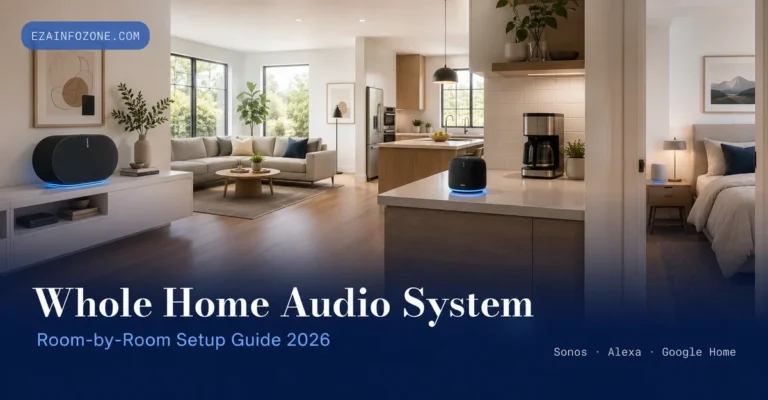
Whole Home Audio System: Smart Speaker Setup Guide 2026
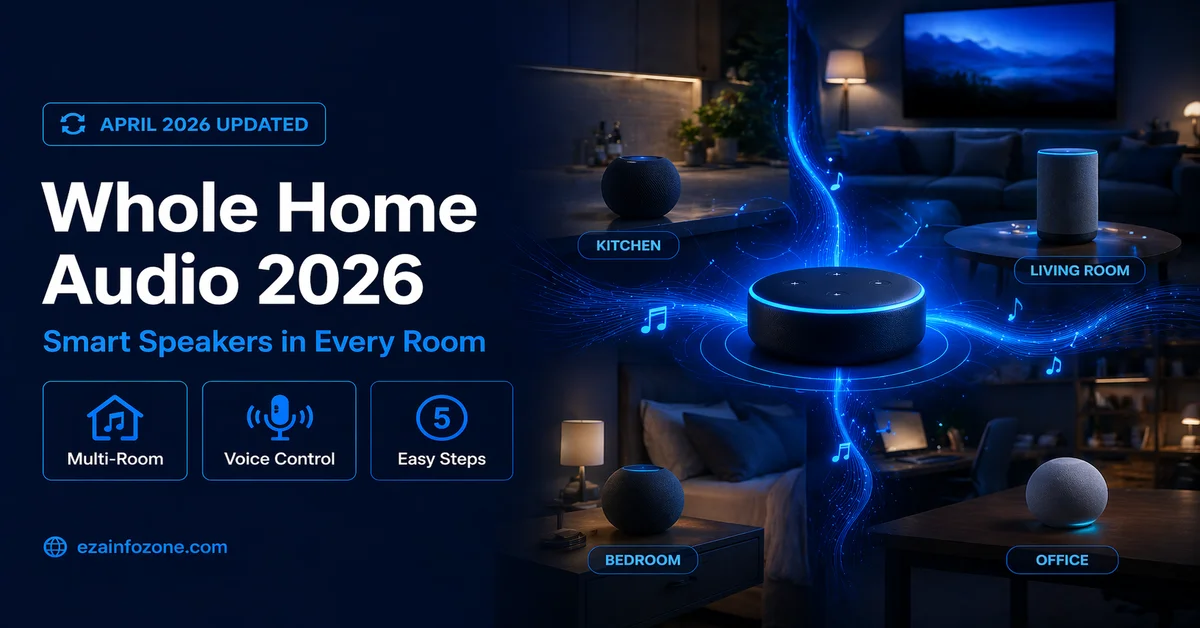
Whole Home Audio System: Best Smart Speakers & Multi-Room Setup Guide 2026
Music in every room, synchronized playback, voice control, and multi-room grouping — complete setup guide using Alexa, Google Home, or Apple AirPlay.
The easiest whole home audio setup in 2026 uses Amazon Echo speakers grouped in the Alexa app — place one in each room, create a group called “Whole Home,” and say “Alexa, play music everywhere.” For the best audio quality, use Sonos speakers for true audiophile multi-room sound. For Apple households, HomePod minis with AirPlay 2 deliver seamless whole-home audio with Siri.
What Is a Whole Home Audio System?
A whole home audio system lets you play music, podcasts, radio, and audio throughout your entire house — in every room simultaneously or independently in different zones. In 2026, smart speakers have made whole home audio dramatically simpler and more affordable than traditional wired systems, which required professional installation and thousands of dollars in equipment.
Modern whole home audio systems using smart speakers connect wirelessly over Wi-Fi, synchronize playback across rooms with under 10ms latency, respond to voice commands, and cost as little as $100–$300 for a complete multi-room audio setup.
Best Smart Speakers for Whole Home Audio 2026
The Sonos Era 100 delivers the best audio quality for whole home audio setups in 2026. The Sonos multi-room system is perfectly synchronized with no audible lag between rooms, and the Sonos app provides the most intuitive room grouping and zone control available. Every major streaming service works natively, and the sound quality in each room is noticeably better than smart speakers at lower price points.
- Best audio quality per room
- Perfect multi-room sync
- Works with all streaming services
- AirPlay 2 support
- Excellent Sonos app
- Most expensive option
- Sonos ecosystem lock-in
- No built-in screen
The Amazon Echo 4th Gen is the best value whole home audio speaker in 2026 — especially for Alexa households. Create speaker groups in the Alexa app, say “Alexa play music everywhere,” and all rooms sync instantly. The built-in Zigbee hub also acts as a smart home controller, making it the best dual-purpose device for whole home audio plus smart home control.
The HomePod mini is the best whole home audio speaker for iPhone and Apple Music users in 2026. AirPlay 2 multi-room audio syncs seamlessly across all HomePod minis and any other AirPlay 2 speakers in your home. The iPhone handoff feature lets you move music from your phone to any room’s speaker just by bringing your phone close — genuinely useful in everyday use.
The Echo Show 10 adds a 10” rotating screen to whole home audio control — perfect for kitchen use where you want to see album art, follow recipes, or make video calls while music plays throughout the house. The screen auto-follows you as you move around the kitchen, and the sound quality is the best of any Amazon speaker.
The Google Nest Audio is the best whole home audio speaker for Google ecosystem users in 2026. Built-in Chromecast Audio lets any Chromecast-compatible app stream directly to it, multi-room groups sync through the Google Home app, and the sound quality is noticeably better than similarly-priced Amazon Echo speakers.
Comparison — Best Smart Speakers for Whole Home Audio 2026
| Speaker | Price | Audio Quality | AirPlay 2 | Multi-Room | Best For |
|---|---|---|---|---|---|
| Sonos Era 100 | ~$249 | ⭐⭐⭐⭐⭐ | ✔ | ✔ | Audio quality |
| Amazon Echo | ~$99 | ⭐⭐⭐ | ✘ | ✔ | Alexa / Budget |
| HomePod mini | ~$99 | ⭐⭐⭐⭐ | ✔ | ✔ | Apple users |
| Echo Show 10 | ~$249 | ⭐⭐⭐⭐ | ✘ | ✔ | Display + audio |
| Nest Audio | ~$99 | ⭐⭐⭐⭐ | ✘ | ✔ | Google users |
Step-by-Step: How to Set Up Whole Home Audio in 2026
Choose Your Speaker Ecosystem
Decide which platform matches your existing smart home — Amazon Alexa, Google Home, or Apple HomeKit. Mixing ecosystems is possible but adds complexity. For whole home audio, staying within one ecosystem delivers the most seamless multi-room experience. If you already have one smart speaker, buy matching speakers for other rooms.
Place Speakers in Each Room
Put one speaker in each room where you want audio — living room, kitchen, bedroom, bathroom, office. For larger rooms, two smaller speakers stereo-paired deliver better coverage than one large speaker. Place speakers at ear level where possible, away from walls and corners that cause bass buildup.
Connect All Speakers to Wi-Fi
Follow the setup app for your chosen ecosystem — Alexa app, Google Home app, or Home app. Each speaker connects to your 2.4GHz or 5GHz Wi-Fi network. For best whole-home audio performance, ensure your Wi-Fi router provides strong signal in every room where you place a speaker — dead zones cause audio dropouts.
Assign Rooms and Create Groups
In your ecosystem app, assign each speaker to its room (Kitchen, Bedroom, Living Room). Then create a “Whole Home” group that includes all speakers. Create additional zone groups if needed — “Downstairs,” “Bedrooms,” “Party Mode.” These groups let you control multiple speakers with a single voice command or app tap.
Link Your Streaming Services
Connect Spotify, Apple Music, Amazon Music, YouTube Music, or your preferred service to the ecosystem app. Set a default music service so voice commands like “Alexa, play jazz” or “Hey Google, play my morning playlist” work without specifying the service every time.
Test and Optimize
Say “play music everywhere” to test whole-home playback. Walk between rooms and listen for sync — good systems have no audible lag between speakers. Adjust individual room volumes to balance levels across different room sizes. Set up morning and evening routines that automatically play music at set times in specific zones.
Multi-Room Audio Setup and Grouping
Multi-room audio is the defining feature of a whole home audio system. In 2026, all major smart speaker ecosystems support multi-room grouping, but the implementation quality varies significantly between platforms.
- Sonos: Best sync quality, dedicated multi-room system, app-based zone control, works across all streaming services
- Amazon Alexa: Best voice control, easy group creation, “Alexa, play everywhere” just works, great for large Alexa households
- Apple AirPlay 2: Best iOS integration, iPhone handoff between rooms, works with any AirPlay 2 speaker from any brand
- Google Cast: Best Android/YouTube Music integration, works across all Chromecast-compatible devices including TVs
Best Whole Home Audio Setup by Ecosystem 2026
Amazon Alexa Household
Buy Amazon Echo speakers for each room, create a “Whole Home” group in the Alexa app, and enable multi-room music. Works with Spotify, Amazon Music, Apple Music, and most streaming services. Voice control is the most natural and responsive of any platform — “Alexa, play jazz in the kitchen” works perfectly every time.
Apple / iPhone Household
Use HomePod minis in each room for native Siri and AirPlay 2 multi-room audio. iPhone users can hand off audio from their phone to any HomePod in any room automatically. Mix in any AirPlay 2-compatible speakers (including Sonos) for rooms where you want better audio quality.
Google / Android Household
Google Nest Audio speakers grouped in Google Home app deliver excellent multi-room audio with Google Assistant voice control. Built-in Chromecast Audio means any Chromecast-compatible app streams directly without a separate device — great for YouTube Music, Spotify, and Netflix audio.
Mixed Ecosystem or Audiophile
Sonos works across all platforms simultaneously — AirPlay 2 for iPhone users, Alexa and Google for voice control, and the Sonos app for anyone. The best choice when household members use different phones and streaming services.
Speaker Placement Guide for Whole Home Audio
Proper placement makes a significant difference in whole home audio quality. Place speakers at approximately ear height when seated — about 1–1.5 metres. Keep at least 20cm from walls and corners, which cause bass buildup and muddy sound. In kitchens, countertop placement works well. In bedrooms, a nightstand or dresser provides good positioning. For bathrooms, choose a smaller speaker like Echo Dot or HomePod mini that fits in limited space.
Best Music Streaming Services for Smart Speakers 2026
| Service | Best For | Alexa | Siri / AirPlay | |
|---|---|---|---|---|
| Spotify | Universal choice | ✔ | ✔ | ✔ |
| Apple Music | iPhone users | ✔ | ✔ | ✔ Native |
| Amazon Music | Alexa users | ✔ Native | ✔ | ✔ |
| YouTube Music | Android users | ✘ | ✔ Native | Via AirPlay |
Voice Control Tips for Whole Home Audio
- “Play music everywhere” — plays on all grouped speakers simultaneously
- “Play jazz in the kitchen” — plays on specific room speaker only
- “Stop music in the bedroom” — stops one room without affecting others
- “Turn up the volume in the living room” — adjusts one room independently
- “Play the same music in the office” — adds a room to current playback
- “Set a sleep timer for 30 minutes” — auto-stops music at bedtime
Whole Home Audio System Buying Guide 2026
- Best audio quality per room: Sonos Era 100 — premium sound, perfect sync
- Best Alexa whole home setup: Amazon Echo (4th Gen) in each room
- Best Apple/iPhone household: HomePod mini + AirPlay 2
- Best Google/Android household: Google Nest Audio in each room
- Best budget 4-room setup: 4x Amazon Echo Dot (5th Gen) ~$160 total
- Best mixed household: Sonos — works with all platforms and voice assistants
- Best kitchen speaker: Amazon Echo Show 10 — screen + sound + Zigbee hub
🏠 Explore More Smart Home Guides
Discover the best smart home devices, automation ideas, and setup guides at EzaInfoZone.
Read Multi-Room Audio Deep Dive →Conclusion — Whole Home Audio with Smart Speakers in 2026
Setting up a whole home audio system with smart speakers in 2026 is simpler and more affordable than ever. For most households, choosing speakers from a single ecosystem — Amazon Echo, Google Nest, or Apple HomePod — grouping them in the companion app, and connecting a streaming service creates a complete whole home audio experience in under an hour.
Start with the rooms you use most, choose speakers that match your existing ecosystem, and expand room by room as your setup grows. The combination of voice control, multi-room synchronization, and streaming service access makes a smart speaker whole home audio system genuinely better than traditional wired systems in almost every practical way.