Raspberry Pi Home Automation 2026: Complete Beginner’s Guide
Raspberry Pi Home Automation 2026: Complete Beginner’s Guide
Everything you need to build a Raspberry Pi home automation system in 2026 — from choosing the right model to installing Home Assistant, setting up Zigbee, connecting voice control, and running your best first projects.
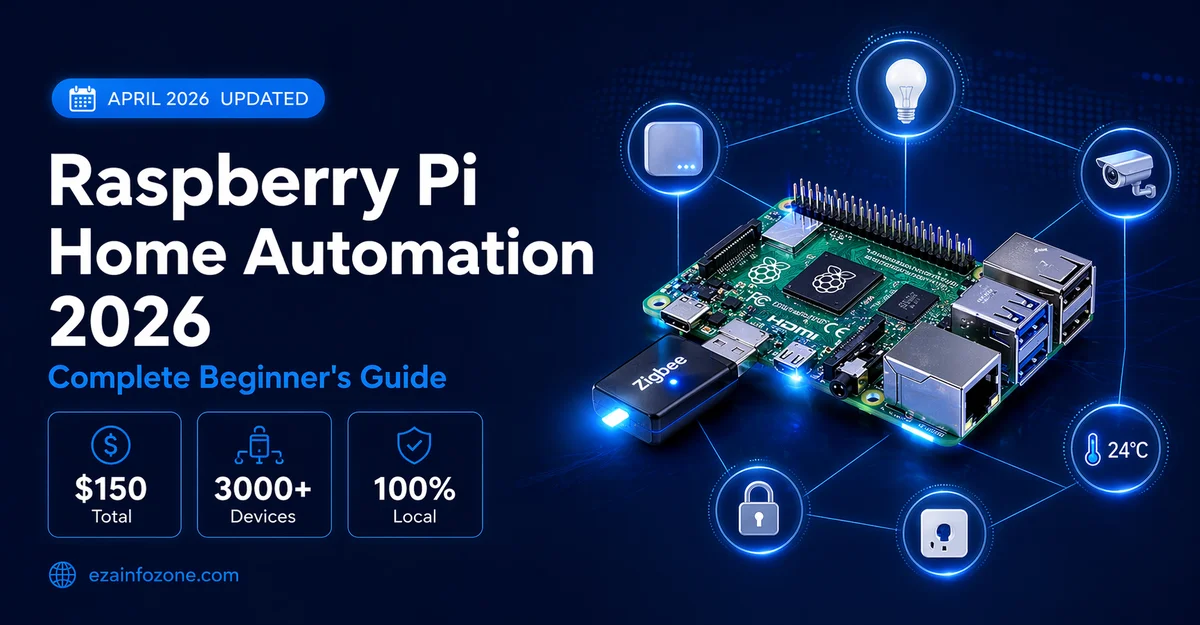
Raspberry Pi home automation in 2026 means using a Raspberry Pi 5 ($80) as a local smart home hub running Home Assistant — the most powerful free home automation platform available. Connect a Zigbee USB dongle ($20) to control hundreds of smart devices locally without any cloud subscription. Total cost: under $150 for a complete DIY smart home hub that rivals commercial systems costing $500+.
- Why Use Raspberry Pi for Home Automation in 2026?
- Which Raspberry Pi Model to Choose
- Full Hardware Shopping List
- Best Software for Raspberry Pi Home Automation
- Step-by-Step Setup Guide — Home Assistant 2026
- Adding Zigbee and Z-Wave to Raspberry Pi
- Top 8 Raspberry Pi Home Automation Projects
- Voice Control — Alexa and Google with Raspberry Pi
- Matter Protocol and Raspberry Pi 2026
- Raspberry Pi vs Commercial Smart Home Hubs
- Buying Guide 2026
- FAQs
Why Use Raspberry Pi for Home Automation in 2026?
Raspberry Pi home automation offers something no commercial smart home hub can match — complete local control over your entire smart home with no cloud dependency, no monthly subscription, and no data leaving your home. In 2026, as smart home subscription costs have increased across major platforms, the Raspberry Pi running Home Assistant has become the most compelling option for anyone who wants maximum capability at minimum cost.
The combination of Raspberry Pi 5’s processing power, Home Assistant’s 3,000+ integrations, and Matter protocol support means a DIY Raspberry Pi smart home hub now handles everything a $300–$500 commercial hub does — at under $150 total cost.
- 100% local — works without internet
- No cloud subscription fees
- Maximum privacy — data stays home
- 3,000+ integrations via Home Assistant
- Fully customizable automations
- Supports Zigbee, Z-Wave, Matter, WiFi
- Active community support
- Requires technical setup time
- Learning curve for beginners
- No official customer support
- Manual updates needed
- Hardware failure risk (use UPS)
Which Raspberry Pi Model to Choose for Home Automation 2026
The Raspberry Pi 5 is the best choice for home automation in 2026. Its 2-3x performance improvement over Pi 4 means Home Assistant runs faster, dashboard loads are instant, and running multiple Zigbee coordinators or add-ons simultaneously causes no slowdowns. PCIe support allows an M.2 SSD for dramatically faster storage than microSD.
The Raspberry Pi 4 remains a solid home automation platform in 2026 and is still widely available. For basic to medium Home Assistant setups with under 100 devices and a moderate number of automations, it performs well. Choose 4GB RAM minimum — 2GB is too restrictive for Home Assistant with multiple add-ons running.
If you want Home Assistant on Raspberry Pi hardware without any DIY setup, the Home Assistant Green is a purpose-built device that arrives pre-configured. Just plug it in, connect to your network, and start adding devices. Slightly less powerful than Pi 5 but officially supported and maintained by the Home Assistant team.
Full Hardware Shopping List 2026
- Raspberry Pi 5 (8GB): $80 — main hub processor
- Official Pi 5 Power Supply (27W): $12 — underpowering causes instability
- 32GB+ microSD card (A2 rated): $10 — or M.2 SSD for Pi 5
- Raspberry Pi 5 case with active cooling: $10–$20 — thermal management critical
- Ethernet cable: $5 — wired connection strongly recommended
- Sonoff Zigbee 3.0 USB Dongle Plus: $20 — Zigbee coordinator
- USB extension cable (30cm): $5 — keep dongle away from Pi for better signal
- UPS/battery backup: $30–$50 — protects SD card from power cut corruption
- Total: ~$162–$182
Best Software for Raspberry Pi Home Automation 2026
| Software | Best For | Difficulty | Integrations | Cost |
|---|---|---|---|---|
| Home Assistant OS | Most users — full automation | Medium | 3,000+ | Free |
| OpenHAB | Java developers, enterprise | Hard | 2,000+ | Free |
| Domoticz | Lightweight, low-power Pi | Medium | 500+ | Free |
| HOOBS | Apple HomeKit focus | Easy | HomeKit only | Free/$99 |
| Node-RED | Visual flow programming | Medium | Via flows | Free |
Home Assistant OS is the clear choice for 2026. It supports Matter, Thread, Zigbee, Z-Wave, and 3,000+ integrations. The UI has improved dramatically — most users set it up without touching a command line. It runs as a complete operating system on your Pi, optimized specifically for home automation.
Step-by-Step Setup Guide — Home Assistant on Raspberry Pi 2026
Download Home Assistant OS
Go to home-assistant.io/installation and download the Raspberry Pi image for your model (Pi 4 or Pi 5). Choose “Home Assistant OS” — not Supervised or Container. This is the recommended installation method that gives you the full Add-on store and automatic updates.
Flash to microSD or SSD
Download Balena Etcher (free, all platforms). Insert your microSD card or connect your SSD. Open Etcher, select the downloaded Home Assistant image, select your target drive, and click Flash. Takes 5–10 minutes. For Pi 5, an NVMe SSD via the M.2 HAT dramatically improves performance over microSD.
First Boot Setup
Insert the flashed card into your Raspberry Pi, connect Ethernet, and power on. Wait 5–10 minutes for first boot (longer on first run). Open a browser on any device on your network and go to homeassistant.local:8123 — the Home Assistant setup wizard will appear.
Create Your Account and Configure
Follow the setup wizard to create your admin account, name your home, set location (for sunrise/sunset automations), and select your timezone. Home Assistant will automatically discover many devices already on your network — smart TVs, Philips Hue bridges, Sonos speakers, and more appear instantly.
Install Essential Add-ons
Go to Settings → Add-ons → Add-on Store. Install: File Editor (edit config files from browser), Terminal & SSH (command line access), Studio Code Server (advanced config editing), and Zigbee2MQTT if using Zigbee devices. These add-ons extend Home Assistant’s capabilities significantly.
Add Your First Devices
Go to Settings → Devices & Services → Add Integration. Search for your device brands — Philips Hue, TP-Link, IKEA, Nest, Ring, Sonos, and hundreds more have native integrations. For Zigbee devices, pair them through Zigbee2MQTT after connecting your USB dongle in the next step.
Always use a quality A2-rated microSD card (Samsung Pro Endurance or SanDisk Endurance) or an SSD. Cheap microSD cards fail quickly under Home Assistant’s constant read/write cycles. A UPS battery backup prevents SD card corruption during power outages — the most common cause of Home Assistant failures.
Adding Zigbee and Z-Wave to Raspberry Pi Home Automation
Zigbee is the protocol used by Philips Hue, IKEA Tradfri, Aqara, Sonoff, and hundreds of other affordable smart home devices. Adding a Zigbee USB dongle to your Raspberry Pi transforms it into a Zigbee hub that controls these devices locally — no cloud required, no bridge needed.
Recommended Zigbee Dongles 2026:
- Sonoff Zigbee 3.0 USB Dongle Plus (E) — ~$20 — Best overall, EFR32MG21 chip, excellent range
- SMLIGHT SLZB-06 — ~$35 — Best for Matter + Zigbee, network connected (not USB)
- Tube’s Zigbee Coordinator — ~$30 — Best range, outdoor-capable
Setup with Zigbee2MQTT:
Configure: serial port → /dev/ttyUSB0 (or /dev/ttyACM0)
Start add-on → Open Web UI → Permit join → Pair devices
Once Zigbee2MQTT is running, put your Zigbee devices into pairing mode (usually hold button 5 seconds) and they appear in Home Assistant automatically. Every Zigbee device you add becomes a mesh network node — more devices mean better range throughout your home.
Top 8 Raspberry Pi Home Automation Projects 2026
Create a beautiful visual dashboard showing all your smart home devices, energy usage, weather, and cameras in one place. Home Assistant’s Lovelace dashboard is drag-and-drop in 2026 — no coding needed. Display it on a wall-mounted tablet for a premium smart home control panel experience.
Connect IKEA Tradfri or Philips Hue bulbs directly to Raspberry Pi via Zigbee dongle — no bridge needed. Create motion-triggered lighting, sunrise/sunset schedules, and “movie mode” scenes that dim all lights with a single automation. The most impactful beginner project for daily convenience.
Use the Home Assistant companion app on your phone to detect when you leave or arrive home. Trigger automations automatically: lock doors, adjust thermostat, and turn off all lights when you leave — reverse everything on arrival. The phone app sends location data directly to your local Raspberry Pi server.
Build a complete security system using door/window sensors (Aqara, Sonoff), motion detectors, and IP cameras — all managed through Home Assistant’s Alarm Panel. Set arm/disarm via keypad, app, or voice. Send push notifications with camera snapshots when motion is detected. No monthly subscription required.
Connect smart plugs with energy monitoring (Kasa EP25, Shelly) to track device-level electricity consumption. Use Home Assistant’s Energy Dashboard to visualize daily/monthly usage, track costs by appliance, and create automations that shift high-consumption devices to off-peak electricity hours automatically.
Connect your existing smart thermostat (Nest, Ecobee, Honeywell) to Home Assistant for advanced automations that commercial apps cannot offer — “if everyone is away AND temperature is above 75°F AND it’s a weekday, switch to eco mode.” The combination of presence detection, weather integration, and thermostat control delivers real energy savings.
In 2026, Home Assistant integrates with OpenAI/ChatGPT through the Conversation integration. Use natural language to control your smart home: “turn on the cozy evening scene” triggers a complex multi-device automation. AI assistant understands context and can execute custom automations from plain English descriptions.
Home Assistant running on Raspberry Pi is a fully certified Matter controller in 2026. Add a Thread border router (SMLIGHT SLZB-06 or HomePod mini) and your Raspberry Pi hub controls Matter devices from any brand natively. This makes your Pi-based smart home completely future-proof — any new Matter device works automatically.
Voice Control — Alexa and Google with Raspberry Pi
Connecting Amazon Alexa and Google Assistant to your Raspberry Pi Home Assistant setup requires exposing your local server to the cloud through Nabu Casa (Home Assistant Cloud) or configuring manual HTTPS access. Nabu Casa is the simplest option at $6.50/month — it creates a secure tunnel that lets Alexa and Google communicate with your local Home Assistant.
- Nabu Casa ($6.50/month): Easiest — Alexa + Google + remote access in 5 minutes
- Duck DNS + Let’s Encrypt (Free): Manual HTTPS setup — technical but no ongoing cost
- Local Voice Assistant (Free): Home Assistant’s built-in voice with Wyoming protocol — 100% local, no cloud
- Assist (Built-in, Free): Home Assistant’s own voice assistant — control home without any cloud service
Matter Protocol and Raspberry Pi 2026
Home Assistant on Raspberry Pi is one of the best Matter controllers available in 2026 — and it is completely free. With a compatible Thread border router connected (or built into your network), your Raspberry Pi hub can control any Matter-certified device regardless of brand. Amazon, Apple, Google, and Samsung Matter devices all connect to a single Home Assistant dashboard.
The key advantage over commercial Matter hubs is automation power. While Alexa and Google offer simple if/then Matter automations, Home Assistant’s automation engine supports complex multi-condition logic, time-based triggers, device state monitoring, and AI-powered natural language automation creation — all running locally on your Raspberry Pi.
Raspberry Pi vs Commercial Smart Home Hubs 2026
| Feature | Raspberry Pi + HA | Samsung SmartThings | Amazon Echo | Apple HomePod |
|---|---|---|---|---|
| Cost | ~$150 total | ~$129 | ~$99 | ~$99 |
| Monthly Fee | $0 (or $6.50 cloud) | $0 | $0 | $0 |
| Local Processing | ✔ 100% | Partial | ✘ | Partial |
| Integrations | 3,000+ | 5,000+ | 100,000+ | HomeKit only |
| Automation Power | ⭐⭐⭐⭐⭐ | ⭐⭐⭐ | ⭐⭐ | ⭐⭐ |
| Privacy | ⭐⭐⭐⭐⭐ | ⭐⭐⭐ | ⭐⭐ | ⭐⭐⭐⭐ |
| Setup Difficulty | Hard | Easy | Very Easy | Very Easy |
| Voice Control | Via add-on | Alexa+Google+Siri | Alexa only | Siri only |
| Matter Support | ✔ | ✔ | ✔ | ✔ |
Raspberry Pi Home Automation Buying Guide 2026
- Best for most users: Raspberry Pi 5 (8GB) + Home Assistant OS + Sonoff Zigbee dongle
- Best budget setup: Raspberry Pi 4 (4GB) + Home Assistant OS + Sonoff Zigbee dongle (~$95 total)
- Best plug-and-play option: Home Assistant Green (~$99) — no DIY required
- Best for Apple users: Raspberry Pi + Home Assistant + HOOBS for HomeKit bridge
- Best for privacy: Raspberry Pi 5 + Home Assistant local voice assistant — zero cloud
- Best for beginners: Start with Home Assistant Green, migrate to custom Pi later
🏠 Plan Your Smart Home Setup
Use our free smart home tools to calculate costs and plan your Raspberry Pi home automation system.
Try Free Smart Home Tools →FAQs — Raspberry Pi Home Automation 2026
Conclusion — Raspberry Pi Home Automation in 2026
Raspberry Pi home automation with Home Assistant represents the most capable and cost-effective smart home hub solution available in 2026. A $150 investment delivers 3,000+ device integrations, 100% local processing, zero monthly fees, and automation capabilities that rival professional systems costing ten times more.
Start with the Raspberry Pi 5, install Home Assistant OS, add a Zigbee USB dongle, and begin with three beginner projects — smart lighting automation, presence-based home/away routines, and an energy monitoring dashboard. These three projects alone deliver immediate daily value and build the foundation for an increasingly intelligent and automated home.