Voice Assistant Compatibility Guide 2026
Introduction: Why Voice Assistant Compatibility Matters
One of the most critical decisions you’ll make when building your smart home is choosing which voice assistant ecosystem to adopt. This choice affects device compatibility, features, privacy, and your overall user experience. Making the wrong choice can lead to frustration, incompatible devices, and potentially having to replace equipment.
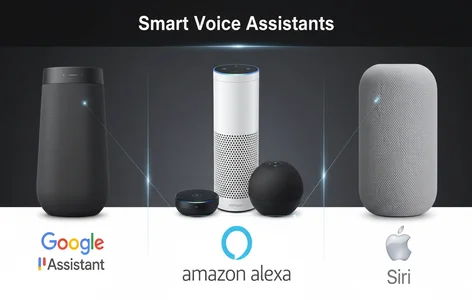
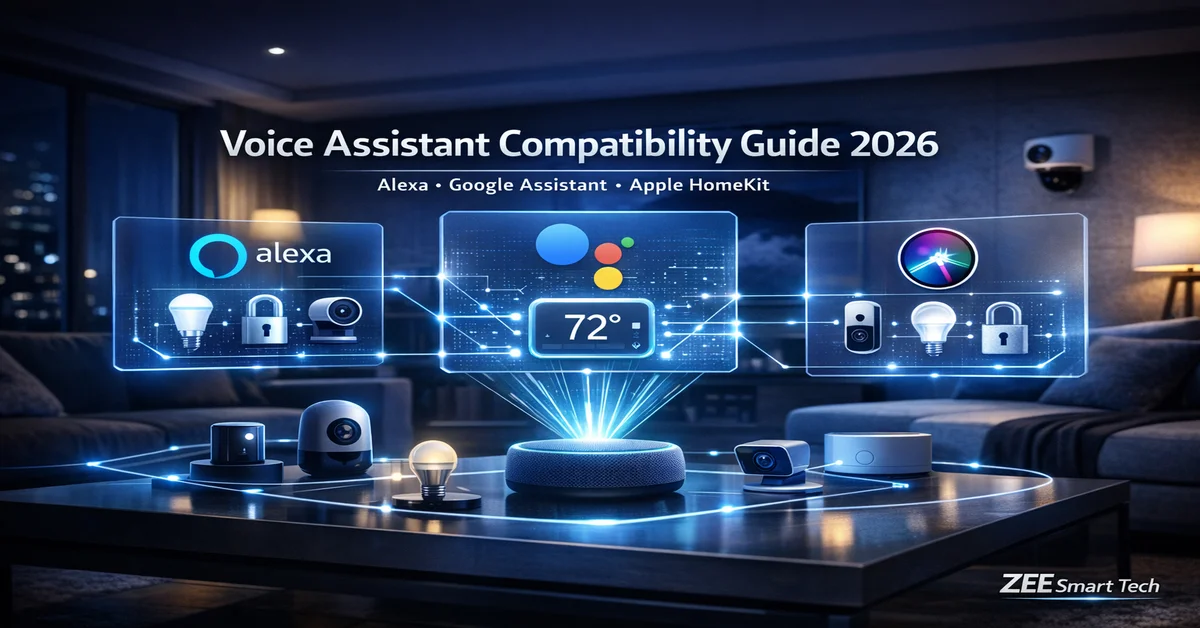
This comprehensive guide will help you understand the three major voice assistant platforms, Amazon Alexa, Google Assistant, and Apple Siri/HomeKit, and make an informed decision based on your needs, existing devices, and priorities.
The Three Major Voice Assistant Ecosystems
Amazon Alexa
Market Position: Most widely supported with the largest device compatibility.
Strengths:
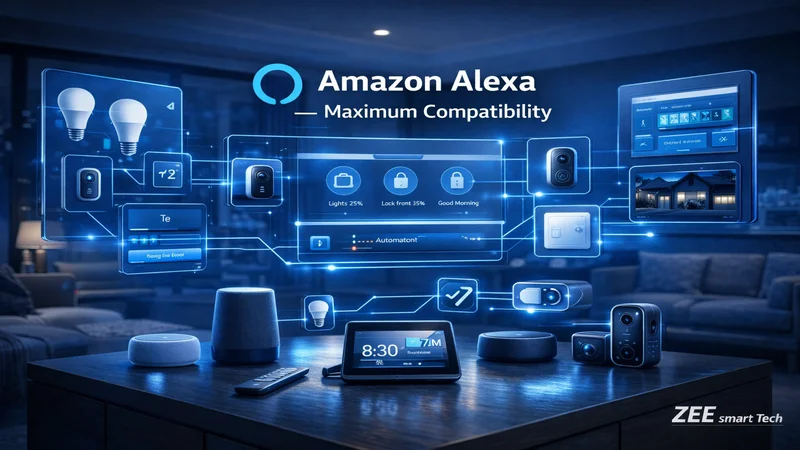
- Massive device compatibility: Works with over 100,000 smart home devices from 10,000+ brands
- Affordable hardware: Echo devices range from $30-$300, making entry accessible
- Robust skills ecosystem: 100,000+ skills extend functionality
- Strong routine automation: Excellent automation capabilities with flexible triggers
- Shopping integration: Seamless Amazon shopping, order tracking, and Prime benefits
- Multi-room audio: Excellent synchronized music playback across Echo devices
- Drop-in and announcements: Family communication features built-in
Weaknesses:
- Privacy concerns: More data collection than competitors, advertising integration
- Voice recognition: Good but not quite as natural as Google Assistant
- Music services: Limited free options compared to competitors
- Search capabilities: Less powerful than Google for general knowledge questions
Best For:
- Users prioritizing maximum device compatibility
- Budget-conscious consumers
- Heavy Amazon shoppers
- Families wanting communication features
- Those comfortable with data sharing for better personalization
Hardware Options:
- Echo Dot (5th Gen): $50 – Compact, great for bedrooms
- Echo (4th Gen): $100 – Balanced sound and features
- Echo Show 8: $150 – Visual display, perfect for kitchens
- Echo Studio: $200 – Premium audio for music lovers
- Echo Show 15: $280 – Wall-mountable smart home dashboard
Notable Integrations:
- Ring (owned by Amazon) – seamless doorbell and camera integration
- Philips Hue, LIFX, TP-Link lighting
- Ecobee, Nest thermostats
- August, Yale, Schlage locks
- Samsung SmartThings hub integration
- Fire TV for entertainment control
Google Assistant
Market Position: Most intelligent voice recognition and search capabilities.
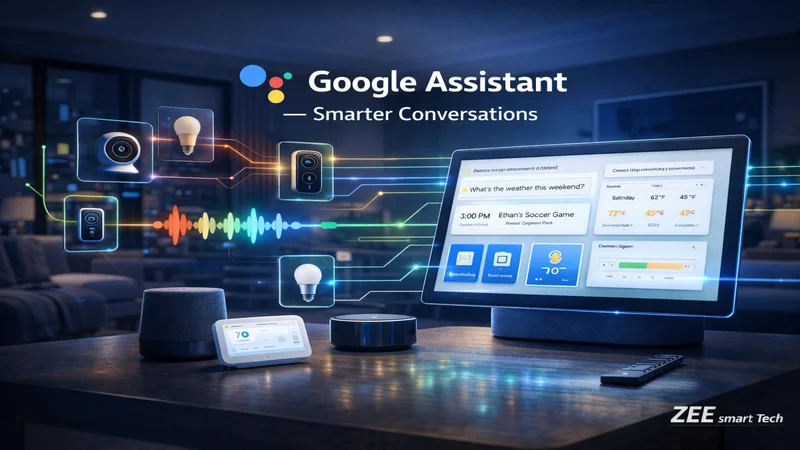
Strengths:
- Superior natural language processing: Best understanding of conversational commands
- Search integration: Exceptional at answering questions using Google’s search knowledge
- Contextual awareness: Understands follow-up questions without repeating context
- YouTube and streaming: Native integration with YouTube, YouTube Music, YouTube TV
- Android integration: Seamless connection with Android phones and services
- Google ecosystem: Calendar, Gmail, Photos, Maps deeply integrated
- Nest products: First-class support for Google’s Nest devices
- Continued Conversation: Can handle multiple commands without repeating wake word
Weaknesses:
- Smaller skills library: Fewer third-party “Actions” compared to Alexa Skills
- Higher hardware costs: Generally more expensive than comparable Echo devices
- Less extensive routines: Automation is powerful but interface less intuitive than Alexa
- Shopping: No built-in shopping platform like Amazon
Best For:
- Android phone users
- Those prioritizing voice intelligence and search
- Users heavily invested in Google services (Gmail, Calendar, Photos)
- People who ask lots of questions to their assistant
- Privacy-conscious users wanting Google’s data controls
Hardware Options:
- Nest Mini: $50 – Compact, wall-mountable
- Nest Audio: $100 – Excellent sound quality
- Nest Hub (2nd Gen): $100 – 7″ display with sleep tracking
- Nest Hub Max: $230 – 10″ display with camera for video calls
- Nest Doorbell and Cameras: Premium integration
Notable Integrations:
- Nest products (thermostats, cameras, doorbells) – best integration
- Philips Hue, LIFX lighting
- August, Nest x Yale locks
- Samsung SmartThings
- Chromecast for video streaming
- Extensive smart TV support (Android TV, Google TV)
Apple HomeKit (Siri)
Market Position: Premium ecosystem with industry-leading privacy and security.
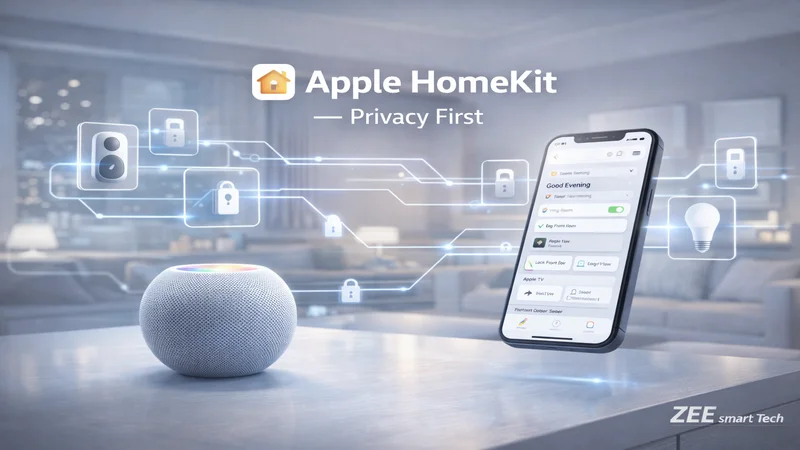
Strengths:
- Privacy focus: End-to-end encryption, local processing, no data selling
- Security: HomeKit certification requires rigorous security standards
- Seamless Apple integration: iPhone, iPad, Mac, Apple Watch, Apple TV all control home
- Home Keys: Use iPhone/Apple Watch as digital keys for locks
- Local control: Works even when internet is down (with Home Hub)
- Adaptive Lighting: Automatic color temperature adjustment throughout day
- Premium device quality: HomeKit-certified devices tend to be higher quality
- Family Sharing: Elegant sharing of home control with family members
Weaknesses:
- Device compatibility: Significantly fewer HomeKit-certified devices
- Cost: HomeKit devices often command premium pricing
- Requires Apple devices: Must have iPhone or iPad (no Android support)
- Siri limitations: Voice recognition less advanced than Alexa or Google
- Slower adoption: Manufacturers slower to add HomeKit support
Best For:
- iPhone/iPad users deeply in Apple ecosystem
- Privacy-focused users
- Those willing to pay premium for security
- Users wanting local control without cloud dependencies
- Families with multiple Apple devices
Hardware Options:
- HomePod mini: $100 – Compact, excellent for Siri
- HomePod (2nd Gen): $300 – Premium audio and home hub
- Apple TV 4K: $130-150 – Streaming box doubles as home hub
- iPad: Any iPad can serve as home hub
Notable Integrations:
- Limited but growing device support
- Philips Hue (excellent integration)
- Lutron Caseta (lighting and shades)
- Ecobee thermostats
- August, Level, Schlage Encode locks
- Logitech Circle cameras
- Aqara sensors and devices
- Eve brand (HomeKit-exclusive devices)
Multi-Platform Strategy: The Best of All Worlds?
Many devices now support multiple platforms simultaneously, especially with the Matter standard. Here’s how to leverage this:
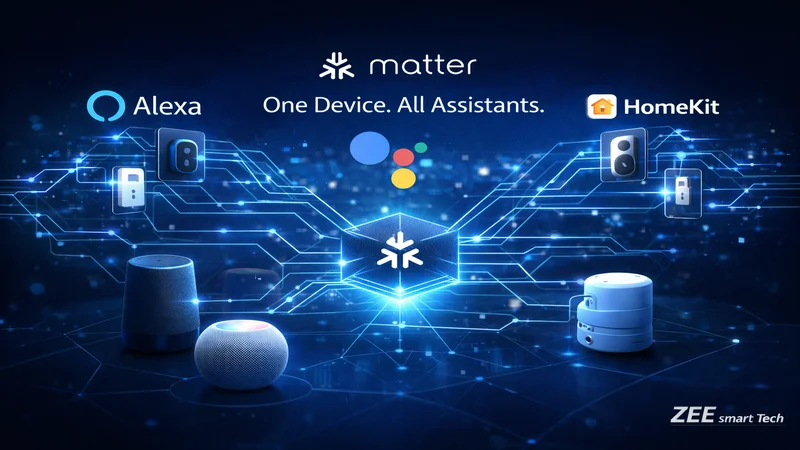
Matter-Enabled Devices
What is Matter? Matter is a unified smart home standard that allows devices to work across Alexa, Google Assistant, and HomeKit simultaneously. Launched in 2022, adoption is rapidly growing.
Benefits:
- Buy once, use with any assistant
- Switch ecosystems without replacing devices
- Use multiple assistants simultaneously
- Enhanced interoperability and reliability
Matter-Compatible Categories (as of 2026):
- Smart lighting (bulbs, switches, light strips)
- Smart plugs and outlets
- Smart locks
- Thermostats
- Sensors (contact, motion, temperature)
- Shades and blinds
- Media devices
- Bridges and hubs
Notable Matter Devices:
- Nanoleaf lighting products
- Eve devices (formerly HomeKit-exclusive)
- Philips Hue (via firmware update)
- Samsung SmartThings devices
- TP-Link Tapo devices
- Aqara sensors and switches
Strategic Multi-Platform Approach
Scenario 1: Primary Alexa, Secondary Google
- Use Alexa as main control (device compatibility, cost)
- Place Google Nest Hub in kitchen for superior search/recipes
- Both control same Matter-enabled devices
- Leverage strengths: Alexa automation + Google knowledge
Scenario 2: Primary Apple, Strategic Additions
- HomeKit as secure foundation
- Add Alexa for specific device compatibility needs
- Use Home app for primary control, Alexa for incompatible devices
- Prioritize Matter devices for dual control
Scenario 3: Household with Mixed Phone Preferences
- Android users → Google Assistant priority
- iPhone users → HomeKit priority
- Choose Matter devices everyone can control
- Central hub (SmartThings) bridges ecosystems
Device Compatibility Comparison
Lighting
| Brand | Alexa | HomeKit | Matter | |
|---|---|---|---|---|
| Philips Hue | ✓ | ✓ | ✓ | ✓ (via update) |
| LIFX | ✓ | ✓ | ✓ | Coming |
| Nanoleaf | ✓ | ✓ | ✓ | ✓ |
| TP-Link Kasa | ✓ | ✓ | ✗ | Select models |
| Wyze | ✓ | ✓ | ✗ | ✗ |
| Lutron Caseta | ✓ | ✓ | ✓ | ✗ |
| Sengled | ✓ | ✓ | ✗ | Coming |
Best Universal Choice: Philips Hue (all platforms + Matter)
Budget Universal: Nanoleaf Essentials (Matter-enabled, affordable)
HomeKit-Specific: Eve Light Strip (Thread, no bridge needed)
Thermostats
| Brand | Alexa | HomeKit | Matter | |
|---|---|---|---|---|
| Ecobee | ✓ | ✓ | ✓ | Planned |
| Nest | ✓ | ✓ | ✗ | ✗ |
| Honeywell Home | ✓ | ✓ | ✓ | Select models |
| Sensi | ✓ | ✓ | ✓ | ✗ |
| Mysa | ✓ | ✓ | ✓ | ✗ |
Best Universal Choice: Ecobee (excellent all-platform support)
Google-Centric: Nest Learning or Nest Thermostat.
Budget Universal: Sensi Touch (good all-platform support, lower cost)
Smart Locks
| Brand | Alexa | HomeKit | Matter | |
|---|---|---|---|---|
| August Wi-Fi | ✓ | ✓ | ✓ | ✗ |
| Yale Assure Lock 2 | ✓ | ✓ | ✓ | ✓ |
| Schlage Encode Plus | ✓ | ✓ | ✓ (Home Key) | ✗ |
| Level Lock | ✓ | ✓ | ✓ | Coming |
| Wyze Lock | ✓ | ✓ | ✗ | ✗ |
Best Universal Choice: August Wi-Fi (retrofit, all platforms)
Future-Proof: Yale Assure Lock 2 (Matter support)
Apple-Centric: Schlage Encode Plus (Home Key support)
Security Cameras and Doorbells
| Brand | Alexa | HomeKit | Notes | |
|---|---|---|---|---|
| Ring | ✓✓ | ✓ | ✗ | Amazon-owned, best Alexa |
| Nest | ✓ | ✓✓ | ✗ | Google-owned, best Google |
| Arlo | ✓ | ✓ | ✓ | Good universal support |
| Eufy | ✓ | ✓ | ✓ | Local storage, privacy focus |
| Logitech Circle | ✓ | ✓ | ✓✓ | HomeKit Secure Video |
Best Alexa: Ring (native integration, competitive pricing)
Best Google: Nest (seamless integration, intelligent alerts)
Best HomeKit: Logitech Circle View or Eufy Indoor Cam.
Best Universal: Arlo or Eufy (support all three, good features)
Smart Plugs and Outlets
| Brand | Alexa | HomeKit | Matter | |
|---|---|---|---|---|
| TP-Link Kasa | ✓ | ✓ | ✗ | Select models |
| Wemo | ✓ | ✓ | ✓ | Thread models |
| Meross | ✓ | ✓ | ✓ | ✗ |
| Eve Energy | ✓ | ✓ | ✓ | ✓ |
| Amazon Smart Plug | ✓ | ✗ | ✗ | ✗ |
Best Universal: Meross or Wemo (all platforms, affordable)
Budget Alexa: Amazon Smart Plug ($25, simple setup)
Premium Universal: Eve Energy (Matter, Thread, energy monitoring)
Hubs and Controllers
| Hub | Protocols | Alexa | HomeKit | |
|---|---|---|---|---|
| SmartThings Station | WiFi, Zigbee, Z-Wave, Thread | ✓ | ✓ | Partial |
| Hubitat Elevation | WiFi, Zigbee, Z-Wave | ✓ | ✓ | Partial |
| Aqara Hub M2 | WiFi, Zigbee, IR | ✓ | ✓ | ✓ |
| Philips Hue Bridge | WiFi, Zigbee | ✓ | ✓ | ✓ |
| Echo (4th Gen) | WiFi, Zigbee | ✓ | ✗ | ✗ |
Best Universal Hub: Samsung SmartThings Station (most protocols, wide compatibility)
Best Automation: Hubitat Elevation (local processing, powerful automation)
Best HomeKit: Aqara Hub M2 (HomeKit + Alexa + Google, affordable)
Voice Control Feature Comparison
Routine and Automation Capabilities
Amazon Alexa Routines
Strengths:
- Extremely flexible trigger options (time, device state, voice, location, alarms, sensors)
- Can include waits and conditional logic
- Sequences can be very long (100+ actions)
- Easy visual routine builder
- Can suppress responses (silent routines)
Example Complex Routine:
- Trigger: “Alexa, good morning”
- Actions:
- Gradually increase bedroom lights over 5 minutes
- Start coffee maker
- Read calendar and weather
- Wait 2 minutes
- Play news briefing
- If raining, send umbrella reminder to phone
Google Assistant Routines
Strengths:
- Excellent natural language customization
- Strong integration with Google services
- Can trigger on personal results (calendar events)
- Household routines (multiple people can add to shared routines)
- Suggested automations based on usage
Example Routine:
- Trigger: “Hey Google, leaving for work”
- Actions:
- Adjust thermostat to away mode
- Turn off lights
- Lock smart lock
- Arm security system
- Read traffic to work
- Play news podcast in car (if Android Auto connected)
Apple HomeKit Automations
Strengths:
- Secure and private (local processing)
- Simple conditional logic (if/then)
- Time-based, location-based, sensor-based triggers
- Works even when internet down (with hub)
- Adaptive Lighting built-in
- Integration with Shortcuts app for advanced logic
Example Automation:
- Trigger: When arriving home after sunset
- Conditions: If anyone is home = false
- Actions:
- Unlock front door
- Turn on entry lights (100%)
- Turn on pathway lights (50%)
- Adjust thermostat to 70°F
- Disarm security system
Winner: Alexa for most flexibility and ease of use.
Runner-up: Google for natural language and Google service integration.
Note: HomeKit excels at privacy and local control but has less flexibility.
Voice Recognition and Natural Language
Amazon Alexa
- Good wake word detection (~95% accuracy in normal environments)
- Improving natural language understanding
- Multiple wake words available (Alexa, Amazon, Echo, Computer)
- Voice profiles for personalization (up to 10 users)
- Whisper mode (whisper to Alexa, it whispers back)
- Follow-up mode (continues listening for 5 seconds without wake word)
Sample Commands:
- “Alexa, turn the bedroom to movie mode”
- “Set living room to 20 percent”
- “Turn off the lights upstairs”
Google Assistant
- Best natural language understanding
- Contextual awareness across multiple queries
- Voice Match for personalization (up to 6 users)
- Continued Conversation (stays active for follow-ups)
- “Hey Google” or “OK Google” wake phrases
- Exceptional at understanding accents and speech variations
Sample Commands (showing context awareness):
- “What’s the weather?”
- “How about tomorrow?” (understands context)
- “Will I need an umbrella?” (continues weather context)
- “Turn on the lights” → “Make them brighter” → “What about the bedroom?” (multiple contextual follow-ups)
Apple Siri
- Improving but still behind Alexa and Google
- “Hey Siri” wake phrase (or button press on HomePod)
- Voice recognition for personalization
- Integrates with iPhone for seamless control
- Recent improvements with on-device processing
Sample Commands:
- “Hey Siri, set the living room to movie mode”
- “Turn off all the lights except the kitchen”
- “What’s my home status?” (reports on open doors, locks, etc.)
Winner: Google Assistant for natural conversation.
Runner-up: Alexa for wake word flexibility and follow-up mode.
Improvement Needed: Siri (but improving with each iOS update)
Smart Home Control
Voice Command Flexibility
Alexa:
- Device names can include room names: “Kitchen Light”
- Groups allow controlling multiple devices: “Turn on the bedroom”
- Scenes can be voice-activated: “Alexa, movie time”
- Can specify percentages, colors by name, and temperatures
Google:
- Similar device naming structure
- Room assignments in Google Home app
- Routines activated by natural phrases
- Excellent at understanding variations (“make it cooler” vs “lower the temperature”)
HomeKit:
- Scenes are primary control method
- Room-based control (“Hey Siri, turn off the bedroom”)
- Accessory names must be unique across home
- Can control via iPhone Control Center without voice
Winner: Tied – All three offer similar control flexibility
Multi-Room Audio and Entertainment
Amazon Alexa
- Multi-room music groups (synchronized playback)
- Supports: Amazon Music, Spotify, Apple Music, Pandora, SiriusXM, TuneIn
- Can specify speaker: “Alexa, play jazz in the kitchen”
- Fire TV integration for video
- Broadcast announcements to all or specific Echo devices
Google Assistant
- Speaker groups (synchronized playback)
- Supports: YouTube Music (free tier available), Spotify, Pandora, Deezer
- Chromecast integration (excellent video streaming)
- Can transfer media between speakers: “Move this to bedroom speaker”
- Broadcast feature similar to Alexa
Apple HomeKit
- AirPlay 2 for multi-room (not limited to HomePods)
- Supports Apple Music, works with Spotify on iPhone
- Can play to any AirPlay 2 speaker
- Integration with Apple TV for video
- Intercom feature (messages to specific rooms or people)
Winner: Google for free YouTube Music tier and Chromecast versatility.
Runner-up: Apple for AirPlay 2 flexibility across brands.
Budget King: Alexa for cheapest multi-room speaker setup
Privacy and Data Handling Comparison
Amazon Alexa
Data Collection:
- Voice recordings stored in cloud
- Used to improve Alexa and personalize experience
- May be reviewed by human auditors (can opt out)
- Shopping data integrated with Amazon account
- Targeted advertising based on interactions
Privacy Controls:
- Can delete voice recordings (by voice: “Alexa, delete what I just said”)
- Automatic deletion options (3, 18 months, or never)
- Mute button on all Echo devices
- Privacy settings in Alexa app
- Can opt out of human review
Best Practices:
- Review privacy settings in Alexa app
- Enable automatic deletion
- Use mute button during sensitive conversations
- Opt out of targeted advertising
Google Assistant
Data Collection:
- Voice recordings stored in Google account
- Used to improve Assistant across all Google services
- May be reviewed by human auditors (can opt out)
- Integrated with broader Google data ecosystem
- Used for advertising personalization
Privacy Controls:
- Voice & Audio Activity setting in Google Account
- Can auto-delete after 3, 18, 36 months
- Mute switch on Google speakers
- Guest Mode for visitors
- Can ask Google to “delete what I just said”
Best Practices:
- Configure auto-delete in Google Account settings
- Review My Activity regularly
- Use Guest Mode when appropriate
- Disable Web & App Activity if maximum privacy desired
Apple HomeKit (Siri)
Data Collection:
- Minimal data collection philosophy
- Voice requests processed on-device when possible
- When cloud needed, anonymized and encrypted
- Not tied to Apple ID in way that builds profile
- No advertising based on smart home use
Privacy Controls:
- End-to-end encryption for HomeKit devices
- Local processing (doesn’t require internet for automations)
- HomeKit Secure Video (encrypted camera footage)
- No human review of requests
- Can disable Siri entirely and still use Home app
Best Practices:
- Already privacy-optimized by default
- Use HomeKit Secure Video for cameras
- Set up Home Hub for local control
Winner: Apple HomeKit (significantly better privacy)
Runner-up: Google (good controls, but extensive data use)
Concern: Alexa (most data collection, advertising integration)
Cost Comparison
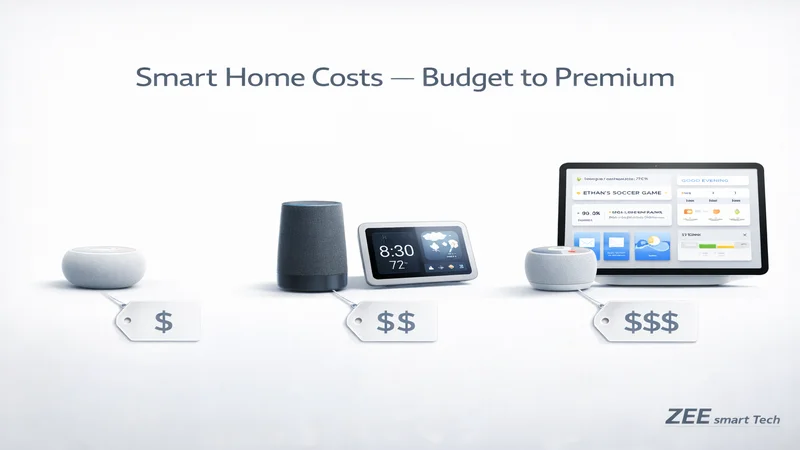
Initial Hardware Investment
Budget Setup (Single Room)
Alexa: $50-100
- Echo Dot: $50
- Total ecosystem entry: $50
Google: $50-100
- Nest Mini: $50
- Total ecosystem entry: $50
Apple: $100-300
- HomePod mini: $100
- Requires iPhone/iPad: (if don’t own, +$400+)
- Total ecosystem entry: $100+
Mid-Range Setup (3-4 Rooms)
Alexa: $200-350
- Echo (4th Gen) x2: $200
- Echo Dot x2: $100
- Total: $300
Google: $250-400
- Nest Audio x2: $200
- Nest Mini x2: $100
- Total: $300
Apple: $400-600
- HomePod mini x4: $400
- Total: $400
Premium Setup (Whole Home)
Alexa: $500-800
- Echo Studio x2: $400
- Echo Show 8 x2: $300
- Echo Dot x3: $150
- Total: $850
Google: $600-900
- Nest Audio x3: $300
- Nest Hub Max x2: $460
- Nest Mini x2: $100
- Total: $860
Apple: $1000-1500+
- HomePod x2: $600
- HomePod mini x4: $400
- Apple TV 4K: $150 (for home hub)
- Total: $1150
Ongoing Costs
Subscriptions (Optional but Common)
Alexa:
- Amazon Music Unlimited: $10/mo (optional, many free options)
- Ring Protect (if using Ring cameras): $4-10/mo
- Total typical: $0-20/mo
Google:
- YouTube Music Premium: $11/mo (optional, free tier available)
- Nest Aware (for Nest cameras): $6-12/mo
- Total typical: $0-20/mo
Apple:
- Apple Music: $11/mo (optional for voice control)
- iCloud+ for HomeKit Secure Video: $1-10/mo
- Total typical: $0-15/mo
Device Replacement Costs
Average smart home device replacement cycle: 4-7 years
Alexa devices: Generally most affordable replacements Google devices: Moderate replacement costs Apple devices: Highest replacement costs but excellent longevity
Making Your Decision: Decision Matrix
Choose Amazon Alexa If:
✓ You want maximum device compatibility ✓ Budget is a primary concern ✓ You’re a frequent Amazon shopper ✓ You want the most flexible automation platform ✓ You value extensive third-party skills ✓ You’re comfortable with data sharing for personalization ✓ You want affordable multi-room audio
Ideal User Profile: Budget-conscious tech enthusiast, Amazon Prime member, wants lots of smart home devices, comfortable with advertising
Choose Google Assistant If:
✓ You use Android phones/tablets ✓ You rely heavily on Google services (Gmail, Calendar, Photos) ✓ You ask lots of questions to your assistant ✓ You want the best voice recognition ✓ You value YouTube and Chromecast integration ✓ Natural language processing is important ✓ You want good device support (not maximum, but solid)
Ideal User Profile: Android user, Google services power user, values intelligence and search capability, wants natural conversation
Choose Apple HomeKit (Siri) If:
✓ You use iPhone, iPad, Mac, and other Apple devices ✓ Privacy is your top priority ✓ You want local control without cloud dependencies ✓ You’re willing to pay premium for security ✓ You prefer fewer but higher-quality device options ✓ You want seamless Apple ecosystem integration ✓ You value Home Keys for door locks
Ideal User Profile: Privacy-conscious Apple user, willing to invest in premium devices, values security over maximum compatibility
Choose Multi-Platform (Matter) If:
✓ You have mixed Apple/Android household ✓ You want flexibility to switch assistants ✓ You’re building new system (can prioritize Matter devices) ✓ You want to use multiple assistants for their strengths ✓ You’re willing to wait for full Matter device availability
Ideal User Profile: Tech-savvy, mixed-device household, values future flexibility, willing to research Matter compatibility
Migration Strategies
Switching from Alexa to Google
Preparation:
- Document all Alexa routines and automations
- Check device compatibility with Google Assistant
- Purchase Google speakers for primary locations
- Download Google Home app
Migration Process:
- Keep Alexa running initially
- Add Google speakers room by room
- Reconnect devices to Google Home app
- Recreate routines in Google Assistant
- Test thoroughly before removing Alexa devices
- Gradually phase out Echo speakers
Challenges:
- Ring cameras don’t work with Google
- Some Alexa-exclusive skills need alternatives
- Routine logic may need adaptation
Timeline: 1-2 weeks for careful migration
Switching from Google to HomeKit
Preparation:
- Verify device HomeKit compatibility (many won’t work)
- Budget for device replacements
- Ensure you have Home Hub (Apple TV, HomePod, iPad)
- Prepare for potentially limited device selection
Migration Process:
- Purchase HomeKit-compatible replacements first
- Set up Home app and add accessories
- Create HomeKit scenes and automations
- Run parallel for testing period
- Remove Google devices once confident
Challenges:
- Many devices lack HomeKit support (will need replacement)
- Higher costs for HomeKit-certified devices
- Different automation paradigm to learn
Timeline: 2-4 weeks (includes shopping for replacements)
Adding Second Ecosystem
Best Approach:
- Choose Matter-enabled devices when possible
- Select secondary assistant for complementary strengths
- Decide primary control method
- Document which devices work with which assistant
- Create specialized routines per platform
Common Multi-Platform Strategies:
- Alexa primary + Google in kitchen (for search/recipes)
- HomeKit primary + Alexa for specific incompatible devices
- Google primary + HomePod mini for Apple users in household
Compatibility Checker Tool Integration
For your website’s Voice Assistant Compatibility Checker tool, here’s what it should include:
Database Categories
Device Information:
- Device name and model number
- Manufacturer
- Category (lighting, locks, thermostat, etc.)
- Current firmware version
- Matter support status
Compatibility Markers:
- Alexa support (yes/no, notes on limitations)
- Google Assistant support (yes/no, notes)
- Apple HomeKit support (yes/no, notes)
- Matter support (yes/planned/no)
- Required hubs or bridges
Feature Comparison:
- Which features work with which assistant
- Voice command examples
- Setup complexity rating
- App quality rating
- Reliability rating
Search Functionality
Users should be able to:
- Search by device name or model
- Filter by category (lighting, security, climate, etc.)
- Filter by assistant (show only Alexa-compatible, etc.)
- Filter by Matter support
- Compare specific devices side-by-side
Recommendation Engine
Based on user input:
- Current phone type (iOS/Android)
- Existing smart home devices
- Budget range
- Privacy priorities
- Desired features
Generate personalized recommendations for:
- Which assistant to choose
- Compatible devices for needs
- Migration path if switching
- Multi-platform strategy if appropriate
Conclusion
Voice assistant compatibility is perhaps the most consequential choice in your smart home journey. It affects every device you buy, how you interact with your home, your privacy, and your costs.
Quick Recommendation Guide:
Most People: Start with Amazon Alexa for broadest compatibility and affordability. If you later decide it’s not right, most devices also work with Google, making migration easier.
Android Users: Google Assistant offers the best integration with your phone and Google services, with excellent voice intelligence.
Apple Users: If privacy is paramount and you’re willing to invest, Apple HomeKit offers the best security and seamless Apple integration. If device selection matters more, Alexa or Google with occasional HomeKit use may be better.
Future-Proof Choice: Prioritize Matter-enabled devices so you can use any assistant or switch freely in the future.
The best smart home is the one you’ll actually use. Choose the assistant that fits your lifestyle, respect your need to balance compatibility with costs, and remember that your smart home will evolve over time, starting with one platform doesn’t lock you in forever, especially as Matter adoption grows.
Your voice assistant should feel like a natural extension of your life, not a frustration. Choose wisely, start small, and expand as you discover what works best for your unique needs.