ChatGPT Smart Home Routines: ChatGPT vs Claude vs Gemini Guide 2026
ChatGPT Smart Home Routines:
ChatGPT vs Claude vs Gemini Guide 2026
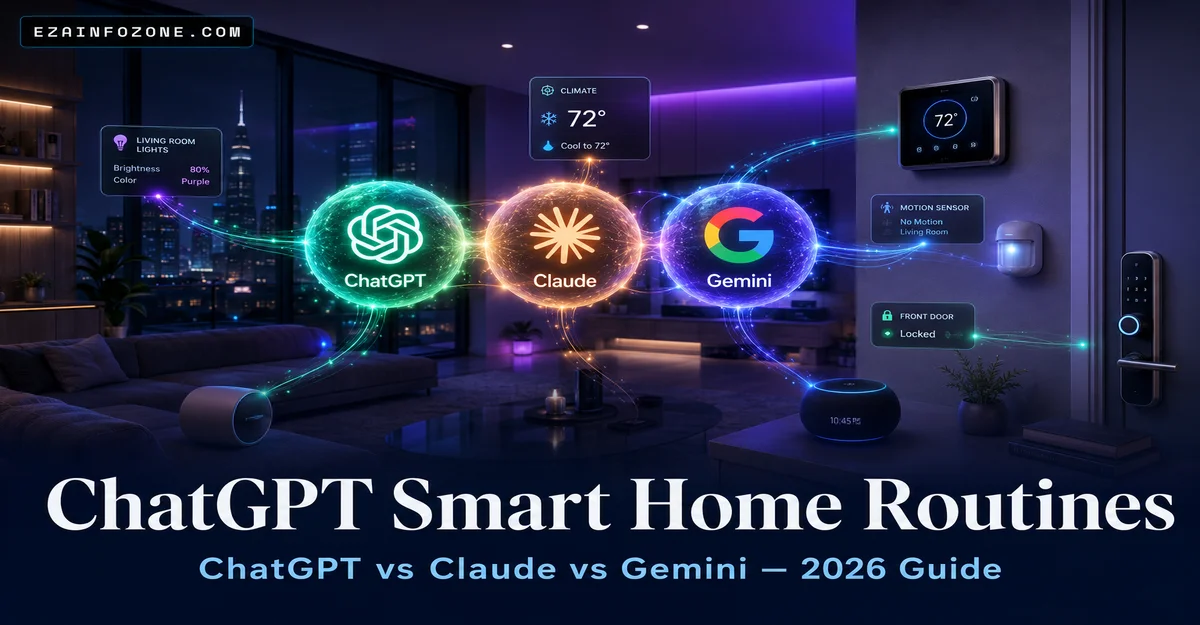
Which AI assistant actually works with your smart home? We tested all three so you don’t have to — real routines, real setup steps, and an honest compatibility chart.
ChatGPT smart home routines work by connecting ChatGPT to Home Assistant or IFTTT via API. For most users in 2026, ChatGPT leads for complex automations, Google Gemini is best for native Google Home users, and Claude excels at writing automation code — but lacks direct device control.
- What Are ChatGPT Smart Home Routines?
- How ChatGPT Connects to Your Smart Home
- ChatGPT vs Claude vs Gemini — 2026 Comparison
- 5 Ready-to-Use Routine Prompt Examples
- Step-by-Step Setup Guide
- Claude AI for Smart Home
- Google Gemini for Smart Home
- AI Compatibility Chart 2026
- Which AI Is Best for You?
- Frequently Asked Questions
What Are ChatGPT Smart Home Routines?
A ChatGPT smart home routine is an automated sequence of smart home actions triggered by a condition, time, or voice command — written or improved with the help of ChatGPT. Instead of manually programming each rule in your smart home app, you describe what you want in plain English, and ChatGPT generates the automation code or configuration for you.
Traditional smart home routines rely on rigid if/then rules set up inside apps like Google Home, Amazon Alexa, or Apple Home. These work well for simple tasks but become clunky for multi-step logic. AI assistants like ChatGPT, Claude, and Google Gemini change that by understanding natural language, generating complex automation scripts, and adapting routines to your lifestyle patterns.
The key difference between using AI for smart home control vs. a traditional voice assistant like Alexa is contextual understanding. You can tell ChatGPT: “Create a morning routine that adjusts based on whether it’s a weekday or weekend, dimming the bedroom lights slowly and setting the thermostat 2 degrees warmer on weekends” — and it understands every condition and produces a working Home Assistant YAML script.
For practical guidance on the physical devices these routines control, see our guides on smart motion sensor setup and smart thermostat configuration — both integrate directly with Home Assistant automations. You can also explore our deep-dive on creating automated smart home routines for more automation ideas.
How ChatGPT Connects to Your Smart Home
ChatGPT does not plug directly into your smart home devices — it works through middleware platforms that translate its outputs into real device commands. In 2026, there are three main methods, ranging from beginner-friendly to developer-level.
| Method | Best For | Cost | Difficulty | Control Level |
|---|---|---|---|---|
| Home Assistant + OpenAI Add-on | Power users | Free HA + API costs (~$1–3/mo) | Medium | Full control |
| IFTTT / Zapier Integration | Beginners | Free–$9.99/mo | Easy | Limited triggers |
| Direct OpenAI API (custom code) | Developers | API usage fees only | Hard | Unlimited |
Home Assistant is the gold standard. It is a free, open-source platform running on a Raspberry Pi or NUC that connects all your smart devices — regardless of brand — into one system. The OpenAI Conversation integration lets you talk to ChatGPT from inside Home Assistant and have it execute automations directly. Over 500,000 active users in 2026 use this exact setup.
IFTTT (If This Then That) is the easiest entry point. You create “Applets” that fire when ChatGPT generates a specific output. For example: ChatGPT detects the phrase “I’m leaving” → IFTTT triggers Away Mode on your smart home. Setup takes under 15 minutes.
For smart home security integrations, our smart motion sensor guide and smart doorbell setup guide both include Home Assistant YAML examples you can hand directly to ChatGPT to customize. See also how AI is transforming smart home security in 2026.
ChatGPT vs Claude vs Gemini — 2026 Smart Home Comparison
All three AI assistants can help with smart home automation — but they have very different strengths. Here is the definitive 2026 comparison across the criteria that matter most for home automation use.
| Criteria | ChatGPT (GPT-4o) | Claude (Sonnet 4.6) | Gemini (2.0 Flash) |
|---|---|---|---|
| Native Device Control | Via API / plugins | API only | Google Home native |
| Home Assistant Support | Excellent (official add-on) | Via API (manual setup) | Limited |
| Voice Command Support | Yes (Voice Mode) | No native voice | Yes (Google Assistant) |
| Automation Script Quality | Very High (YAML, Python) | Excellent (best for code) | Basic–Medium |
| Free Tier Usability | Good (GPT-4o mini) | Limited (claude.ai) | Excellent (built-in) |
| Paid Plan Monthly Cost | $20/mo (Plus) | $20/mo (Pro) | $19.99/mo (Advanced) |
| Setup Difficulty | Medium | Hard (developer) | Easy (Google ecosystem) |
| Community & Resources | Huge (Reddit, HA forums) | Growing | Moderate |
Bottom line: ChatGPT wins on flexibility and community support. Gemini wins on ease-of-use for Google Home users. Claude wins for generating the cleanest, most complex automation scripts — but requires technical setup that most home users won’t attempt.
5 Ready-to-Use ChatGPT Smart Home Routine Prompts
These are copy-paste ready prompts you can send directly to ChatGPT, Claude, or Gemini. Each generates a working Home Assistant YAML automation or a Google Home routine script.
Create a Home Assistant YAML automation for a morning routine. Conditions: weekdays only, trigger at 6:30 AM. Actions: gradually increase bedroom lights from 0% to 60% over 15 minutes, set thermostat to 68F, turn on kitchen lights at 100%, and send a phone notification saying “Good morning! Coffee time.”
Write a Home Assistant automation that triggers when the front door motion sensor detects movement after 10 PM. Actions: turn on all outdoor lights at 100%, set indoor lights to red, take a snapshot from the doorbell camera, and send a mobile notification with the snapshot attached. Include a 5-minute cooldown to prevent repeated alerts.
Create a smart home automation to reduce energy usage. When no presence is detected in the house for 30 minutes: turn off all non-essential lights, set the thermostat to 76F in summer or 62F in winter, turn off the TV and entertainment system, and set smart plugs to off for devices on a “standby power” list. Notify me when Away Mode activates.
Generate a Google Home evening routine (in natural language steps, not YAML). Trigger: every day at 9:30 PM. Actions: dim living room lights to 25% warm white, turn off outdoor lights, lock the front and back doors, set thermostat to 70F, turn on bedroom diffuser plug, and play relaxing music on the bedroom speaker at volume 20%.
Write a Home Assistant script for a vacation mode that makes the house appear occupied. Requirements: randomly turn on different lights between 6 PM and 11 PM for 30-minute intervals, activate security cameras to continuous recording mode, lock all doors and windows sensors alert, set thermostat to energy-save mode (65F heat / 80F cool), and send a daily status summary to my phone every morning at 8 AM.
Step-by-Step: Setting Up ChatGPT for Smart Home Routines
This is the fastest path to having working ChatGPT smart home routines using Home Assistant — the most capable method without needing to write code yourself.
- Install Home Assistant
Download Home Assistant OS from home-assistant.io. Install on a Raspberry Pi 4 (recommended, $45–$75), a mini PC, or as a virtual machine on your computer. The setup wizard runs in your browser at homeassistant.local:8123 and guides you through device discovery automatically. - Get Your OpenAI API Key
Go to platform.openai.com → API section → Create new secret key. Add $5 credit to your account — this covers roughly 250–500 AI interactions for home automation. The API is separate from ChatGPT Plus and much more affordable for automation use. - Add the OpenAI Conversation Integration
In Home Assistant: Settings → Devices & Services → Add Integration → search “OpenAI Conversation.” Enter your API key when prompted. Select GPT-4o as your model. This gives ChatGPT awareness of all your connected devices. - Set ChatGPT as Your Voice Assistant
Go to Settings → Voice Assistants → Add Assistant → select “OpenAI Conversation” as the Conversation Agent. Now you can speak to ChatGPT through Home Assistant’s Assist feature and have it control any device in your home directly. - Create Your First Automation Using Prompts
Open a ChatGPT chat (or Claude for better YAML output). Paste one of the prompt examples from Section 04. Copy the YAML output. In Home Assistant: Settings → Automations → Create Automation → Edit as YAML → paste. Save and test. Your first AI-generated routine is live.
Once set up, you can manage your smart lock automations, thermostat schedules, and security camera triggers all through the same ChatGPT interface — no separate apps needed. For a full reference on Home Assistant itself, see our dedicated Home Assistant guide.
Claude AI for Smart Home: What You Need to Know in 2026
Claude Sonnet 4.6 Anthropic — Released 2025–2026
Claude is Anthropic’s flagship AI and has gained a reputation for producing the most precise, well-structured automation code of any AI in 2026. When given a complex Home Assistant YAML task, Claude’s output is typically cleaner and has fewer errors than GPT-4o. However, Claude has no native smart home integrations — it works purely as a code and script generator, not as a device controller.
Pros
- Best YAML / Python script quality
- Excellent at debugging broken automations
- Long context window for complex setups
- Very accurate at following exact specifications
- Privacy-focused by design (Anthropic)
Cons
- No native device integration
- No voice command support
- Requires manual API setup for HA
- Smaller smart home community vs. ChatGPT
- Free tier very limited for heavy use
Best use for Claude: Use it specifically to write and debug your Home Assistant automations. Paste your existing YAML into Claude and ask it to “fix this automation” or “add a condition that only runs this on weekdays.” Claude’s output is production-ready code that you paste directly into Home Assistant. Then use Home Assistant itself (or ChatGPT) to execute and manage the routines.
This two-AI workflow — Claude for scripting, ChatGPT for execution — is what advanced smart home enthusiasts use in 2026 for the most reliable results.
Google Gemini for Smart Home: 2026 Integration Guide
Google Gemini 2.0 Flash Google DeepMind — 2026 Update
Google Gemini has the most seamless smart home integration of the three AIs — but only if you are in the Google ecosystem. With Gemini 2.0 Flash powering Google Assistant in 2026, you can control Nest thermostats, Google Home speakers, Chromecast devices, and any Google Home-compatible device through natural language without any API setup whatsoever.
Pros
- Zero setup for Google Home users
- Native Nest Thermostat control
- Works on TV, phone, tablet, speakers
- Best free tier for Google ecosystem
- Excellent multi-room audio coordination
Cons
- Weak outside Google ecosystem
- No Home Assistant official integration
- Limited custom automation scripts
- Locks you into Google platform
- Less community resources than ChatGPT
Best use for Gemini: If your home runs on Google Home, Nest cameras, Nest Thermostat, and Google speakers — Gemini is your best choice in 2026. You get AI-powered routines with zero configuration. Simply say “Hey Google, set up a bedtime routine” and Gemini intelligently configures it across all your Nest and Google devices.
For homes that mix brands — for example, using an Arlo or Ring doorbell alongside Google speakers — ChatGPT via Home Assistant handles cross-brand automation far better than Gemini’s walled-garden approach. You may also want to compare Alexa vs Google Assistant vs Siri for broader voice control decisions.
AI Smart Home Compatibility Chart 2026
Use this chart to check whether your current smart home platform works with each AI assistant before committing to a setup. A quick compatibility check now saves hours of troubleshooting later.
| Platform / Hub | ChatGPT | Claude | Gemini |
|---|---|---|---|
| Home Assistant | ✓ Native add-on | △ Via API | ✗ Limited |
| Google Home / Nest | △ Via API | ✗ No | ✓ Native |
| Amazon Alexa | △ IFTTT bridge | ✗ No | △ Limited |
| Apple HomeKit | △ Via HA bridge | ✗ No | ✗ No |
| IFTTT | ✓ Full support | △ Limited | ✓ Full support |
| Zapier | ✓ Full support | ✓ Full support | ✓ Full support |
| SmartThings (Samsung) | △ Via HA or API | ✗ No | △ Via Google Home |
| Hubitat | △ Community apps | △ API possible | ✗ No |
| Matter / Thread (2026) | ✓ Via HA | △ Via HA | ✓ Via Google Home |
Key: ✓ Native/Full = works out of the box | △ Partial = works with configuration | ✗ No = not currently supported
Matter is the universal smart home standard adopted in 2022–2023 and now widely supported in 2026. If your devices are Matter-certified, Home Assistant + ChatGPT gives you the broadest AI control across brands. Check your device specifications for Matter certification before purchasing — our smart living room design guide and smart home water management guide both list Matter-compatible products.
Which AI Is Best for Your Smart Home in 2026?
There is no single winner — the best AI for your smart home depends on your existing setup, technical comfort level, and how complex your automations need to be. Here is the clear breakdown by user type.
ChatGPT (GPT-4o)
Best overall — for users who want flexibility, Home Assistant integration, and the largest community of support resources.
Google Gemini 2.0
Best for Google Home users — zero setup, native Nest control, and the easiest AI routine creation for Google ecosystem households.
Claude Sonnet 4.6
Best for script writing — no direct device control but produces the cleanest, most reliable Home Assistant YAML code of any AI.
Whichever AI you choose, the physical devices still matter. A smart home that combines well-chosen motion sensors, smart locks, and a good smart thermostat will get far more value from AI automation than one with cheap, poorly-integrated hardware. The AI is only as smart as the devices it controls.
Frequently Asked Questions About ChatGPT Smart Home Routines
Explore More Smart Home Automation Guides
From smart security sensors to connected thermostats — build the complete AI-ready smart home with our expert guides.