Best Smart Plugs for Beginners: Setup Guide & Saving (2026)
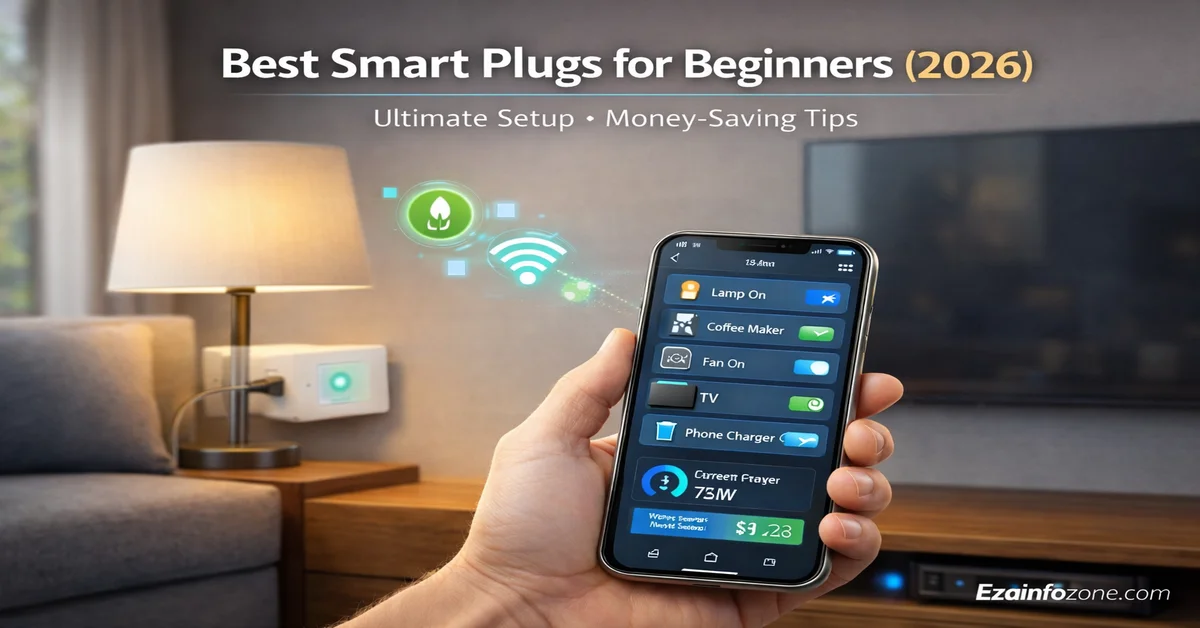
Best Smart Plugs for Beginners — Setup Guide & Savings (2026)
The simplest, most affordable entry into home automation. Control any lamp, fan, or appliance from your phone or voice — starting at $6. No technical skills. No tools. No electrician.
⚡ Quick Answer — Best Smart Plugs 2026
Best overall: Kasa EP25 ($18) — Matter-compatible, energy monitoring, ultra-compact, works with Alexa + Google + Apple + SmartThings. Best budget: Kasa HS103 4-Pack ($24 / $6 each) — reliable scheduling and voice control at unbeatable price. Best for Alexa: Amazon Smart Plug ($25) — 60-second setup in the Alexa app. Best energy monitor: Tapo P115 ($10). In 2026, choose a Matter-compatible plug for future-proofing across all platforms.
What Is a Smart Plug? Understanding the Basics
A smart plug (also called a Wi-Fi plug, smart outlet, or connected plug) is a device that inserts between your electrical outlet and any appliance, letting you control that appliance’s power remotely. Think of it as a remote-controlled switch for anything plugged into it — no rewiring, no electrician, no tools.
In 2026, the global smart plug market has reached $3.20 billion, growing explosively as American households discover these tiny devices deliver massive convenience and genuine energy savings. Unlike expensive smart home systems requiring professional installation, smart plugs are plug-and-play. Insert one into any standard outlet, plug in your device, download an app, and that “dumb” lamp or coffee maker instantly becomes smart — controllable remotely, programmable on schedules, and integrated with voice assistants.
Key Components Inside a Smart Plug
- Wi-Fi Module — connects to your home network (2.4GHz; newer models support Wi-Fi 6 and Thread)
- Relay Switch — electronic switch that physically cuts or supplies power to connected devices
- Power Monitoring Chip — measures electricity consumption in watts/kWh (mid-to-premium models)
- Manual Button — physical on/off control that works without Wi-Fi or internet
- LED Indicator — shows connection status, power state, and troubleshooting information
How Do Smart Plugs Work? The Simple Explanation
Smart plugs are straightforward technology dressed in a deceptively small package. Here is the complete workflow from wall to voice command:
Physical Connection
Plug the smart plug into a wall outlet, then plug your device — lamp, fan, coffee maker, anything — into the smart plug. The smart plug sits in between, acting as an intelligent gate for power.
Wi-Fi Setup (2–5 Minutes)
Using the manufacturer’s app (Kasa, Tapo, Alexa, etc.), connect the smart plug to your home Wi-Fi — specifically the 2.4GHz band. Most apps walk you through this with a simple QR scan or button-hold pairing.
Remote Control from Anywhere
Once connected, turn the plug on or off from anywhere in the world using your smartphone app. Check whether it’s on, turn it off if you forgot, or verify your scheduled automation ran correctly.
Smart Features Unlock
Set schedules, create automation routines triggered by time or location, monitor real-time energy usage in watts, and integrate with Alexa, Google Assistant, or Siri for complete hands-free control.
10 Reasons You Need Smart Plugs in 2026
Types of Smart Plugs — Wi-Fi vs Zigbee vs Matter Explained
Not all smart plugs connect the same way. Understanding the four main types helps you choose correctly for your setup and avoid buying the wrong technology.
| Type | Hub Required | Market Share | Range | Works Offline? | Best For |
|---|---|---|---|---|---|
| Wi-Fi (2.4GHz) | No | 85% | Home-wide | Manual only | Beginners, most users |
| Zigbee / Z-Wave | Yes ($50–$150) | 12% | Mesh network | Yes (local) | Enthusiasts, large homes |
| Matter (Thread/Wi-Fi) | No (Wi-Fi) / Border router | 40% of new models | Home-wide | Yes (local) | Future-proof buyers |
| Bluetooth | No | 3% | 30–50 ft | Yes | RVs, boats, no-Wi-Fi spaces |
🔮 Matter in 2026: Matter is the universal smart home standard ensuring plugs work with Alexa, Google Home, Apple HomeKit, and Samsung SmartThings simultaneously — with no ecosystem lock-in. In 2026, 40% of new smart plugs ship with Matter support. If you’re buying for the first time, choosing a Matter-compatible plug (Kasa EP25, Tapo P125M) is the future-proof decision that prevents regret in 2–3 years.
Most Wi-Fi smart plugs require 2.4GHz Wi-Fi — NOT the 5GHz band. During setup, temporarily connect your phone to the 2.4GHz network (usually labeled “YourNetwork” vs “YourNetwork_5G”). This is the #1 reason setup fails for beginners.
Best Smart Plugs of 2026 — Expert Recommendations
After analyzing over 50 smart plug models across compatibility, reliability, energy monitoring accuracy, and value — here are the six best picks for every use case and budget.
- Matter compatible — works with Alexa, Google Home, Apple HomeKit, SmartThings simultaneously
- Real-time energy monitoring — track watt usage and monthly cost estimates
- Ultra-compact design — leaves the second outlet completely unblocked
- Schedule, countdown timer, Away Mode, and scene support
- $6 per plug — cheapest reliable smart plug on the market
- Full scheduling, timers, and Away Mode included
- Ultra-compact — fits in tight outlet configurations
- Works with Alexa and Google Assistant
- 60-second setup directly in the Alexa app — no separate app download
- Native Alexa integration — instant access to all Alexa routines and groups
- Certified for Humans — Amazon’s frustration-free reliability standard
- Compact design with physical button backup
- Real-time kWh monitoring with cost calculations built in
- Daily, weekly, monthly usage reports in the Tapo app
- Identify power-hungry appliances and inefficient devices instantly
- Works with Alexa and Google Assistant
- Native Apple HomeKit support with Thread for local control (no cloud dependency)
- Built-in energy monitoring — consumption tracked in Apple Home app
- Premium design and UL-certified build quality
- Siri voice control, iPhone automations, and Shortcuts integration
- IP64 weather-resistant — rain, snow, and extreme temperature rated
- Two independently controlled outlets (different schedules per outlet)
- 6-foot weatherproof extension cord for flexible placement
- Works with Alexa and Google Assistant
How to Set Up a Smart Plug — Step-by-Step for Beginners
Setting up a smart plug is genuinely the easiest tech setup you will ever do. Follow these five steps and you’ll be controlling your first device by voice in under 5 minutes.
Plug Into the Wall Outlet
Insert the smart plug directly into any standard 120V wall outlet. The LED indicator will flash — this means it’s in pairing mode and ready to connect.
Connect Your Device to the Smart Plug
Plug the appliance you want to control (lamp, fan, coffee maker) into the smart plug’s outlet. Make sure the appliance is switched ON at its own power switch — the smart plug controls the power supply to it.
Download the App & Connect to 2.4GHz Wi-Fi
Download the manufacturer’s app (Kasa app, Tapo app, or Alexa app). Open the app, tap “Add Device,” and follow the on-screen pairing. When prompted for Wi-Fi — select your 2.4GHz network (labeled without “_5G”). Enter your Wi-Fi password.
Name Your Device
Give it a clear, speakable name — “Living Room Lamp,” “Coffee Maker,” “Bedroom Fan.” This name is what you’ll say to voice assistants. Avoid confusing names like “Plug 1” or “Device A.”
Set Your First Automation
In the app, tap “Schedules” or “Automations.” Set the coffee maker to turn ON at 6:30 AM Monday–Friday. Set the bedroom lamp to turn OFF at 11 PM daily. Test it by saying “Alexa, turn on [device name]” — your smart home is now live.
💡 Pro tip: After setup, link your smart plugs to Alexa or Google Home by opening those apps and running “Discover Devices.” This lets you control all plugs through a single voice assistant even if they’re from different brands.
Smart Plug Automation Ideas — 10 Routines to Set Up Today
Smart plugs are only as powerful as the automations you create. Here are ten proven routines that save time, money, and energy every single day.
Energy-Saving Strategies — How Smart Plugs Reduce Your Bill
Smart plugs attack your electricity bill from three angles simultaneously: eliminating phantom power, optimizing usage patterns, and shifting consumption to off-peak hours. Here’s how to maximize each.
The Phantom Power Problem
The U.S. Energy Information Administration estimates that standby power — electricity consumed by devices when “off” but still plugged in — accounts for 5–10% of residential electricity use. Your TV uses 1–5W on standby. Your gaming console uses 10–30W. Your home theater receiver uses 20–40W. None of these are “on” — they’re all costing you money every hour.
Solution: plug your entertainment center, computer workstation, or any cluster of devices into a single smart plug and program it to cut power completely overnight. This single automation, run consistently, saves $8–$15 per month for the average household.
How to Use Energy Monitoring to Find Your Energy Hogs
- Plug a Tapo P115 or Kasa EP25 into each high-draw appliance for one week and check the kWh readings
- Any device using more than 5 kWh per week while “idle” is a phantom power offender — put it on a shutoff schedule
- Identify devices with high wattage that run longer than necessary — set maximum run-time timers
- Compare appliance consumption to Energy Star ratings — anything significantly above the rating may need replacement
📊 Real numbers: A typical 65-inch LED TV draws 90–120W active, 0.5W standby. An older plasma TV draws 200–400W active, 10–15W standby. Putting the older TV on an auto-off schedule (midnight to 7 AM) saves roughly $40–$80 per year depending on your electricity rate.
How to Choose a Smart Plug — Buying Guide for Beginners
With hundreds of smart plug models on the market, four questions cut through the confusion and get you to the right choice in under 60 seconds.
- Which voice assistant do you use? — Amazon Alexa user → Kasa EP25 or Amazon Smart Plug. Google Home user → Kasa EP25 or Tapo P115. Apple HomeKit user → Eve Energy or Kasa EP25 (Matter). No preference → any Matter plug works everywhere.
- Do you need energy monitoring? — If reducing electricity bills is the goal, pay the extra $5–$10 for a monitoring plug (Kasa EP25, Tapo P115). If you just want on/off scheduling, the Kasa HS103 at $6 each is sufficient.
- Indoor or outdoor use? — Outdoor requires IP64 or higher weather resistance. Never use an indoor plug outside — moisture causes failure and safety hazards. Wyze Plug Outdoor v2 ($20) is the clear outdoor pick.
- How many devices? — For 1–2 devices, buy individual plugs (Kasa EP25 at $18). For 4+ devices, 4-packs deliver significant savings — Kasa HS103 4-Pack at $24 is $6 each vs $15+ individual.
High-draw appliances that exceed the plug’s rated wattage: central air conditioners, electric dryers, washing machines, refrigerators, or electric water heaters. Always check the plug’s maximum wattage (typically 1800W/15A) before connecting any appliance. Smart plugs for high-draw devices must be specifically rated — standard plugs will fail and may cause a fire.
Frequently Asked Questions — Smart Plugs 2026
The best smart plug for beginners in 2026 is the Kasa EP25 ($18). It is Matter-compatible (works with Alexa, Google Home, Apple HomeKit, and SmartThings simultaneously), includes real-time energy monitoring, and has an ultra-compact design that doesn’t block the second outlet. For pure budget, the Kasa HS103 4-Pack at $24 ($6 per plug) is the best value — reliable scheduling and voice control at an unbeatable price.
Yes — Wi-Fi smart plugs (85% of the market) connect directly to your home router with no hub required. Just plug in, download the app, and connect to your 2.4GHz Wi-Fi. Only Zigbee and Z-Wave plugs require a separate hub ($50–$150). For beginners, Wi-Fi plugs like Kasa, Tapo, Amazon Smart Plug, and Wyze are the easiest starting point.
Smart plugs save energy by eliminating phantom power — electricity consumed by devices in standby mode. Studies show standby loads account for 5–10% of residential electricity use, costing the average household $100–$200 annually. Smart plugs with energy monitoring (Kasa EP25, Tapo P115) let you identify power-hungry devices and cut consumption by 15–30% on controlled appliances.
Matter is the universal smart home standard ensuring smart plugs work with Alexa, Google Home, Apple HomeKit, and Samsung SmartThings simultaneously — no ecosystem lock-in. In 2026, 40% of new smart plugs ship with Matter support. If you plan to expand your smart home or aren’t sure which ecosystem you’ll use long-term, buying a Matter-compatible plug (Kasa EP25, Tapo P125M) is the future-proof choice.
The Amazon Smart Plug ($25) has the deepest Alexa integration — 60-second setup directly in the Alexa app, no separate manufacturer app needed, and Certified for Humans reliability certification. The Kasa EP25 is the best overall Alexa-compatible plug with added Matter support and energy monitoring. Both work seamlessly with all Echo devices.
UL-certified smart plugs (Kasa, Tapo, Amazon, Eve) are safe when used within rated limits — typically 15 amps and 1800 watts. Built-in overload protection automatically cuts power if devices exceed safe current levels. Never use smart plugs with high-draw appliances like space heaters (above rated wattage), central air conditioners, or washing machines unless the plug is specifically rated for those loads.
Most Wi-Fi smart plugs include a manual button that works without Wi-Fi — you can turn the plug on/off by pressing the physical button during internet outages. However, app control, voice control, and scheduled automations require an active internet connection. Matter plugs using Thread protocol can operate locally (without cloud) when connected to a Thread border router like HomePod Mini or Nest Hub Max.
The Tapo P115 ($10) and Kasa EP25 ($18) both offer excellent real-time energy monitoring with kilowatt-hour tracking, daily, weekly, and monthly reports, and cost calculations. The Eve Energy ($40) provides the most accurate monitoring with native HomeKit integration. For the best value energy monitoring, the Tapo P115 at $10 is unmatched.
Smart plugs are among the most renter-friendly smart home devices — no installation, no tools, no landlord permission, and no lease modification required. Just plug in and go. They’re 100% portable: unplug and take them when you move. At $6–$25 each, they’re the most affordable way to automate a rental apartment without any permanent changes.
Step 1 — plug the smart plug into a wall outlet. Step 2 — plug your device (lamp, coffee maker, fan) into the smart plug. Step 3 — download the manufacturer app (Kasa, Tapo, or Alexa). Step 4 — open the app, tap “Add Device,” and follow the Wi-Fi connection wizard (use 2.4GHz network). Step 5 — name your device and set your first schedule. Total time: under 5 minutes.
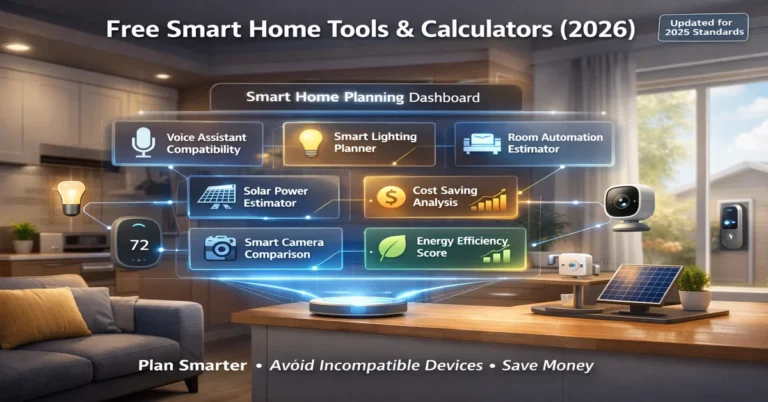
Free Smart Home Automation Tools
Free calculators and planners to help you build a smarter, more efficient home — from lighting planning to cost estimation and savings analysis.
Start Your Smart Home With One Plug
You don’t need a $1,000 system. A $6 smart plug and 5 minutes is all it takes to begin. Join millions of households who have already automated their homes — one outlet at a time.
Explore More Smart Home Guides → Free Cost Estimator