
Discord Fonts Generator & Text Formatting Guide (Copy and Paste)
Type your text and get 26 Discord fonts you can copy and paste into your display name, server nickname, About Me or chat. Below the generator you’ll find a colored text builder and every Discord text formatting code, from bold and spoilers to headers and code blocks.
- 26 Discord fonts
- Colored text builder
- Full markdown cheat sheet
- Free, no signup
Tap a style to copy it. Tap ♡ to keep it in Favorites (saved in this browser only). “Name-safe” styles are the easiest to read in a member list.
Quick answer: Discord doesn’t let you pick a typeface, so “Discord fonts” come in two kinds. Unicode fonts like 𝗕𝗼𝗹𝗱, 𝒞𝓊𝓇𝓈𝒾𝓋ℯ or ꜱᴍᴀʟʟ ᴄᴀᴘꜱ are special characters you copy from the generator above, and they work in display names, nicknames, bios and messages. Markdown formatting like **bold**, *italics*, ~~strikethrough~~ and ||spoiler|| only works inside messages. Use the generator for names and the codes below for chat.
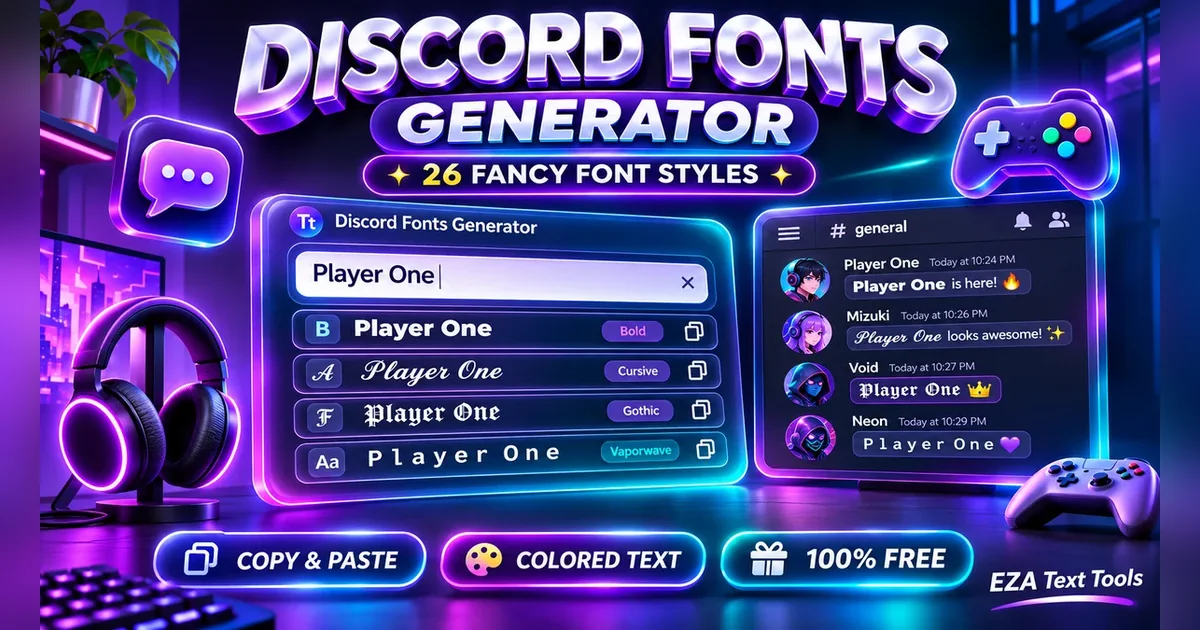
Discord fonts are the fastest way to make your name stand out in a busy server or give a message a bit more punch. The catch is that Discord has two separate systems for styled text, and most guides only explain one of them. That’s why people paste **bold** into their display name and see the stars, or wonder why their fancy name looks like empty boxes on a friend’s phone.
This page puts both systems in one place. You get a free Discord font generator for names and bios, a colored text builder, and a full Discord markdown guide with copy buttons, all checked against Discord’s own help pages.
How to Use the Discord Fonts Generator
Type your text, tap a style, and paste it into Discord. That’s the whole process, and it takes about five seconds.
- Type your name or message in the box at the top. Every style updates live as you type.
- Pick a group with the tabs. “Name-safe” holds bold, italic, small caps and monospace, which stay readable in a member list. “Fancy” has cursive, gothic, outline and bubble letters. “Decorated” adds gamer-style symbols around your name. “Effects” covers tiny text, upside down text, strikethrough and underline.
- Tap a style to copy it. You’ll see a “Copied” message.
- Paste it into Discord. On desktop, open User Settings, then Profiles, and paste into Display Name. In a server, right-click your name and choose Edit Server Profile to set a nickname.
- Tap ♡ on styles you like so they’re waiting for you in Favorites next time.
Everything runs in your browser. Nothing you type is sent to a server.
Unicode Discord Fonts vs Discord Markdown: What’s the Difference?
Unicode fonts are characters, and markdown is a code Discord reads in messages. That one difference decides where each one works.
When you copy 𝗗𝗶𝘀𝗰𝗼𝗿𝗱 from the generator, you’re not copying a font. You’re copying special letters from the Unicode standard, the same system that holds emoji and math symbols. Because they’re real characters, they show up anywhere Discord accepts text, including your display name.
Markdown works the other way around. You type plain text with symbols around it, like **hello**, and Discord turns it bold when the message is sent. Discord only reads markdown in messages, so it does nothing in a name field.
| Unicode fonts (generator) | Markdown (codes) | |
|---|---|---|
| Works in display name and nickname | Yes | No |
| Works in About Me | Yes | Yes, basic styles |
| Works in messages | Yes | Yes |
| Looks the same on every device | Mostly, some symbols vary | Yes |
| Readable by screen readers | Often not | Yes |
| Found by a normal-letter search | No (only by the exact styled characters) | Yes |
A simple rule: use the generator for names, and use markdown for chat.
Discord Text Formatting Cheat Sheet (Markdown)
Discord text formatting uses symbols around your words: one star for italics, two for bold, two tildes for strikethrough, and two bars for a spoiler. Tap any code to copy it, then swap in your own words. These come straight from Discord’s Markdown Text 101 help article.
Bold, Italics, Underline and Strikethrough
| Style | Type this | Result |
|---|---|---|
| Italics | or | italics |
| Bold | bold | |
| Bold italics | bold italics | |
| Underline | underline | |
| Underline italics | underline italics | |
| Underline bold | underline bold | |
| Strikethrough | ||
| Spoiler | spoiler |
You can stack styles. __***all three***__ gives you bold, italic and underlined text at once.
Headers, Subtext, Lists and Quotes
These codes go at the start of a line, and each one needs a space after the symbol.
| Style | Type this | What it does |
|---|---|---|
| Big header | Largest heading | |
| Medium header | Second-level heading | |
| Small header | Third-level heading | |
| Subtext (small text) | Small, faded line of text | |
| Bulleted list | Bullet point (a star works too) | |
| Numbered list | Numbered item | |
| Single-line quote | Quotes one line | |
| Multi-line quote | Quotes the rest of the message | |
| Masked link | Shows clickable words instead of a URL |
To nest a list item, put two spaces before the dash. Subtext is the closest thing Discord has to real small text, and it’s what most people mean when they search for “Discord small text.” The generator’s Tiny Text style is the other option, and it also works in names.
Code Blocks
Code blocks show text in a monospace font with a dark box behind it, and nothing inside them gets formatted.
| Style | Type this | What it does |
|---|---|---|
| Inline code | One backtick on each side | |
| Code block | Three backticks on each side, any number of lines | |
| Colored code block | Add a language name after the backticks for color highlighting |
The backtick key is usually the top-left key on a keyboard, just under Esc. On phones, hold the single-quote key to find it.
Want to show someone the codes without Discord formatting them? Put a backslash before the symbol. \*\*not bold\*\* shows the stars as plain text.
Discord Colored Text Generator
Discord colored text works through an “ansi” code block, and it only shows color on the desktop app and in a browser. Pick a color below, type your text, and copy the finished block straight into a message.
Preview (how it looks on Discord desktop):
Here’s what’s happening behind the button. The block starts with ```ansi, then an invisible escape character, then a code like [0;31m that means “normal red.” Text colors run from 30 to 37 (gray, red, green, yellow, blue, pink, cyan and white), and [0m resets the color at the end. Typing the escape character by hand is hard, which is why a builder helps. These are the same codes that community guides to Discord ansi blocks use.
On the Discord phone app, the same message shows up as plain gray text in a code box. That’s a Discord limit, not a bug in the tool. If you need color that everyone sees, give people a role color in your server instead.
Older guides also mention tricks like ```diff (red and green lines starting with – and +) or ```fix (yellow). These rely on code highlighting rather than real color, so they’re less predictable. The ansi block is the most reliable method today.
Where Do Discord Fonts Work? Names, Bios and Servers
Unicode Discord fonts work in your display name, server nicknames, About Me, messages, and server and channel names. They don’t work in your username. Here’s each spot and its limits, based on Discord’s help center.
| Where | Fancy fonts? | Limit and notes |
|---|---|---|
| Username (your @handle) | No | 2 to 32 characters. Only lowercase a to z, 0 to 9, underscore and period. |
| Display name | Yes | 1 to 32 characters. Special characters, spaces, emoji and non-Latin letters are allowed. |
| Server nickname | Yes | Set per server. Server rules or bots may block unreadable names. |
| About Me | Yes | About 190 characters (as reported by users, not listed in Discord’s help center). Basic markdown also works here. |
| Messages | Yes | 2,000 characters, or 4,000 with Nitro. |
| Server name | Yes | 2 to 100 characters. |
| Text channel name | Partly | Up to 100 characters. Discord lowercases letters and turns spaces into dashes, so some styles change. |
The username rules come from Discord’s New Usernames and Display Names article. Since usernames are now plain lowercase handles, your display name is the place for style. Friends see it first anyway.
One tip on length: some fancy letters, like flag-style or combined symbols, can take more than one character each. If Discord says your name is too long, drop a decoration or switch to a simpler style.
How to Change Your Font in Discord
You can’t change Discord’s actual typeface, but you can change your text size, use Unicode fonts, or use Nitro Display Name Styles. Discord’s default font is called gg sans, and every user sees it the same way.
Here’s what you can change:
- Text size: open User Settings, then Appearance, and move the Chat Font Scaling slider. This only changes what you see, not what others see.
- Font style in your name or messages: copy a Unicode style from the generator above. Everyone sees it, because it’s made of characters.
- Bold, italics and more in chat: use the markdown codes in the cheat sheet.
- A styled display name for everyone: Nitro subscribers can use Display Name Styles, covered in the next section.
You may see videos about changing Discord’s whole font with BetterDiscord or other client mods. Discord’s Terms of Service don’t allow modified clients, so using them puts your account at risk. The options above are safe and work on every device.
Discord Nitro Display Name Styles
Display Name Styles is a Nitro feature that adds a font, a color and an effect to your display name. It’s Discord’s official way to style a name, and it’s separate from Unicode fonts.
According to Discord’s Display Name Styles FAQ, here’s how to set it up:
- Desktop: click your profile picture, choose Edit Profile, then press the plus button next to Display Name Style. Pick a font, an effect and a color.
- Mobile: tap the You tab, then Edit Profile, then Display Name Style. Choose a Font, Effect and Color, then tap Apply.
A few details are worth knowing:
- Users without Nitro can preview the styles but can’t save them.
- Animated effects don’t play on mobile.
- If your name has special symbols the chosen font can’t draw, those parts fall back to gg sans.
- In chat, people mainly see your chosen font. The full style shows when they hover over or open your profile.
You can use both. A Unicode decoration like ★彡 around a name with a Nitro style still works, though plain letters usually look cleaner with Nitro fonts.
How to Use Discord Fonts on Mobile (iPhone and Android)
On mobile, copy a style from this page in your phone’s browser, then paste it into Discord the same way you would on a computer. The steps are almost the same on iPhone and Android.
- Open this page in Safari or Chrome on your phone and type your text.
- Tap a style card to copy it.
- Open Discord and tap the You tab at the bottom.
- Tap Edit Profile and paste into Display Name, or long-press a message box to paste into chat.
- Tap Save.
Markdown works on mobile too. Type **bold** or ||spoiler|| right in the message box. The one thing that won’t show on phones is ansi colored text.
If a fancy font shows as empty boxes or question marks, the phone’s system fonts don’t include those characters. This happens most on older Android phones with bubble and squared letters. Bold, italic and small caps are the safest picks if your friends use many kinds of devices.
Cool Discord Name Ideas With Fonts
The best Discord names are short, easy to read and easy to mention. Here are some styled name ideas to spark your own. Type your name into the generator to try any of these looks.
| Vibe | Example | Style used |
|---|---|---|
| Gamer | ꧁ 𝗦𝗵𝗮𝗱𝗼𝘄𝗕𝘆𝘁𝗲 ꧂ | Gamer Wings |
| Clean | ɴᴏᴠᴀ | Small Caps |
| Aesthetic | ✦ 𝓛𝓾𝓷𝓪 ✦ | Sparkle |
| Dark | 𝕽𝖆𝖛𝖊𝖓𝖈𝖑𝖆𝖜 | Bold Gothic |
| Retro | Pixel Kid | Vaporwave |
| Tech | 𝚗𝚞𝚕𝚕_𝚋𝚢𝚝𝚎 | Monospace |
| Bold and simple | 𝗞𝗮𝗶 | Bold |
| Soft | ♡ ℳℴ𝒸𝒽𝒾 ♡ | Soft Heart |
Keep a plain version of your name somewhere, like the start of your About Me. Friends who search for you will usually type normal letters, and a normal-letter search won’t match styled ones. Searching with the exact styled characters can still find them.
Need words for your bio or status? The caption generator writes short lines you can style here, and the aesthetic font generator has 47 more looks.
Common Discord Font Mistakes (and How to Fix Them)
Most Discord font problems come from mixing up the two systems or picking a style that some devices can’t show.
- Typing markdown in your display name. Why it happens: guides list
**bold**as a “Discord font.” How to avoid it: remember markdown only works in messages. Fix: copy a Bold style from the generator and paste that into your name instead. - Trying to put fancy letters in your username. Why it happens: old Discord usernames allowed almost any character. How to avoid it: use your display name for style. Fix: keep your username plain lowercase and set the styled version as your display name.
- Picking a style friends can’t read. Why it happens: it looks great on your own screen. How to avoid it: test on a second device. Fix: switch to a Name-safe style, like bold or small caps, if anyone sees boxes.
- Expecting colored text on mobile. Why it happens: it looks perfect on desktop. How to avoid it: know the ansi block is desktop and browser only. Fix: use role colors for things everyone must see.
- Forgetting the space after # or -#. Why it happens: it’s easy to miss. How to avoid it: copy from the cheat sheet. Fix: add a space after the symbol, at the very start of the line.
- Breaking a spoiler with a code block. Why it happens: people wrap both around the same text. How to avoid it: Discord’s help page notes that spoilers don’t work inside code blocks. Fix: put the bars outside, like
||`code`||. - Using a name that’s impossible to @mention. Why it happens: styled names look different from typed letters. How to avoid it: keep your username simple. Fix: people can still mention you by your plain username.
Accessibility: Use Discord Fonts With Care
Screen readers often read Unicode letters as symbol names, or skip them, so a fully styled message can be hard for some members to follow. Use fonts for your name or a short accent. Keep rules, announcements and links in plain text or regular markdown, which screen readers handle well.
Discord Fonts FAQs
What are Discord fonts?
Discord fonts are special Unicode characters that look like bold, cursive, gothic or bubble letters. Discord does not let you pick a typeface, so people copy these characters from a generator and paste them into their display name, nickname, About Me or messages. Because they are real characters, not an installed font, other users see the same style on their own screens.
How do I get different fonts on Discord?
Type your text into the Discord fonts generator on this page, tap the style you like to copy it, and paste it into Discord. For messages you can also use markdown codes, such as two stars on each side of a word for bold or one star for italics. Nitro members can also add official Display Name Styles.
Can I change the font in Discord itself?
No. Discord uses its own font, called gg sans, for everyone. In User Settings under Appearance you can change the chat font size, but that only affects your own screen. To show a different style to other people, use Unicode fonts from a generator, markdown in messages, or Nitro Display Name Styles for your name.
Do Discord fonts work in usernames?
No. Discord usernames, the handle people use to add you, only allow lowercase letters a to z, numbers, underscores and periods, from 2 to 32 characters. Fancy fonts work in your display name instead, which can be 1 to 32 characters and allows special characters, spaces and emoji. Your display name is what most people see in chat.
How do I make bold text on Discord?
Put two stars on each side of your text, like **bold**, and send the message. Discord turns it bold automatically. Use three stars for bold italics. This only works in messages and your About Me. For a bold display name, copy the Bold style from the generator on this page and paste it into the display name field.
How do I do strikethrough on Discord?
Type two tildes on each side of the text, like ~~this~~, and Discord shows a line through it when you send the message. The tilde key sits next to the number 1 on most keyboards and needs Shift. For strikethrough in a name, where markdown does not work, copy the Strikethrough style from the Effects tab of the generator.
How do I make a spoiler on Discord?
Wrap the text in two vertical bars on each side, like ||spoiler||. Other people see a dark box and tap or click it to reveal the words. You can also type /spoiler before your message. Spoilers do not work inside code blocks, so place the bars outside a code block if you combine them.
How do I type small text on Discord?
Start a new line with a dash, a hash sign and a space, then your words. Discord shows that line as small gray subtext. You can also make tiny letters with the Tiny Text style in the generator, which works in names too, though a few letters have no small version and stay normal size.
How do I make colored text on Discord?
Use the colored text builder on this page. Pick a color, type your words and copy the result. It creates an ansi code block that Discord shows in color on the desktop app and in a web browser. On the Discord phone apps the same message appears as plain text inside a gray code box.
Why do Discord fonts show as boxes?
Boxes or question marks mean the device reading the text has no font that includes those Unicode characters. This happens most often on older Android phones with bubble, squared or rare symbol styles. Bold, italic, small caps and monospace are supported almost everywhere, so pick one of those if your friends use many different devices.
Is it safe to use a Discord font generator?
Yes. Copying Unicode characters from a web page is the same as copying any text, and it does not touch your Discord account. This generator runs in your browser and does not send what you type anywhere. Avoid client mods like BetterDiscord, though, because modified clients go against the Discord Terms of Service.
Do Discord fonts work on mobile?
Yes. Open this page in your phone browser, copy a style and paste it into your display name, nickname or a message in the Discord app. Markdown like bold, italics and spoilers works on mobile as well. The two things that do not show on phones are ansi colored text and animated Nitro name effects.
The Bottom Line
Discord gives you two ways to style text, and knowing which one to use saves a lot of guessing. Copy Unicode fonts from the generator for your display name, nickname and bio. Use markdown codes for bold, spoilers, headers and code blocks in chat. Use the ansi builder when you want color on desktop. Stick to readable styles for names, and keep anything important in plain text. Bookmark this page and you’ll have every Discord text trick in one spot.
More Free Text Tools
This is an independent free tool from EZA Text Tools and isn’t affiliated with or endorsed by Discord. Discord and Nitro are trademarks of Discord Inc., used here only to describe where the text can be pasted.