Smart Ceiling Fan: Complete Guide to WiFi Control, Alexa Integration & Best Picks (2026)
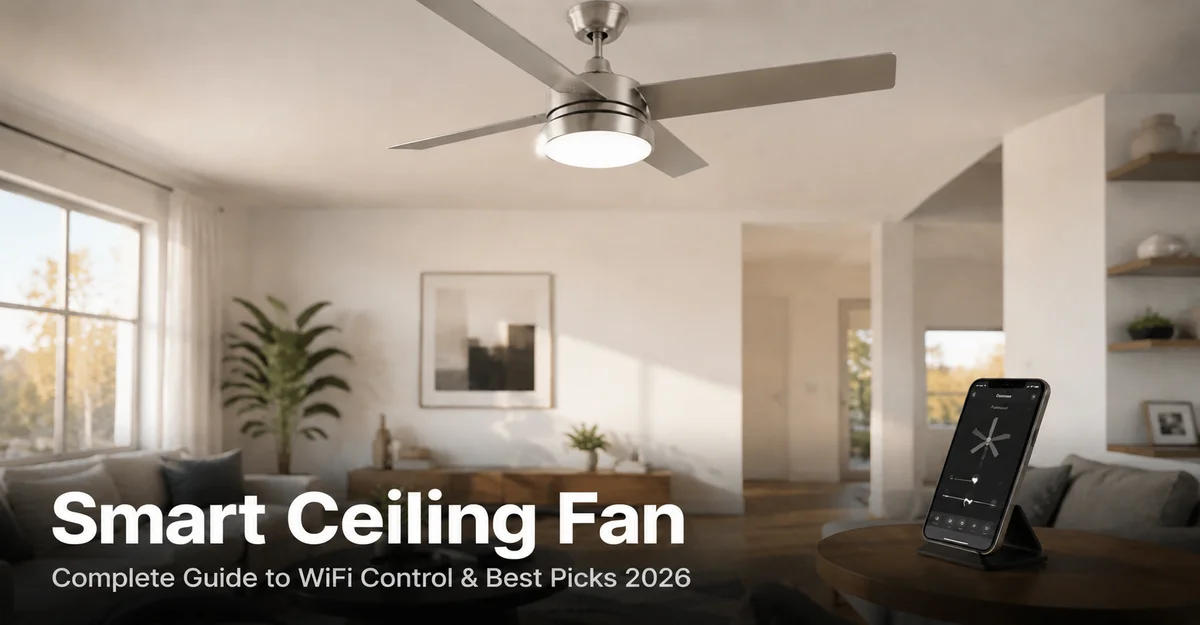
Smart Ceiling Fan: Complete Guide to WiFi Control, Alexa & Best Picks
How smart ceiling fans work, which models lead in 2026, and how to automate fan speed with Alexa, Google Home, and Home Assistant — with room-size and motor guidance.
A smart ceiling fan connects to your home Wi-Fi and is controlled via app or voice command — no pull chain needed. DC motor models draw only 30–35W versus 60–80W for standard AC fans. Entry models start at $89 (Hampton Bay); DC motor models at $259 (Minka Aire Starkk); HomeKit models at $349 (Fanimation Odyn).
What Is a Smart Ceiling Fan?
A smart ceiling fan contains a built-in Wi-Fi or Zigbee radio inside the motor housing, connecting it to your home network and enabling control from a smartphone app, voice assistant, or home automation platform. Unlike a fan with an IR remote — which requires direct line-of-sight to the receiver — a smart ceiling fan responds to commands from any room on your network, or remotely when you are away from home.
The control layer built into a smart ceiling fan is separate from the airflow mechanism. The fan still moves air via the same blade-and-motor physics as any ceiling fan. What changes is the interface: instead of reaching for a pull chain or a wall switch, you open an app, say a voice command, or let an automation rule handle it based on time, temperature, or presence detection.
At the motor level, smart ceiling fans are produced in two types: AC motor and DC motor. AC motors run directly on your home’s alternating current supply — they are less expensive and typically offer 3 speed settings. DC motor fans convert AC to direct current via an internal transformer and offer up to 6 speed settings at roughly half the power draw. Both motor types can be made smart by integrating a Wi-Fi module, but DC motors are the stronger choice for bedrooms and living rooms where noise matters.
Smart Ceiling Fan vs Traditional Ceiling Fan
Both types move air via the same blade-and-motor principle. Every difference is in the control, connectivity, and automation layer:
| Feature | Smart Ceiling Fan | Traditional Ceiling Fan |
|---|---|---|
| Speed Control | App + voice + auto schedule | Pull chain or wall switch |
| Remote Control | Smartphone app (any distance) | Handheld IR remote (line-of-sight) |
| Voice Control | Alexa / Google Home / Siri | Not supported |
| Scheduling | Time-based + sunrise/sunset | Manual only |
| Temperature Automation | Auto-on when room exceeds set temp | Not possible |
| Home Automation | Home Assistant / Matter compatible | Not possible |
| Light Dimming | App-based dimming (most models) | Wall dimmer (fan-rated only) |
| Energy Use (DC models) | 30–35W at full speed | 60–80W at full speed |
| Price Range | $89–$400+ | $30–$150 |
The energy and automation arguments favor smart ceiling fans for primary living spaces. A smart ceiling fan set to turn off automatically when you leave the room — via a home automation presence rule — eliminates the most common source of wasted energy: fans left running in empty rooms.
Best Smart Ceiling Fans 2026
All four models below connect via Wi-Fi, support at least one major voice assistant, and include an integrated LED light kit. Prices are MSRP as of May 2026:
Hunter SIMPLEconnect Premium 52″
The best smart ceiling fan for most households. Direct 2.4 GHz Wi-Fi connection — no hub required. Built-in 1,700 lm dimmable LED at 3000K, app-based speed and light control, and native support for Alexa, Google Home, and Apple HomeKit via the Hunter Home app. Covers rooms up to 225 sq ft.
- Alexa + Google + HomeKit
- App LED dimming
- No hub required
- Wide retail availability
- AC motor (3 speeds only)
- Cloud-dependent control
Hampton Bay Kensgrove 72″
The largest smart ceiling fan in the budget-to-mid price range. 72″ blade span covers open-plan spaces up to 400+ sq ft — the longest span available under $200. Integrated dimmable LED, 3-speed control via the SmartThings ecosystem, and compatibility with Alexa and Google Home. Available exclusively at Home Depot.
- 72″ covers large open plans
- Alexa + Google compatible
- Dimmable LED under $200
- Home Depot exclusive
- AC motor, 3 speeds only
- SmartThings hub recommended
Minka Aire Starkk F523L 52″
The most energy efficient smart ceiling fan in this guide. DC motor draws only 32W at maximum speed — 55% less than a comparable AC fan. Six-speed control gives finer airflow adjustment than any 3-speed model. Integrated 1,550 lm dimmable LED at 3000K, reversible motor for year-round use, and Wi-Fi control via Alexa and Google Home.
- 6-speed DC motor, ultra-quiet
- 32W — lowest power in class
- Reversible motor (winter mode)
- App dimming + speed control
- No Apple HomeKit
- Higher purchase price
Fanimation Odyn 52″
The only smart ceiling fan with light in this guide to offer native Apple HomeKit alongside Alexa and Google Home. DC motor with 6-speed control, tunable CCT LED (2700K–5000K adjustable) for warm evening light or cool daylight mode, and a Matter protocol firmware update announced for late 2026 — making it the most future-proof option for smart home users.
- Only HomeKit-native in class
- Tunable CCT (warm to daylight)
- Matter roadmap (late 2026)
- DC motor, 6 speeds
- Highest price in this group
- Smaller brand support network
Smart Ceiling Fan with Light: What to Check Before You Buy
A smart ceiling fan with light replaces both your ceiling fan and your overhead light fixture in one installation. Before selecting a model, verify these five light-kit specifications to avoid a fixture that is too dim, the wrong color temperature, or incompatible with your wall dimmer:
| Spec | Minimum | Recommended | Why It Matters |
|---|---|---|---|
| Lumens | 800 lm | 1,500–2,500 lm | Replaces overhead fixture; rooms over 150 sq ft need at least 1,500 lm |
| Color Temp (CCT) | Fixed 3000K | 2700K–5000K tunable | Warm for evenings, cool white for task and work hours |
| Dimmable | Not dimmable | App + wall dimmer | Mood control and energy reduction; requires fan-rated dimmer |
| CRI | CRI 70 | CRI 80+ | Color accuracy for daily living; CRI 90+ for home offices or art |
| Bulb Type | Replaceable A19 | Integrated LED | Integrated LEDs last 25,000+ hours; no bulb replacement needed |
Smart ceiling fans with tunable CCT — like the Fanimation Odyn (2700K–5000K) — let you shift from warm evening light to daylight color via app or voice command. Fixed 3000K models (Hunter, Hampton Bay, Minka Aire) suit most living rooms and bedrooms but cannot adjust color temperature after installation.
Ceiling Fan with Alexa & Google Home: Setup & Commands
Connecting a ceiling fan with Alexa or Google Home takes three steps: install the companion app and connect the fan to your 2.4 GHz Wi-Fi network; enable the fan’s skill in the Alexa app (or link the account in Google Home); assign the fan to a room. Once set up, every command below works without opening an app:
| Voice Command | Result |
|---|---|
| “Alexa, turn on the bedroom fan” | Powers on at last-used speed |
| “Alexa, set bedroom fan to low” | Speed 1 (minimum airflow) |
| “Alexa, set bedroom fan to high” | Maximum speed |
| “Alexa, set bedroom fan to 50%” | Mid-speed (model-dependent) |
| “Alexa, turn on the bedroom fan light” | Light on, fan continues |
| “Alexa, dim the bedroom fan light to 30%” | Light dims to 30% (dimmable models) |
| “Hey Google, set bedroom fan to medium” | Speed 2 of 3 |
| “Hey Google, turn off the bedroom fan” | Fan and light off |
For smart ceiling fan Alexa routines: an “Alexa, good night” routine can set the fan to low speed, dim the lights to 10%, and lock the front door simultaneously. In Google Home, a “Bedtime” scene achieves the same result. Routines run on a fixed schedule or a voice trigger — no manual input required once configured.
For device compatibility charts and room-by-room scene setup guides, visit our smart home automation hub.
WiFi Ceiling Fan Home Assistant Integration
A wifi ceiling fan can be integrated with Home Assistant via three reliable methods, enabling automations no native app supports — such as setting fan speed based on a room temperature sensor, turning off when presence detection shows the room is empty, or syncing fan speed to an HVAC schedule:
| Method | Compatible Fans | Local or Cloud | Cost |
|---|---|---|---|
| Bond Home integration | Any RF or IR remote-controlled fan | Local API | $79–99 (Bond Bridge) |
| Hampton Bay Zigbee controller | Home Depot Hampton Bay fans | Local (Zigbee) | $15–25 |
| SmartThings integration | Hampton Bay Kensgrove, others | Cloud | Free |
| Matter (2026 rollout) | Fanimation Odyn + certified models | Local | Free (firmware update) |
Bond Bridge is the most universal solution for any wifi ceiling fan Home Assistant setup. It learns the RF signals from your fan’s existing remote, exposes each function (speed 1, speed 2, speed 3, light on, light off) as a Home Assistant entity via local API, and works without internet access after initial setup. One Bond Bridge ($79) controls multiple fans in the same home.
Hampton Bay Zigbee fan controller (Home Depot, $15–25): this small Zigbee module replaces the fan’s internal receiver and exposes separate fan speed and light entities in Home Assistant via Zigbee2MQTT — fully local, zero cloud dependency. Compatible with any fan that uses a standard receiver module, not only Hampton Bay branded fans.
Trigger: Room temperature sensor > 75°F (24°C) AND time between 18:00–23:00
Action: Set smart ceiling fan to speed 2 (medium)
Second trigger: Temperature drops below 70°F OR time reaches 23:00 → fan off
Result: Hands-free cooling during evening hours with no manual input.
For YAML automation templates and full Zigbee2MQTT setup instructions, visit our Home Assistant smart home setup guide. For linking fan automations to a whole-home energy schedule, see our smart home energy management guide.
Smart Ceiling Fan Buying Guide: 4 Decisions Before You Buy
Before selecting a smart ceiling fan, confirm these four specifications to avoid a device underpowered for your room, incompatible with your ecosystem, or missing the light control your space requires:
Match Fan Size to Room Size
Up to 75 sq ft: 29–36″. Rooms 76–144 sq ft: 42–48″. Rooms 145–225 sq ft: 52–54″ (most common). Rooms 225–400 sq ft: 56–60″. Over 400 sq ft: 70″+ or two 52″ units. For ceilings under 8 feet, choose flush-mount (hugger) style to maintain the 7-foot minimum blade-to-floor clearance required by the NEC.
AC vs DC Motor
Choose DC for bedrooms, home offices, and living rooms: 30–35W, 6 speeds, near-silent at low. Choose AC for garages, covered patios, and utility spaces where energy use and noise are not primary concerns: 60–80W, 3 speeds, $40–$100 less upfront. DC motors recoup the price difference in approximately 3–4 years at average US electricity rates.
Integrated LED vs Adaptable Light Kit
Integrated LED kits are sealed units with 25,000+ hour rated life — no bulb changes for 15–20 years. Adaptable light kits accept standard E26 bulbs, which you can upgrade to smart color bulbs (Philips Hue, LIFX) for color-changing capability. For most rooms, integrated LED is the lower-maintenance choice unless you specifically need RGB color control.
Confirm Smart Home Ecosystem
Alexa household: Hunter SIMPLEconnect or Minka Aire Starkk. Google Home household: all four models reviewed support Google Home. Apple HomeKit household: Fanimation Odyn is the only native HomeKit option in this group. Home Assistant with local control: Bond Bridge ($79) plus any RF fan, or Hampton Bay Zigbee controller ($15–25).
Frequently Asked Questions — Smart Ceiling Fan
Automate Your Smart Ceiling Fan with Home Assistant
Set fan speed by room temperature, trigger it from presence detection, and sync it with your HVAC schedule — all from a single Home Assistant dashboard.
Set Up Home Assistant