
How to Read Binary: Step by Step Guide for Beginners
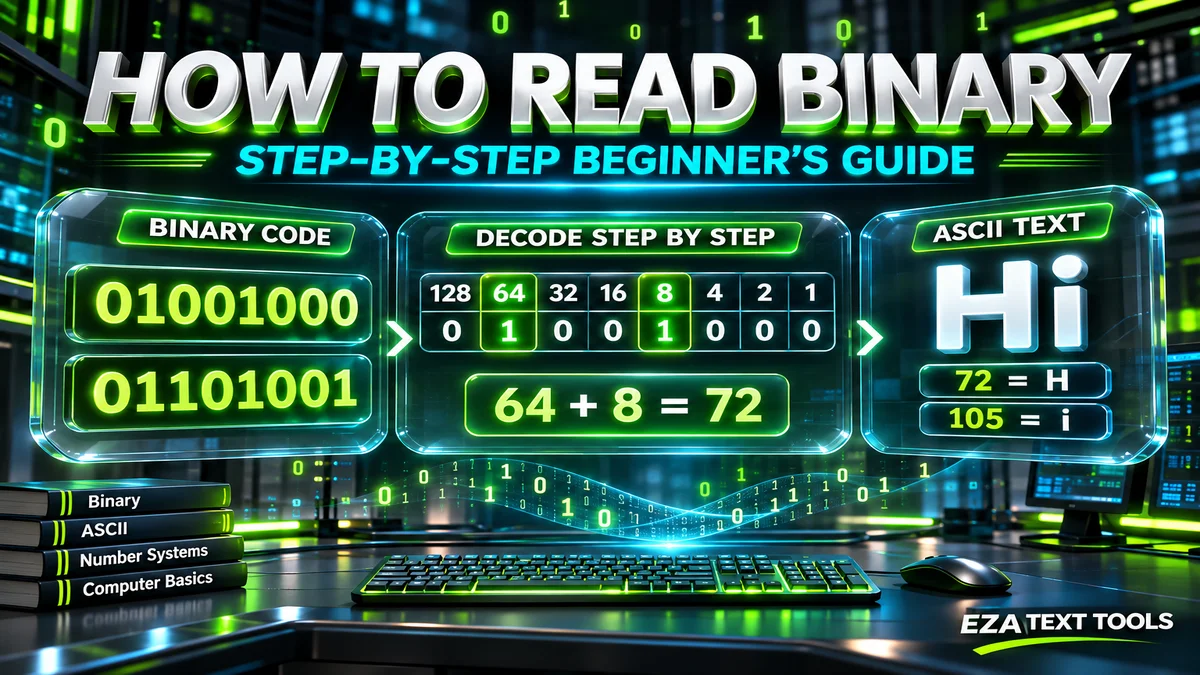
Binary looks like a wall of 0s and 1s, but you can read it with one simple trick: place values. This guide walks you through binary numbers, letters and whole words, step by step, with examples you can check yourself.
Quick answer: to read binary, give each digit a place value that doubles from right to left: 1, 2, 4, 8, 16, 32, 64 and 128. Add up the place values that sit under a 1, and the total is the number. For example, 1010 is 8 + 2 = 10. For text, split the binary into groups of eight digits and turn each group into a number. Then look each number up in the ASCII table: 01001000 01101001 becomes 72 and 105, which spell “Hi”.
In this guide
- Binary basics: what you need to know first
- How to read binary numbers, step by step
- The doubling method (a faster trick)
- How to read binary code as text
- Letter tricks: read letters at a glance
- Worked examples
- How to count in binary
- How to read a binary clock
- How computers read binary
- Binary vs hexadecimal
- Reading binary files vs binary code
- Common mistakes and how to fix them
- Tips, tricks and hacks
- Practice test
- Tools and resources
- FAQs
Learning how to read binary is one of those skills that sounds hard and turns out to be surprisingly easy. You don’t need to be good at math. If you can add small numbers like 8 + 2, you can do this.
This tutorial is written for beginners. We’ll start with the fundamentals, then move to numbers, then to binary code that spells out letters and words. Along the way you’ll get a cheat sheet, worked examples, the most common mistakes, and a short practice test at the end. If you just want an answer fast, our free binary translator decodes any binary instantly, and you can use it to check your work as you learn.
Binary Basics: What You Need to Know First
Binary is a number system that uses only two digits, 0 and 1. Computers use it because their circuits have two states, off and on, which map neatly to 0 and 1. Everything on your phone, from messages to photos, is stored as long strings of these two digits.
Three facts make the rest of this guide easy:
- A bit is one digit. Each single 0 or 1 is called a bit, short for “binary digit.”
- A byte is eight bits. Text is usually stored one byte per English character, so binary text comes in groups of eight, such as 01000001.
- Binary is base 2. Our everyday numbers are base 10, where each place is worth ten times the place to its right. In binary, each place is worth two times the place to its right.
That last point is the whole secret. Once you know what each place is worth, the rest is just addition.
How to Read Binary Numbers, Step by Step
Here’s the method that works for any binary number, from 1 to 11111111 and beyond.
- Write the binary number down. We’ll use 1010.
- Number the places from the right. The rightmost digit is worth 1. Each place to the left is worth double: 1, 2, 4, 8, 16 and so on.
- Match each digit to its place value. For 1010, reading right to left: 0 is in the 1s place, 1 is in the 2s place, 0 is in the 4s place, and 1 is in the 8s place.
- Add the place values that have a 1. The 1s are in the 8s place and the 2s place, so 8 + 2 = 10.
So 1010 in binary is 10 in decimal. It helps to see it laid out in a table:
| Place value | 128 | 64 | 32 | 16 | 8 | 4 | 2 | 1 | Total |
|---|---|---|---|---|---|---|---|---|---|
| 1010 | 1 | 0 | 1 | 0 | 8 + 2 = 10 | ||||
| 10101 | 1 | 0 | 1 | 0 | 1 | 16 + 4 + 1 = 21 | |||
| 101010 | 1 | 0 | 1 | 0 | 1 | 0 | 32 + 8 + 2 = 42 | ||
| 1100100 | 1 | 1 | 0 | 0 | 1 | 0 | 0 | 64 + 32 + 4 = 100 | |
| 11111111 | 1 | 1 | 1 | 1 | 1 | 1 | 1 | 1 | 255 |
Notice that 11111111, eight 1s, adds up to 255. That’s the biggest number one byte can hold, which is why so many computer values run from 0 to 255.
Binary Place Values Cheat Sheet
Keep this list handy. Each value is double the one before it, so you can always work out the next one yourself.
| Position from the right | 1st | 2nd | 3rd | 4th | 5th | 6th | 7th | 8th | 9th | 10th |
|---|---|---|---|---|---|---|---|---|---|---|
| Place value | 1 | 2 | 4 | 8 | 16 | 32 | 64 | 128 | 256 | 512 |
The Doubling Method: A Faster Shortcut
Once you’re comfortable with place values, try this shortcut. It lets you work from left to right, in the same direction you read words, without writing any place values down.
- Start with 0.
- For each digit from left to right, double your running total, then add the digit.
- When you run out of digits, your total is the answer.
Example with 1011:
- First digit 1: 0 × 2 + 1 = 1
- Second digit 0: 1 × 2 + 0 = 2
- Third digit 1: 2 × 2 + 1 = 5
- Fourth digit 1: 5 × 2 + 1 = 11
So 1011 is 11. The doubling method is great for long binary numbers, because you never have to work out big place values like 512 or 1024.
How to Read Large Binary Numbers
Numbers bigger than 255 simply use more than eight digits. The method doesn’t change, you just keep doubling the place values: 256, 512, 1024 and so on.
Take 1111101000. It has ten digits, so the leftmost place is worth 512. The 1s sit in the 512, 256, 128, 64, 32 and 8 places, and 512 + 256 + 128 + 64 + 32 + 8 = 1000. So 1111101000 is 1,000. For very long numbers, split the digits into groups of four from the right first, the same way commas split 1,000,000, and they become much easier to scan.
How to Read Binary Code as Text (Letters and Words)
When binary spells out a message, each group of eight digits stands for one character. Computers use a character code to decide which number means which letter. For English, that code is ASCII, which is also the first part of UTF-8, the encoding most of the web uses today.
Here’s how to read binary code as text, step by step:
- Split the binary into bytes. Break it into groups of eight digits. Most binary messages already have a space between each byte.
- Read each byte as a number. Use the place value method or the doubling method from above.
- Look up each number in an ASCII table. Capital letters run from 65 (A) to 90 (Z), small letters from 97 (a) to 122 (z), and a space is 32.
- Put the letters together. Read them in order, and you have the message.
Let’s decode a real message: 01101000 01100101 01101100 01101100 01101111.
| Byte | Place values with a 1 | Number | ASCII character |
|---|---|---|---|
| 01101000 | 64 + 32 + 8 | 104 | h |
| 01100101 | 64 + 32 + 4 + 1 | 101 | e |
| 01101100 | 64 + 32 + 8 + 4 | 108 | l |
| 01101100 | 64 + 32 + 8 + 4 | 108 | l |
| 01101111 | 64 + 32 + 8 + 4 + 2 + 1 | 111 | o |
The message is “hello”. You can paste the same binary into the binary translator to confirm it.
Common Words and Phrases in Binary
These come up again and again in puzzles, gifts and classroom exercises. Notice that spaces between words are bytes too.
| Text | Binary code |
|---|---|
| Hi | 01001000 01101001 |
| Yes | 01011001 01100101 01110011 |
| No | 01001110 01101111 |
| OK | 01001111 01001011 |
| hello | 01101000 01100101 01101100 01101100 01101111 |
| I love you | 01001001 00100000 01101100 01101111 01110110 01100101 00100000 01111001 01101111 01110101 |
Letter Tricks: Spot Any Letter at a Glance
Experienced readers don’t add up every byte. They use a few patterns built into ASCII. These tricks make letters much faster to decode.
- The first three digits tell you the type. Bytes starting with 010 are usually capital letters, bytes starting with 011 are usually small letters, and the digits 0 to 9 all start with 0011.
- The last five digits tell you the letter. For letters, the last five bits give the letter’s position in the alphabet. In 01001000, the last five bits are 01000, which is 8, and the 8th letter is H. In 01101001, the last five bits are 01001, which is 9, and the 9th letter is i.
- Capital and small letters differ by one bit. A is 01000001 and a is 01100001. Only the third digit changes.
- A space is 00100000. It’s easy to spot in the middle of a message, and it tells you where one word ends.
With the “last five bits” trick, you only need to count to 26. It’s one of the fastest ways to decode letters by hand.
Good to know: these tricks work for plain English letters. Emoji and accented letters, like é, use two to four bytes in UTF-8, so they can’t be read one byte at a time. For those, use a binary translator.
Worked Examples: Numbers and Text
Here are a few more examples, from easy to harder. Try each one yourself before you read the answer.
| Binary | How to read it | Answer |
|---|---|---|
| 101 | 4 + 1 | 5 |
| 1101 | 8 + 4 + 1 | 13 |
| 110110 | 32 + 16 + 4 + 2 | 54 |
| 01000111 | 64 + 4 + 2 + 1 = 71, which is G in ASCII | G |
| 01000111 01101111 | 71 is G, and 64 + 32 + 8 + 4 + 2 + 1 = 111 is o | Go |
| 01001000 01100101 01111001 | 72 is H, 101 is e, 121 is y | Hey |
How to Count in Binary
Counting is a great way to get a feel for binary. It works like counting in decimal, except you run out of digits after 1 instead of after 9. When a place is full, you reset it to 0 and carry 1 to the next place, just like going from 9 to 10.
| Decimal | Binary | Decimal | Binary |
|---|---|---|---|
| 0 | 0 | 8 | 1000 |
| 1 | 1 | 9 | 1001 |
| 2 | 10 | 10 | 1010 |
| 3 | 11 | 11 | 1011 |
| 4 | 100 | 12 | 1100 |
| 5 | 101 | 13 | 1101 |
| 6 | 110 | 14 | 1110 |
| 7 | 111 | 15 | 1111 |
You can even count to 31 on one hand. Give each finger a place value (thumb 1, index 2, middle 4, ring 8, little finger 16), raise the fingers for the 1s, and add them up.
How to Read a Binary Clock
Binary clocks are a fun way to practice. Most show the time with columns of lights, and each column is one digit of the time, using a method called binary-coded decimal (BCD).
- Find the columns. There are usually six: two for hours, two for minutes and two for seconds.
- Read each column from the bottom up. The lights are worth 1, 2, 4 and 8, starting at the bottom.
- Add the lit values in each column. That gives you one digit of the time, from 0 to 9.
- Put the digits together. Read them as hours, minutes and seconds.
For example, if the first hour column has the 1 light on and the second has the 2 light on, the hour is 12. If the minute columns show 4 + 1 and 8 + 1, the minutes are 59, so the time is 12:59.
How Do Computers Read Binary?
Computers don’t “read” binary the way we do. Inside a processor, billions of tiny switches called transistors are either on or off, and each state stands for a 1 or a 0. The processor works on groups of bits at a time, often 64 bits on modern computers, and follows instructions that are themselves stored as binary.
When you type a letter, your keyboard sends a code, the computer stores the matching bytes, and your screen uses a font to draw the letter you see. Decoding by hand simply walks through that last step in reverse: you take the stored bytes and turn them back into numbers and letters.
Binary vs Hexadecimal: What Is the Difference?
You’ll often see hexadecimal, or hex, next to binary. Hex is base 16, using the digits 0 to 9 and the letters A to F. Programmers like it because one hex digit stands for exactly four bits, so long binary becomes much shorter.
| Feature | Binary | Decimal | Hexadecimal |
|---|---|---|---|
| Base | 2 | 10 | 16 |
| Digits | 0 and 1 | 0 to 9 | 0 to 9 and A to F |
| Letter H | 01001000 | 72 | 48 |
| Largest byte | 11111111 | 255 | FF |
To read binary as hex, split each byte into two halves of four bits and convert each half separately. 01001000 becomes 0100 and 1000, which are 4 and 8, so the hex value is 48.
Reading Binary Files vs Reading Binary Code
“How to read binary” can also mean something different for programmers: opening a binary file. A binary file, such as a photo, a song or an app, isn’t text at all. Its bytes follow the rules of its own file format, so you can’t read it as letters.
- To look inside a binary file, use a hex editor, which shows each byte as hex and as text side by side.
- To read a binary file in code, open it in binary mode. In Python, for example, you open a file with the mode
"rb"(read binary) and get a sequence of bytes back. - To read binary code written as 0s and 1s, like the messages in this guide, use the methods above or a binary translator.
Common Mistakes When Reading Binary (and How to Fix Them)
- Starting place values from the left. Why it happens: we read words left to right. How to avoid it: always start at 1 on the rightmost digit. Fix: rewrite the place values from the right and add again.
- Losing a leading zero. Why it happens: 1000001 looks the same as 01000001. How to avoid it: keep text bytes at eight digits. Fix: pad short bytes with zeros on the left.
- Joining two bytes together. Why it happens: binary without spaces is hard to split. How to avoid it: mark a gap after every eight digits. Fix: count the digits, and check the total is a multiple of 8.
- Mixing up numbers and text. Why it happens: the binary 1010 is the number 10, while the text “10” is two bytes, 00110001 00110000. How to avoid it: ask whether the binary is a number or a message. Fix: if eight-digit groups give letters, it’s text.
- Reading emoji one byte at a time. Why it happens: most charts only show single bytes. How to avoid it: remember that most emoji use four bytes. Fix: decode the whole message in a translator.
Tips, Tricks and Hacks to Read Binary Faster
These strategies help beginners go from slow to confident in a few practice sessions.
- Memorize 1, 2, 4, 8, 16, 32, 64, 128. These eight numbers are all you need for any byte.
- Learn 0 to 15 by heart. Every byte is two groups of four bits, so knowing 0000 to 1111 lets you read bytes in two quick chunks.
- Use the “last five bits” hack for letters. It turns every letter into a number from 1 to 26.
- Look for 00100000. Spaces split a message into words, which makes long binary much easier to read.
- Check with a tool. Decode by hand, then confirm with the binary translator. Instant feedback is the fastest way to learn.
- Practice with your name. Convert your name to binary, then read it back. You’ll remember the letters you use most.
Benefits of Learning Binary
- You’ll understand how computers store everything, from text to colors, which makes later topics like networking and programming easier.
- It’s on the test. Binary conversion appears in most introductory computer science courses and exams.
- It’s fun. Binary puzzles, escape room clues and binary gifts all become easy to solve.
Practice Test: Can You Read These?
Try these eight questions without a translator. Then open the answers to check your work.
- What number is 111?
- What number is 10000?
- What number is 11001?
- What number is 01111111?
- What letter is 01000001?
- What letter is 01111010?
- Decode 01001110 01101111.
- Decode 01011001 01100101 01110011.
Show the answers
- 7, because 4 + 2 + 1 = 7.
- 16. Only the 16s place has a 1.
- 25, because 16 + 8 + 1 = 25.
- 127, because 64 + 32 + 16 + 8 + 4 + 2 + 1 = 127.
- A. It adds up to 65, and the last five bits, 00001, mean the 1st letter.
- z. It adds up to 122, and the last five bits, 11010, are 26, the 26th letter. It starts with 011, so it’s small.
- No. 78 is N and 111 is o.
- Yes. 89 is Y, 101 is e and 115 is s.
Want the answer instantly? Paste any binary into our free translator to decode it to English, or type text to turn it into binary. It works with emoji and every language.
Open the Binary TranslatorHelpful Tools and Resources
- EZA Binary Translator: decodes binary to text and English, converts text to binary, and includes a number converter, a binary alphabet chart and a full ASCII table.
- Your computer’s calculator: the Windows Calculator and the Mac Calculator both have a Programmer mode that can show numbers in binary, decimal and hex.
- An ASCII table: keep one open while you practice decoding letters. Our translator page has a full ASCII binary table you can copy from.
How to Read Binary: FAQs
How do I read binary code?
Split the binary into groups of eight digits, turn each group into a number using the place values 128, 64, 32, 16, 8, 4, 2 and 1, then look each number up in an ASCII table. For example, 01001000 adds up to 72, which is a capital H.
What does 10101 mean in binary?
10101 in binary means 21 in decimal. Reading from the right, the 1s sit in the 1s place, the 4s place and the 16s place, so 16 plus 4 plus 1 equals 21. As text, a group of only five digits is not a full byte, so it is read as a number.
How do you say hi in binary?
Hi in binary is 01001000 01101001. The first byte equals 72, which is a capital H in ASCII, and the second byte equals 105, which is a small i. Written in all small letters, hi becomes 01101000 01101001, because a small h is 104 instead of 72.
How do you write I love you in binary?
I love you in binary is 01001001 00100000 01101100 01101111 01110110 01100101 00100000 01111001 01101111 01110101. That is ten bytes: one for each of the eight letters and one for each of the two spaces, which are written as 00100000.
What does 01101000 01100101 01101100 01101100 01101111 translate to?
It translates to hello in small letters. The five bytes equal 104, 101, 108, 108 and 111, which are the ASCII codes for h, e, l, l and o. It is one of the most common binary examples, so you will often see it in puzzles and classes.
Is binary hard to learn?
No. It only needs simple addition and a list of place values that double: 1, 2, 4, 8, 16, 32, 64 and 128. Most beginners can read small binary numbers within a few minutes, and binary letters after a short practice session with an ASCII table.
How long does it take to learn to read binary?
Most people learn to read binary numbers in under an hour of practice. Decoding letters quickly takes a little longer, often a few short sessions, because you need to remember a few ASCII patterns. Practicing with your own name is a fast way to build speed.
Why do you start reading binary from the right?
Place values start at 1 on the rightmost digit and double as you move left, just like ones, tens and hundreds in decimal. You can also read from left to right with the doubling method: double your running total and add each digit as you go.
Why does each binary letter have 8 digits?
Text is stored one byte per English character, and a byte is eight bits. Eight bits give 256 possible patterns, which is enough for every English letter, digit and symbol in ASCII. Keeping all eight digits, including leading zeros, keeps the bytes lined up.
Can you read binary without a translator?
Yes. Use place values to turn each byte into a number, then look that number up in an ASCII table. For letters, a quick shortcut is to read the last five bits, which give the position of the letter in the alphabet, such as 01000 for the 8th letter, H.
What is 1010 in binary?
1010 in binary is 10 in decimal. The 1s sit in the 8s place and the 2s place, so 8 plus 2 equals 10. It is also a classic example used to explain the joke that there are 10 types of people: those who understand binary and those who do not.
What is the easiest way to read binary letters?
Look at the first three digits and the last five. Bytes that start with 010 are usually capital letters and bytes that start with 011 are usually small letters. The last five digits give the position in the alphabet, so 01000001 is the 1st letter, A.
The Bottom Line
It all comes down to one idea: each digit has a place value that doubles from right to left, and you add up the places that hold a 1. Use that for numbers, split text into eight-digit bytes and look each one up in ASCII to turn binary code into words, and lean on tricks like “010 means capital” and “the last five bits give the letter” to read faster. Practice with the test above, check yourself with the binary translator, and you’ll be decoding messages in minutes.
Related Tools and Guides
Sources
- Binary number, Wikipedia
- ASCII, Wikipedia
- The Unicode Consortium, which maintains the Unicode Standard, including UTF-8
- Introduction to Binary handout, Carnegie Mellon University