
Binary Translator: Binary Code to Text (English) and Text to Binary
This free binary code translator, encoder and decoder works both ways. Type any text to get binary code, or paste 0s and 1s to decode binary back to English. You can also upload a .txt file and download the result. Switch to the number converter to turn decimal numbers into binary and binary into decimal. Everything updates as you type.
- Text and number modes
- Works with emoji (UTF-8)
- Binary alphabet chart
- Free, no signup
- Hex
- —
- Decimal (byte values)
- —
Try an example:
Works with whole numbers of any size, including negative numbers.
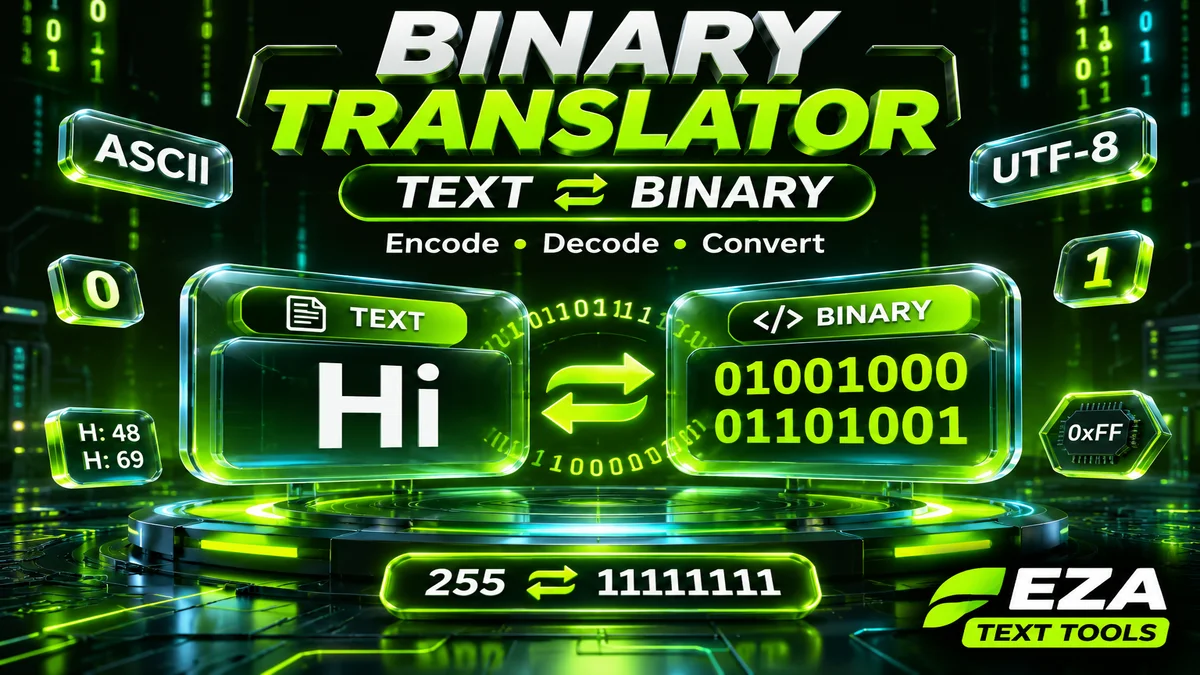
Quick answer: a binary translator turns each character into 8 binary digits (one byte) using its character code, so “Hi” becomes 01001000 01101001. To go back, it splits the 0s and 1s into groups of eight and turns each group into a character. Type in the Text box above for text to binary, or paste binary in the Binary box to translate it to English.
Binary is the language every computer speaks underneath, and turning a name or a short message into 0s and 1s is a fun way to make a secret note, a geeky gift or a puzzle. It’s also something students meet in every computer science class.
This free binary translator works both ways, handles emoji and any language, and includes a number converter for homework-style decimal to binary questions. Below the tool you’ll find a complete guide for beginners: the binary basics, the full binary alphabet, step by step methods to convert by hand, practice questions and tips.
How to Use the Binary Translator
Type in either box and the other box fills in automatically.
- Text to binary (English to binary): type or paste text in the Text box. Each character becomes 8 digits. Use the Separator menu to put a space, a comma, a new line or nothing between bytes.
- Binary to text (English): paste binary into the Binary box and it decodes instantly. Bytes can be separated by spaces, commas or new lines, or written as one long string, as long as its length is a multiple of 8.
- Files: tap Upload .txt to load a text or binary file, and Download .txt to save the binary as a file.
- Numbers: switch to the Number ⇄ Binary tab, a binary converter for decimal numbers, to convert a decimal number like 255 into binary (11111111) or back. It handles very large and negative whole numbers.
- Copy: use the copy buttons and paste the result anywhere.
Under the boxes you’ll also see the same text as hexadecimal (hex) and decimal byte values, which helps when you’re checking homework or debugging code.
What Is Binary Code? Binary Basics for Beginners
Binary code, sometimes called binary language, is a way of writing information with only two digits, 0 and 1. Computers use it because their circuits have two states, off and on, which map neatly to 0 and 1.
Each 0 or 1 is called a bit. Eight bits make a byte, and one byte can hold 256 different values, from 00000000 (0) to 11111111 (255). That’s enough room for every English letter, digit and common symbol, which is why text is stored one byte per character in basic English.
Binary is a base-2 number system. Our everyday numbers are base 10, where each place is worth ten times the one to its right. In binary, each place is worth twice the one to its right: 1, 2, 4, 8, 16, 32, 64 and 128.
Why Do Computers Use Binary? Advantages and Limitations
Binary has clear benefits for machines, and one big limitation for people.
- Reliable: a circuit only has to tell “on” from “off”, so small changes in voltage don’t cause mistakes.
- Simple to build: two states map neatly to switches, transistors and the true or false rules of logic.
- Universal: text, photos, music and apps can all be stored with the same 0s and 1s.
- Limitation: binary gets long and hard for humans to read. That’s why programmers often write the same values in hexadecimal, which is four times shorter.
Binary vs Decimal vs Hexadecimal: What Is the Difference Between Them?
You’ll often see the same value written three ways. Programmers like hexadecimal because one hex digit stands for exactly four bits.
| System | Base | Digits used | Letter A |
|---|---|---|---|
| Binary | 2 | 0 and 1 | 01000001 |
| Decimal | 10 | 0 to 9 | 65 |
| Hexadecimal | 16 | 0 to 9 and A to F | 41 |
Bits, Bytes and Bigger Units
Every file on your phone, from a text message to a video, is a long string of bits. These are the units used to measure them.
| Unit | Size | What it holds |
|---|---|---|
| Bit | A single 0 or 1 | One yes or no, on or off |
| Nibble | 4 bits | One hexadecimal digit (0 to F) |
| Byte | 8 bits | One English letter, digit or symbol |
| Kilobyte (KB) | 1,000 bytes | About 1,000 English characters |
| Kibibyte (KiB) | 1,024 bytes | The binary-based version of a kilobyte |
| Megabyte (MB) | 1,000,000 bytes | About a million English characters |
You’ll sometimes see 1 KB described as 1,024 bytes, because 1,024 is 2 to the power of 10. Standards bodies now use “kibibyte” (KiB) for 1,024 bytes and keep “kilobyte” for 1,000 bytes, but both uses are still common.
How Text Becomes Binary (ASCII and UTF-8)
Text becomes binary in two steps: each character gets a number from a character code, and that number is written in binary.
- Look up the character code. In ASCII, the classic English character set, capital A is 65, small a is 97 and a space is 32.
- Write the number in binary. 65 is 64 + 1, so A is
01000001. Small a is 97, which is 64 + 32 + 1, so a is01100001.
Modern websites and apps use UTF-8, which includes all of ASCII and adds every other language and emoji. English letters still take one byte each, but an accented letter like é takes two bytes and most emoji take four. That’s why “é” becomes 11000011 10101001 in the translator. This binary translator uses UTF-8, so anything you can type will translate and decode correctly.
Reading binary back with an ASCII table is exactly what a binary to ASCII converter does, and it is how this binary translator decodes English text. Notice the pattern: capital and small letters differ by one bit. Capital letters start with 010 and small letters start with 011.
Worked Example: “Cat” in Binary
Here’s how to convert a word to binary by hand, letter by letter.
| Letter | ASCII code | Place values used | Binary |
|---|---|---|---|
| C | 67 | 64 + 2 + 1 | 01000011 |
| a | 97 | 64 + 32 + 1 | 01100001 |
| t | 116 | 64 + 32 + 16 + 4 | 01110100 |
Put the bytes together with spaces and “Cat” in binary is 01000011 01100001 01110100. Paste that into the Binary box above to check it.
How to Read Binary Code Step by Step (Binary to English)
You can decode binary by hand in four steps. It’s slower than the binary translator, but it shows exactly how binary to English works.
- Split the binary into bytes. Break it into groups of eight digits, such as 01001000 and 01101001.
- Write the place values above each byte. From left to right they are 128, 64, 32, 16, 8, 4, 2 and 1.
- Add the values that sit above a 1. For 01001000, the 1s are under 64 and 8, so the total is 72.
- Look up the character code. In the ASCII chart, 72 is a capital H. Do the same for 01101001: 64 + 32 + 8 + 1 = 105, which is a small i. The message is “Hi”.
| Place value | 128 | 64 | 32 | 16 | 8 | 4 | 2 | 1 | Total |
|---|---|---|---|---|---|---|---|---|---|
| 01001000 (H) | 0 | 1 | 0 | 0 | 1 | 0 | 0 | 0 | 72 |
| 01101001 (i) | 0 | 1 | 1 | 0 | 1 | 0 | 0 | 1 | 105 |
New to binary? Our beginner guide on how to read binary walks through place values, letter tricks and a practice test.
A quick tip: if a byte starts with 010 it’s almost always a capital letter, and if it starts with 011 it’s usually a small letter. The digits 0 to 9 all start with 0011.
Binary Alphabet Chart: Letters A to Z in Binary Code
Here’s every English letter in binary, capital and small, using the standard 8-bit ASCII and UTF-8 codes. Use it to convert letters to binary by hand or to check your answers. Tap any code to copy it.
| Letter | Binary (capital) | Letter | Binary (small) |
|---|---|---|---|
| A | a | ||
| B | b | ||
| C | c | ||
| D | d | ||
| E | e | ||
| F | f | ||
| G | g | ||
| H | h | ||
| I | i | ||
| J | j | ||
| K | k | ||
| L | l | ||
| M | m | ||
| N | n | ||
| O | o | ||
| P | p | ||
| Q | q | ||
| R | r | ||
| S | s | ||
| T | t | ||
| U | u | ||
| V | v | ||
| W | w | ||
| X | x | ||
| Y | y | ||
| Z | z |
Numbers, Space and Punctuation in Binary
The digits 0 to 9 are characters too, so when they’re part of text they have their own codes. The character “1” is not the same as the number one. As text, “1” is ASCII code 49.
| Character | ASCII code | Binary |
|---|---|---|
| Space | 32 | |
| 0 | 48 | |
| 1 | 49 | |
| 2 | 50 | |
| 3 | 51 | |
| 4 | 52 | |
| 5 | 53 | |
| 6 | 54 | |
| 7 | 55 | |
| 8 | 56 | |
| 9 | 57 | |
| ! | 33 | |
| ? | 63 | |
| . | 46 | |
| , | 44 |
Full ASCII Table in Binary (Characters 32 to 126)
These are all 95 printable ASCII characters with their decimal, hexadecimal and binary codes. They cover every key on a standard US keyboard. Tap any binary code to copy it.
Show the full ASCII binary table
| Char | Decimal | Hex | Binary |
|---|---|---|---|
| Space | 32 | 20 | |
| ! | 33 | 21 | |
| " | 34 | 22 | |
| # | 35 | 23 | |
| $ | 36 | 24 | |
| % | 37 | 25 | |
| & | 38 | 26 | |
| ‘ | 39 | 27 | |
| ( | 40 | 28 | |
| ) | 41 | 29 | |
| * | 42 | 2A | |
| + | 43 | 2B | |
| , | 44 | 2C | |
| – | 45 | 2D | |
| . | 46 | 2E | |
| / | 47 | 2F | |
| 0 | 48 | 30 | |
| 1 | 49 | 31 | |
| 2 | 50 | 32 | |
| 3 | 51 | 33 | |
| 4 | 52 | 34 | |
| 5 | 53 | 35 | |
| 6 | 54 | 36 | |
| 7 | 55 | 37 | |
| 8 | 56 | 38 | |
| 9 | 57 | 39 | |
| : | 58 | 3A | |
| ; | 59 | 3B | |
| < | 60 | 3C | |
| = | 61 | 3D | |
| > | 62 | 3E | |
| ? | 63 | 3F | |
| @ | 64 | 40 | |
| A | 65 | 41 | |
| B | 66 | 42 | |
| C | 67 | 43 | |
| D | 68 | 44 | |
| E | 69 | 45 | |
| F | 70 | 46 | |
| G | 71 | 47 | |
| H | 72 | 48 | |
| I | 73 | 49 | |
| J | 74 | 4A | |
| K | 75 | 4B | |
| L | 76 | 4C | |
| M | 77 | 4D | |
| N | 78 | 4E | |
| O | 79 | 4F | |
| P | 80 | 50 | |
| Q | 81 | 51 | |
| R | 82 | 52 | |
| S | 83 | 53 | |
| T | 84 | 54 | |
| U | 85 | 55 | |
| V | 86 | 56 | |
| W | 87 | 57 | |
| X | 88 | 58 | |
| Y | 89 | 59 | |
| Z | 90 | 5A | |
| [ | 91 | 5B | |
| \ | 92 | 5C | |
| ] | 93 | 5D | |
| ^ | 94 | 5E | |
| _ | 95 | 5F | |
| ` | 96 | 60 | |
| a | 97 | 61 | |
| b | 98 | 62 | |
| c | 99 | 63 | |
| d | 100 | 64 | |
| e | 101 | 65 | |
| f | 102 | 66 | |
| g | 103 | 67 | |
| h | 104 | 68 | |
| i | 105 | 69 | |
| j | 106 | 6A | |
| k | 107 | 6B | |
| l | 108 | 6C | |
| m | 109 | 6D | |
| n | 110 | 6E | |
| o | 111 | 6F | |
| p | 112 | 70 | |
| q | 113 | 71 | |
| r | 114 | 72 | |
| s | 115 | 73 | |
| t | 116 | 74 | |
| u | 117 | 75 | |
| v | 118 | 76 | |
| w | 119 | 77 | |
| x | 120 | 78 | |
| y | 121 | 79 | |
| z | 122 | 7A | |
| { | 123 | 7B | |
| | | 124 | 7C | |
| } | 125 | 7D | |
| ~ | 126 | 7E |
Words and Phrases in Binary
These are some of the most translated words. “I love you” in binary is 01001001 00100000 01101100 01101111 01110110 01100101 00100000 01111001 01101111 01110101, including the spaces, which are bytes too.
| Word | Binary code |
|---|---|
| Hi | |
| Hello | |
| I love you | |
| Love | |
| Yes | |
| No | |
| Thank you | |
| Good morning | |
| Happy birthday | |
| Help | |
| Binary | |
| OK |
What Can You Do With a Binary Translator? Ideas and Uses
A binary translator is more than a classroom tool. People use it for fun, gifts and real technical work.
- Secret messages and notes. Send a friend a message in binary and let them decode it. It looks like random 0s and 1s to anyone who doesn’t know the trick.
- Gifts and jewelry. Names, initials and dates in binary are popular on bracelets, necklaces, mugs and cross-stitch, often with beads or stitches for the 1s and gaps for the 0s.
- Homework and exams. Students use it to check answers for ASCII and number-system questions in computer science classes.
- Puzzles and escape rooms. Binary clues are a classic in puzzle hunts, geocaching and “capture the flag” coding contests.
- Coding and debugging. Developers check how text is stored as bytes, spot encoding problems and compare binary, hex and decimal values side by side.
- Social posts. A bio line or caption in binary is a fun inside joke for tech fans. Pair it with the fancy text generator if you want styled letters too.
How to Convert Decimal to Binary (and Back)
To convert a decimal number to binary, divide it by 2 again and again and write down the remainders. Then read the remainders from bottom to top.
Example: convert 13 to binary.
| Step | Division | Remainder |
|---|---|---|
| 1 | 13 ÷ 2 = 6 | 1 |
| 2 | 6 ÷ 2 = 3 | 0 |
| 3 | 3 ÷ 2 = 1 | 1 |
| 4 | 1 ÷ 2 = 0 | 1 |
Reading the remainders from the bottom up gives 1101, so 13 in binary is 1101.
To convert binary to decimal, add up the place values where there’s a 1. For 1101, the places from right to left are worth 1, 2, 4 and 8. There are 1s in the 8, 4 and 1 places, so 8 + 4 + 1 = 13.
You can also check conversions with a calculator. The Windows Calculator and the Mac Calculator both have a Programmer mode that can show numbers in binary, decimal, hex and octal.
Binary to Hexadecimal and Octal
Converting binary to hex or octal is easy because their bases are powers of 2.
- To hexadecimal: split the binary into groups of 4 from the right and swap each group for one hex digit. 01001000 becomes 0100 1000, which is 4 and 8, so the hex value is 48. That’s capital H, matching the hex shown under the translator.
- To octal: split into groups of 3 from the right and swap each group for one digit from 0 to 7. 01001000 becomes 001 001 000, which is 110 in octal, and 1 × 64 + 1 × 8 = 72 in decimal.
Counting in Binary (0 to 20 and Common Numbers)
Counting in binary works like counting in decimal, except you carry to the next place after 1 instead of after 9. So you count 0, 1, then 10, 11, then 100, 101, 110, 111, then 1000. For example, 10 in binary is 1010 and 16 in binary is 10000.
| Decimal | Binary | Decimal | Binary |
|---|---|---|---|
| 0 | 11 | ||
| 1 | 12 | ||
| 2 | 13 | ||
| 3 | 14 | ||
| 4 | 15 | ||
| 5 | 16 | ||
| 6 | 17 | ||
| 7 | 18 | ||
| 8 | 19 | ||
| 9 | 20 | ||
| 10 |
Common Numbers in Binary
| Decimal | Binary |
|---|---|
| 25 | |
| 32 | |
| 50 | |
| 64 | |
| 100 | |
| 128 | |
| 255 | |
| 256 | |
| 500 | |
| 1000 | |
| 1024 |
How to Add Binary Numbers
Binary addition uses four simple rules. Add column by column from right to left, and carry a 1 whenever a column adds up to 2 or more.
| Sum | Result | Why |
|---|---|---|
| 0 + 0 | 0 | Zero plus zero |
| 0 + 1 | 1 | One |
| 1 + 1 | 10 | Two: write 0, carry 1 |
| 1 + 1 + 1 | 11 | Three: write 1, carry 1 |
Example: 101 + 101 in binary. The right column is 1 + 1 = 10, so write 0 and carry 1. The middle column is 0 + 0 + 1 = 1. The left column is 1 + 1 = 10. The answer is 1010. Check it in decimal: 5 + 5 = 10, and 1010 is 10.
Negative Numbers in Binary (Two’s Complement)
Computers usually store negative whole numbers with a method called two’s complement. To write a negative number in 8 bits:
- Write the positive number in 8 bits. 5 is 00000101.
- Flip every bit, so 0s become 1s and 1s become 0s. That gives 11111010.
- Add 1. The result, 11111011, is −5 in 8-bit two’s complement.
With 8 bits, two’s complement covers −128 to 127. The leftmost bit works as a sign: 0 for positive numbers and 1 for negative ones. The Number tab above shows negative numbers with a minus sign, such as −101 for −5, which is the plain mathematical form rather than how a computer stores them in memory.
A Short History of Binary Code
Binary is older than computers. These are the key steps that led to the 0s and 1s in every device today.
| Year | Milestone |
|---|---|
| 1703 | Gottfried Wilhelm Leibniz publishes his explanation of binary arithmetic, using only 0 and 1. |
| 1854 | George Boole publishes “The Laws of Thought,” laying out the true or false logic now called Boolean algebra. |
| 1937 | Claude Shannon shows in his master’s thesis that electrical switching circuits can carry out Boolean logic, the basis of digital circuits. |
| 1963 | The first version of ASCII is published, giving English characters standard numeric codes. |
| 1991–1992 | Unicode 1.0 is released, and Ken Thompson and Rob Pike design UTF-8, the encoding most of the web uses today. |
Fun Facts About Binary
- Leibniz noticed that the 64 hexagrams of the ancient Chinese I Ching follow the same pattern as 6-digit binary numbers.
- One byte can hold 256 different patterns, which is why so many computer values, like the parts of an IP address or RGB color channels, run from 0 to 255.
- A classic programmer joke: “There are 10 types of people in the world: those who understand binary and those who don’t.” In binary, 10 means two.
Test Yourself: Binary Practice Questions
Try these five questions, then open the answers to check. They cover everything in this tutorial, from reading bytes to adding numbers.
- What letter is 01000010?
- What is 7 in binary?
- What is 1100 in decimal?
- What is 110 + 11 in binary?
- Decode 01001111 01001011.
Show the answers
- B. The byte adds up to 64 + 2 = 66, which is a capital B in ASCII.
- 111, because 4 + 2 + 1 = 7.
- 12, because 8 + 4 = 12.
- 1001. In decimal that’s 6 + 3 = 9.
- OK. 01001111 is 79 (O) and 01001011 is 75 (K).
What to Do If Binary Doesn’t Decode: Common Mistakes and Fixes
- Dropping leading zeros. Why it happens: 1000001 looks the same as 01000001. How to avoid it: keep every byte at 8 digits. Fix: copy from the binary translator, which pads every byte.
- A long string that isn’t a multiple of 8. Why it happens: a digit was lost when copying. How to avoid it: keep spaces between bytes. Fix: count the digits or paste the original again.
- Mixing up text and numbers. Why it happens: “65” as text and 65 as a number give different binary. How to avoid it: use the Text tab for words and the Number tab for math. Fix: switch tabs and convert again.
- Expecting 8 bits for every character. Why it happens: older ASCII charts show one byte per character. How to avoid it: remember that UTF-8 uses 2 to 4 bytes for accents and emoji. Fix: decode the whole string, not single bytes.
- Typing letters or other digits in binary. Why it happens: typos like 2 or O. How to avoid it: binary uses only 0 and 1. Fix: the binary translator ignores other characters, so check the result.
Binary Translation Tips, Tricks and Checklist
Run through this checklist whenever a binary message doesn’t decode the way you expect.
- Count the digits. Text binary should come in groups of exactly 8.
- Keep leading zeros. 01000001 and 1000001 are the same number, but only the 8-digit version lines up with the bytes around it.
- Use one separator. Spaces, commas or new lines all work, but mixing them with typos causes errors.
- Check the first bits. 010 usually means a capital letter, 011 a small letter, and 0011 a digit.
- Decode the whole message. Emoji and accented letters use several bytes, so decoding one byte at a time breaks them.
- Pick the right tab. Use Text ⇄ Binary for words and Number ⇄ Binary for math.
Binary Translator FAQs
How do you translate binary to text?
Paste the binary into the Binary box above and the text appears instantly. Each group of eight 0s and 1s is one byte, and the translator turns every byte into its character using UTF-8. Keep a space between bytes, or make sure a long string without spaces is a multiple of 8 digits.
How do you convert text to binary?
Type your text in the Text box and the binary code appears at once. Behind the scenes each character gets its character code, such as 72 for H, and that number is written as eight binary digits. So the word Hi becomes 01001000 01101001, with a space between the two bytes.
How do you read binary code by hand?
Split the binary into groups of eight digits. Write the place values 128, 64, 32, 16, 8, 4, 2 and 1 above each group, then add the values that sit above a 1. Look up the total in an ASCII chart. For example, 01001000 adds up to 72, which is a capital H.
What is A in binary?
Capital A is 01000001 in binary, because its ASCII code is 65, which is 64 plus 1. Small a is 01100001, because its code is 97, which is 64 plus 32 plus 1. Capital and small letters always differ by just one bit, the third bit from the left.
What is I love you in binary?
I love you in binary is 01001001 00100000 01101100 01101111 01110110 01100101 00100000 01111001 01101111 01110101. That is ten bytes, one for each letter and one for each of the two spaces. Paste it into the Binary box above to check that it decodes back to the same message.
How many bits are in a byte?
A byte has 8 bits, and each bit is a single 0 or 1. Eight bits give 256 possible patterns, from 00000000 to 11111111, which equals 0 to 255 in decimal. Basic English letters, digits and symbols each fit in one byte, which is why text binary comes in groups of eight.
How do you convert decimal to binary?
Divide the number by 2 and write down the remainder, then keep dividing the result by 2 until you reach 0. Read the remainders from the last one to the first. For example, 13 gives remainders 1, 0, 1 and 1, so 13 is 1101 in binary. The Number tab above does this instantly.
How do you convert binary to decimal?
Write the place values under each digit, starting with 1 on the right and doubling each step to the left: 1, 2, 4, 8, 16 and so on. Then add the place values that sit under a 1. For 1101 that is 8 plus 4 plus 1, which equals 13 in decimal.
What is 10 in binary?
10 in binary is 1010. That is one 8 plus one 2, because 8 plus 2 equals 10. As an 8 bit byte it is written 00001010. Do not confuse it with the text characters 1 and 0, which become 00110001 00110000 when you translate the word 10 as text.
What is 255 in binary?
255 in binary is 11111111, which is eight 1s. It is the largest number that fits in one byte, because 128 plus 64 plus 32 plus 16 plus 8 plus 4 plus 2 plus 1 equals 255. That is why values like color codes and IP address parts stop at 255.
Can binary translate emoji and other languages?
Yes. This translator uses UTF-8, the standard text encoding of the web, so it handles emoji, accented letters and scripts like Arabic, Hindi, Chinese and Urdu. English letters take one byte each, accented letters usually take two, and most emoji take four bytes, so expect longer binary for them.
Why doesn’t my binary translate correctly?
Strange symbols usually mean the binary is broken. A digit may be missing, two bytes may have joined, or the bytes may come from a different encoding than UTF-8. Check that every group has exactly eight digits, put a space between bytes and paste the original binary again to fix it.
Is binary code the same as ASCII?
No. Binary is a way of writing numbers with 0s and 1s, while ASCII is a table that gives each character a number. Text binary combines the two: ASCII or UTF-8 picks the number for a character, and binary writes that number down. The first 128 UTF-8 codes match ASCII exactly.
Why do computers use binary?
Computers use binary because their electronic parts have two reliable states, off and on, which map neatly to 0 and 1. Two states are easy to store and read without mistakes, even with small changes in voltage. Every photo, song, app and message on a computer is stored as long patterns of bits.
What does 01001000 01101001 mean?
01001000 01101001 means Hi. The first byte, 01001000, equals 72, which is a capital H in ASCII. The second byte, 01101001, equals 105, which is a small i. It is one of the most common binary examples, so you will often see it in classes, puzzles and on binary gifts.
How do I write my name in binary?
Type your name in the Text box above and copy the binary from the other box. Each letter becomes one 8 digit byte, and a capital letter has a different code from a small one. For example, the name Sam becomes 01010011 01100001 01101101 in binary code.
Is binary a language?
Binary is often called binary language, but it is really a number system and a way to store data, not a spoken language. Computers use it to represent everything, and character codes such as ASCII and UTF-8 decide which pattern of 0s and 1s stands for each letter.
How are negative numbers written in binary?
Computers usually write negative whole numbers with a method called two’s complement. Write the positive number in binary, flip every bit, then add 1. In 8 bits, 5 is 00000101, so minus 5 becomes 11111011. With 8 bits, this method covers numbers from minus 128 to 127.
The Bottom Line
Binary translation is simple once you know the fundamentals, and this guide covers them all. The key rule: every character becomes a byte of eight 0s and 1s based on its character code. Use the binary translator above for text to binary and binary to text in any language, switch to the number converter for decimal to binary math, and keep the alphabet chart handy for quick lookups. Keep leading zeros and spaces between bytes, and your binary will always decode correctly.